Future Transactions is a MoneyCoach setting that controls whether transactions dated after today are shown and calculated immediately.
You can find it in Settings > General > Transactions. The subtitle in the app explains the behavior: "Transactions that will happen after this moment will be shown and calculated in the app".
What the toggle does
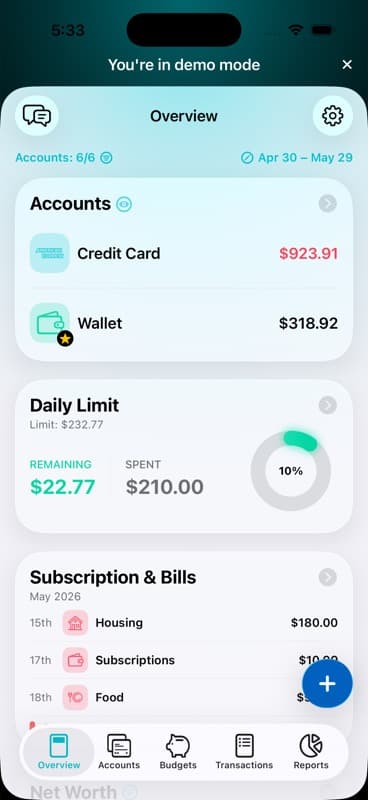
When Future Transactions is ON, MoneyCoach includes future-dated transactions in calculations where the app uses this setting. This can affect account balances, budgets, reports, credit card details, and summary-style views.
When Future Transactions is OFF, MoneyCoach excludes transactions dated after today from those calculations. Future transactions can still be visible in transaction-related screens, but they will not affect the calculated numbers until their date arrives.
The setting does not create future transactions. It only decides whether existing future-dated transactions are included before they happen.
Why it matters
This toggle gives you two useful ways to look at your money:
- Turn it ON when you want a planning view that includes scheduled bills, repeating expenses, upcoming income, and future transfers.
- Turn it OFF when you want a today-focused view that only counts transactions that have already happened.
How MoneyCoach treats future transactions
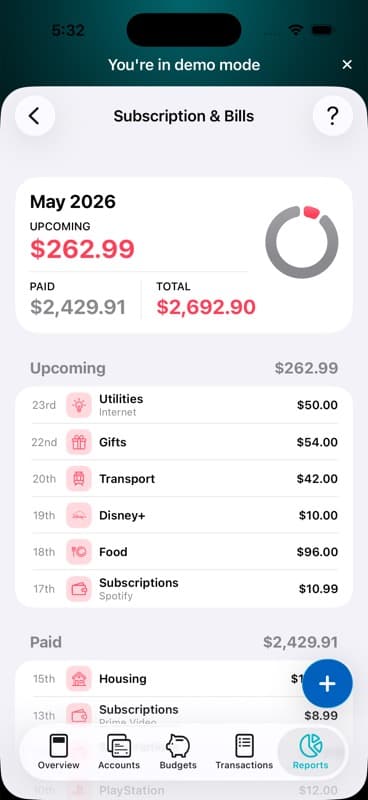
MoneyCoach checks the Future Transactions setting in the parts of the app that calculate money. If the toggle is OFF, the app filters out transactions after today for those calculations.
That means a future bill may still be useful for planning, reminders, or upcoming-bill views, but it will not reduce today's calculated balance while the toggle is OFF. Once the transaction date arrives, it is treated like a normal transaction.
Which option should you choose?
Choose ON if you want MoneyCoach to help you plan ahead and show what your money looks like after upcoming transactions are included.
Choose OFF if you want balances and reports to stay focused on money that has already moved.
Related guides
FAQ
What are Future Transactions in MoneyCoach?
Future Transactions are transactions dated after today. The Future Transactions toggle controls whether those future-dated transactions are included in MoneyCoach calculations before their date arrives.
Where is the Future Transactions toggle in MoneyCoach?
Open MoneyCoach, go to Settings, tap General, then scroll to the Transactions section. The toggle is called Future Transactions.
Does Future Transactions create new transactions?
No. The setting does not create transactions or change their dates. It only controls whether existing future-dated transactions are shown and calculated before they happen.
What changes when Future Transactions is turned off?
When Future Transactions is off, MoneyCoach excludes transactions dated after today from calculations such as account balances, budgets, reports, credit card details, and overview-style summaries until those transactions become due.