Fast Input
Quickly add transactions with tons of additional details in a couple of seconds.
Log every cash payment the moment it happens. Cash accounts, Quick Entry and Shortcuts keep the receipt-and-coins side of your money as visible as your cards.
Cash Flow
MoneyCoach offers fantastic cash tracking that is crucial for making informed decisions about your spending and saving. Add descriptions, tags, payees, locations and attachments like receipts or documents to any transaction. Exclude specific ones and search for any transaction.
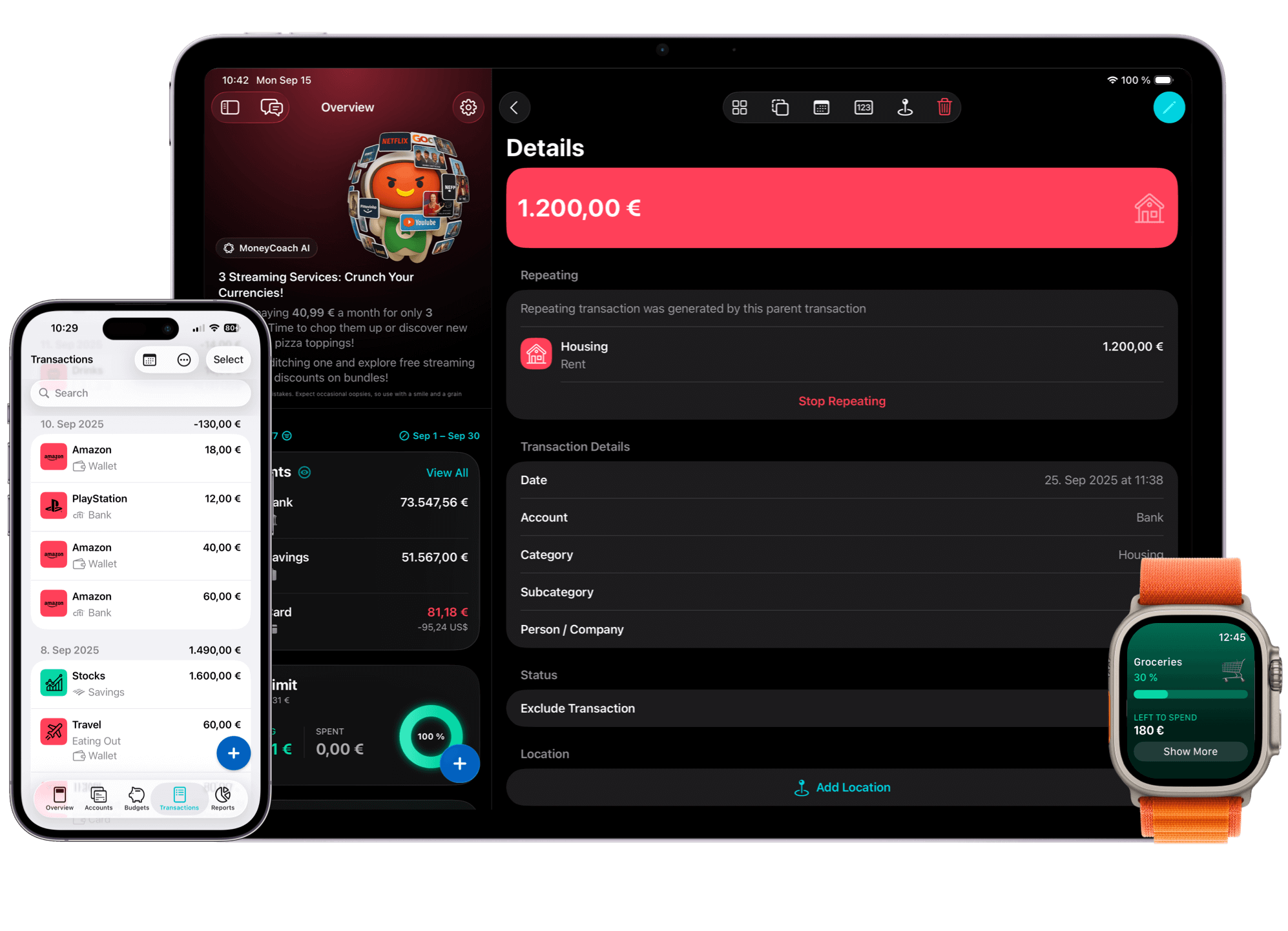
Quickly add transactions with tons of additional details in a couple of seconds.
Use "Quick Entry" to add transactions in less than 2 seconds.
Transform any of your routine transactions into a Shortcut so the next time you have to add them, you can do it with one-tap.
Easily add descriptions to transactions to explain your spending with more details. Descriptions are searchable.
Add tags and payees to transactions to see how much money you have spent on them via the respective reports. Tags and Payees are searchable
Add locations to your transactions to remember the exact location where you spent your cash on.
Take a picture of the receipt or attach a document like invoices to transactions to keep a digital record of your purchases.
Hide unwanted transactions from being calculated in the Overview, Reports and the rest of the app.
Duplicate transactions, bulk edit a specific detail for multiple transactions at once and so much more...
MoneyCoach is a one-stop-shop that makes managing your personal and family finances fun and accessible. Achieve financial freedom and reduce your financial stress today.