Budget by real categories
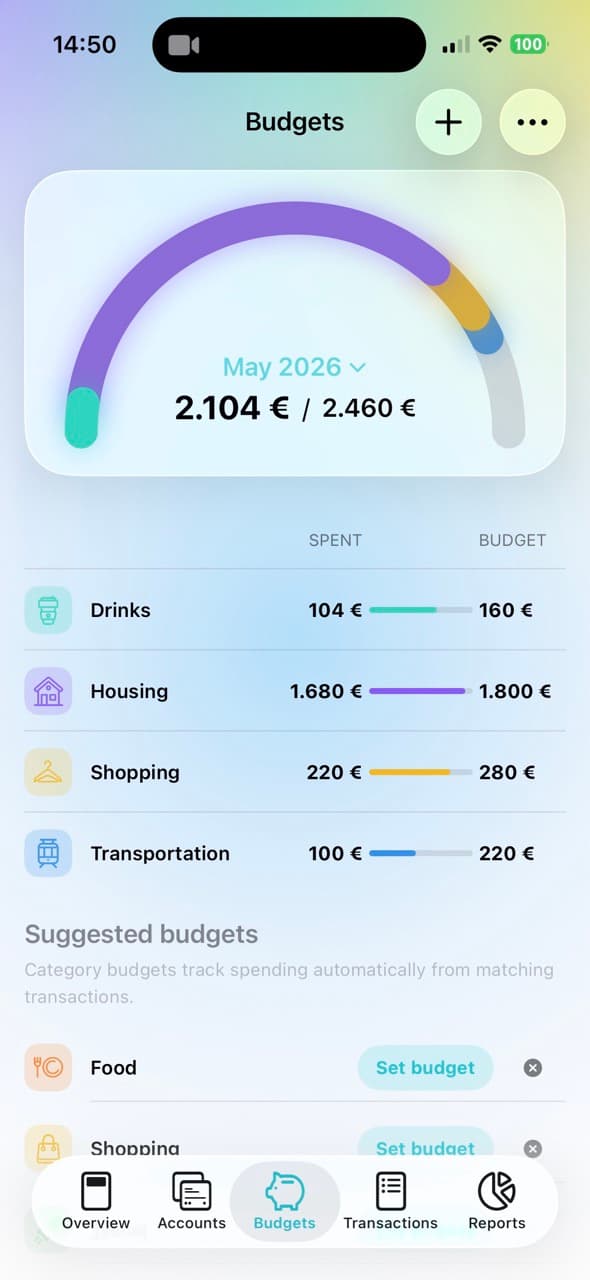
Create a monthly limit for Food, Shopping, Transport, Entertainment, or any category you already use in MoneyCoach.
Plan your month around the categories you actually spend in, then adjust the plan with top-ups, transfers, rollover, and rebalancing when life changes.
A better monthly plan for real spending
Category Budgets turn your category list into a practical spending plan. Set a limit for each important category, watch progress update automatically, and make controlled adjustments without rebuilding your budget from scratch. If you are still choosing the starting amounts, build a planned-versus-actual budget plan first.
Built for everyday budgeting
Create a monthly limit for Food, Shopping, Transport, Entertainment, or any category you already use in MoneyCoach.
Expenses count toward the matching Category Budget automatically, so progress, details, and transactions update as you log spending.
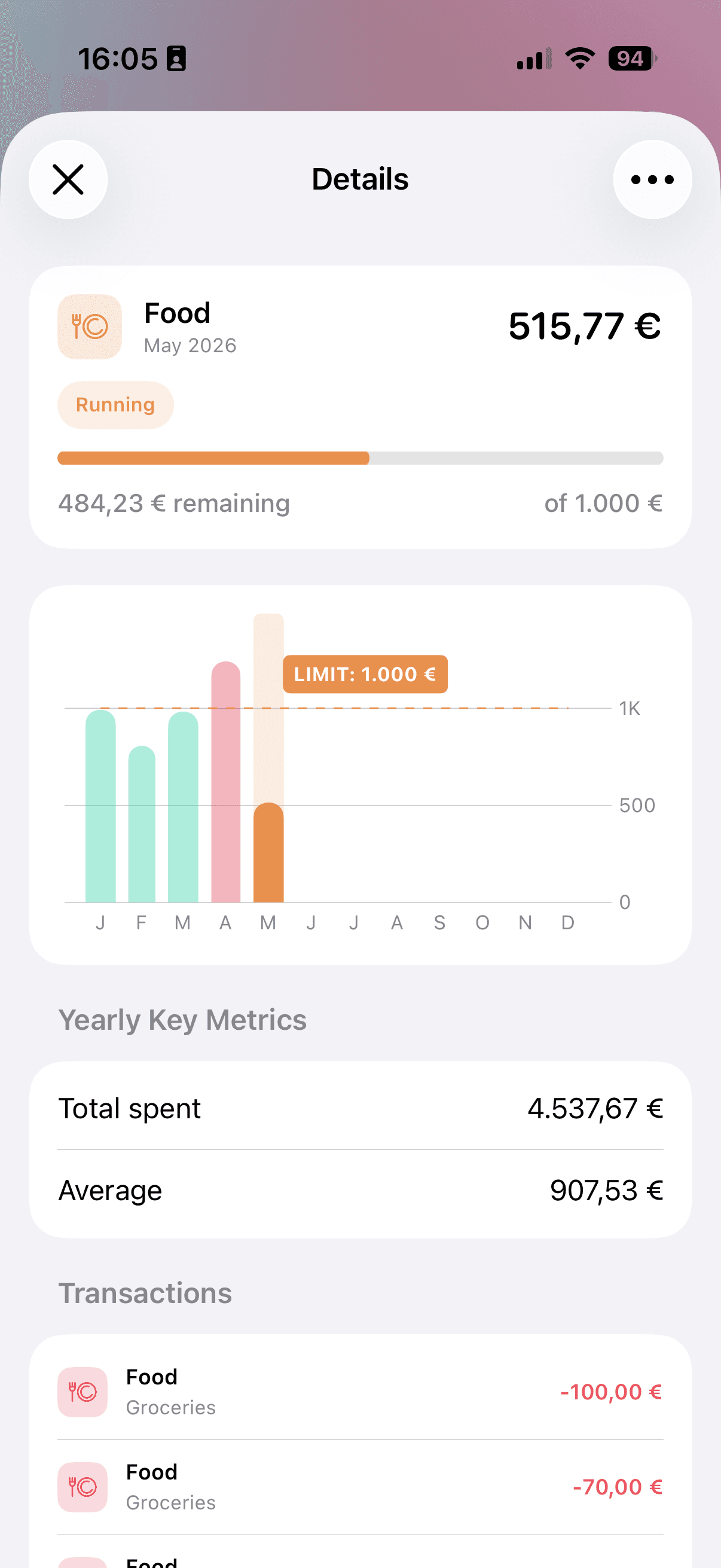
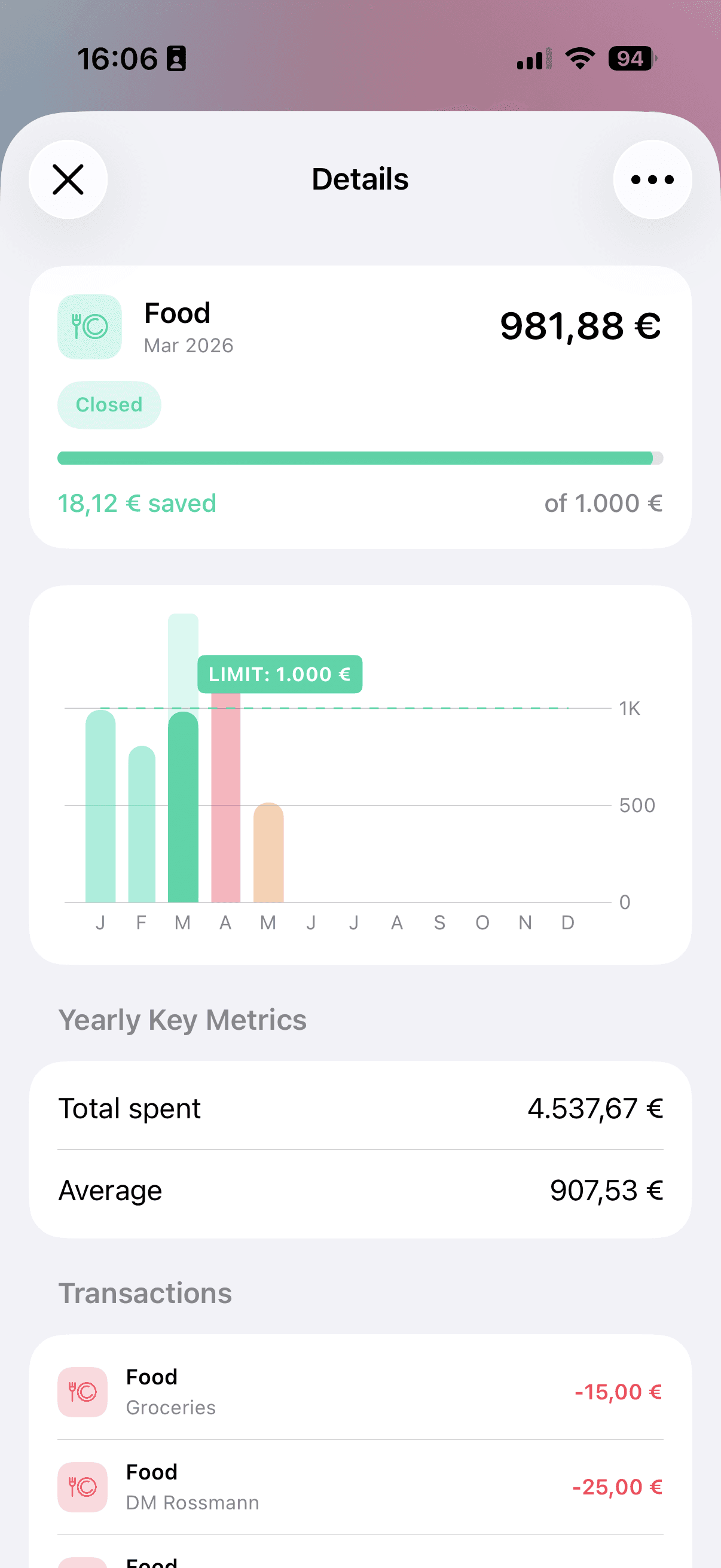
Open budget details to compare monthly spending against your limit, review yearly key metrics, and inspect matching transactions.
Use top-ups, transfers, and rebalancing when real spending changes without losing the structure of your plan.
Optional rollover can bring unused budget or overspending into the next month, making budgets easier to trust over time.
Category Budgets vs Classic Budgets
Category Budgets are the recommended choice for most monthly spending plans. Classic Budgets remain available for users who prefer the original custom setup.
Start with setup, then learn how to review details, inspect history, top up, transfer, and rebalance your category budgets.
Set monthly limits for categories or subcategories and learn how automatic tracking works.
Read guideReview monthly progress, yearly spending history, key metrics, transactions, and budget actions.
Read guideAdd extra room to one budget for the current month from available monthly income.
Read guideMove planned budget room from one category to another without changing your total budget.
Read guideLet MoneyCoach suggest monthly adjustments based on current spending patterns.
Read guideBudgeting concepts
These guides connect Category Budgets to the common decisions people make every month: groceries, subscriptions, couples, irregular income, and rebalancing.
Read the behavioral science behind Category Budgets, mental accounting, and flexible monthly budgeting.
Read guide
Start from practical templates for groceries, subscriptions, transport, kids, and irregular income.
Read guide
See how MoneyCoach keeps the envelope budgeting idea but removes manual envelope math.
Read guide
Adjust category limits when real spending changes without increasing your total plan.
Read guide
Use a grocery category template for supermarkets, restaurants, delivery, and household basics.
Read guide
Separate essentials, taxes, buffers, flexible spending, debt, and goals.
Read guide
Create shared categories that make household money conversations easier.
Read guide
Give recurring charges their own monthly limit and review them regularly.
Read guide
Category Budgets are designed to make monthly category budgeting more automatic while still giving you control over subcategories, rollover, top-ups, transfers, and monthly rebalancing.
Category Budgets are monthly spending limits tied to the categories you already use in MoneyCoach, such as Food, Shopping, Transport, or Entertainment. When you add an expense to a matching category, MoneyCoach counts it toward that category budget automatically.
Yes. You can create a Category Budget for a parent category or for a subcategory. You can also add subcategory limits inside a parent category budget, which is useful when you want one Food budget with separate limits for Groceries and Restaurants.
Category Budgets are built around your category list and include newer actions like top-up, transfer, rebalance, subcategory limits, and rollover. Classic Budgets remain available separately for users who prefer the original custom budget setup.
MoneyCoach uses the category on each expense transaction. If an expense belongs to a category or subcategory included in the budget, it is counted automatically in that month. Transfers do not count as spending unless they are recorded as expense transactions.
The details screen shows the selected budget month, running or closed status, spent amount, remaining or saved amount, yearly history chart, yearly key metrics, and the transactions counted toward that category or subcategory budget.
Rollover carries budget context from one month to the next. If you finish a month under budget, the unused amount can roll into the next month. If you overspend, that overspending can carry forward as a negative amount so the next month starts with the real balance.
A top-up temporarily adds extra room to one Category Budget for the current month. MoneyCoach calculates available income for the month, then lets you allocate part of that income to a specific budget without changing the normal monthly limit.
A budget transfer moves planned budget room from one Category Budget to another. For example, you can reduce Entertainment and increase Food while keeping your total budget unchanged. This changes budget limits only, not real bank balances.
Rebalance Budgets helps adjust several Category Budgets based on current spending while keeping the total planned budget unchanged. It is useful when one category needs more room and another category can give some room back.
No. Top-ups, transfers, and rebalancing only change budget limits inside MoneyCoach. They do not initiate bank transfers or create transactions.
Yes. Category Budgets work well as a modern envelope budgeting system because each category gets its own monthly limit. Unlike cash envelopes, MoneyCoach updates progress automatically from your transactions and lets you use rollover, top-ups, transfers, and rebalancing.
Category Budgets and advanced budget actions are Premium features in MoneyCoach. Classic Budgets remain available separately, and free users can still use Classic Budgets within the free budget limit.
Use Category Budgets if you want a practical monthly plan for everyday spending categories and a controlled way to adjust that plan as the month changes.