Personal budget categories
Budget Categories List for a Monthly Budget
Start with income, essential spending, financial commitments, flexible choices, and irregular future costs. Use 8 to 12 useful parent categories first, then add detail only when it changes a decision.
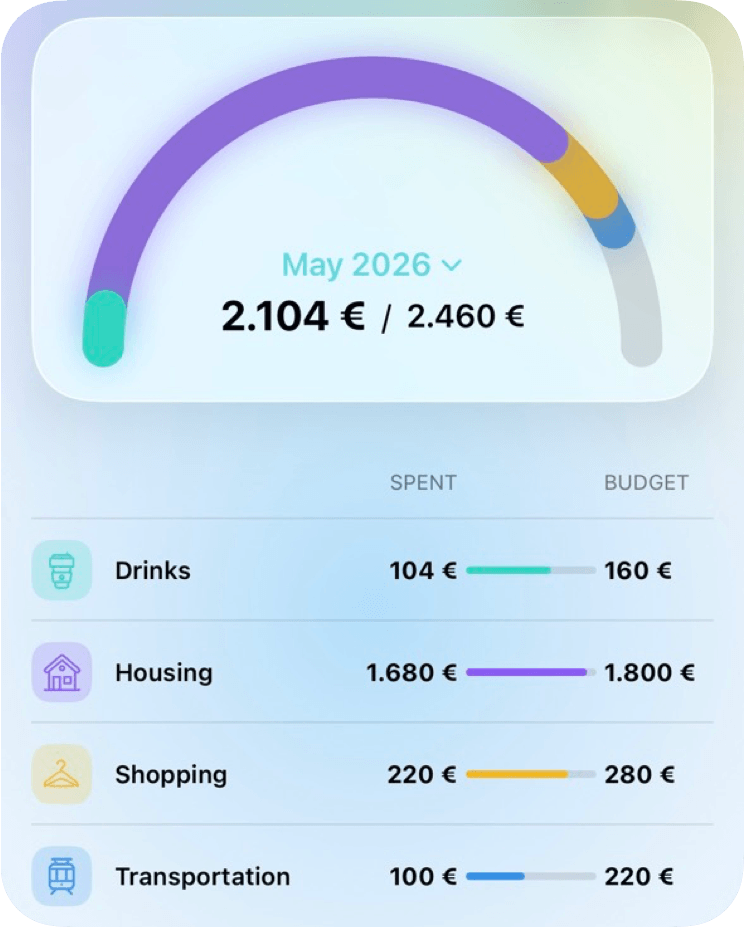
Complete starter list
Common monthly budget categories
You do not need every item below. Choose the categories that represent real income, obligations, decisions, and known future costs in your household.
Income
- Salary and wages
- Freelance or business income
- Benefits and support
- Other reliable income
Essential spending
- Housing
- Utilities
- Groceries
- Transport
- Insurance
- Healthcare
- Childcare
Financial commitments
- Minimum debt payments
- Emergency savings
- Retirement
- Other savings goals
Flexible spending
- Dining out
- Shopping
- Entertainment
- Hobbies
- Personal spending
Irregular expenses
- Car repairs
- Home maintenance
- Annual insurance
- Gifts and holidays
- Travel and school costs
Choose a template
Category plans for common household decisions
These are not generic spreadsheets. They are structured around how MoneyCoach Category Budgets work: parent categories, optional subcategory limits, monthly reviews, top-ups, transfers, rebalancing, and rollover when unused room should carry forward. Start with the free monthly budget planner when you need the household-wide plan before choosing category-level limits.
Food budget template
Grocery Budget Categories Template
Use this grocery budget category template to plan supermarket spending, household basics, restaurants, delivery, and meal-planning costs in MoneyCoach.
Open template
Recurring spending template
Subscription Budget Categories Template
Plan streaming, apps, cloud storage, fitness, news, learning, and family subscriptions with this MoneyCoach budget category template.
Open template
Transport budget template
Transport Budget Categories Template
Plan fuel, charging, public transit, parking, tolls, repairs, insurance, and commute costs with this MoneyCoach transport budget template.
Open template
Family budget template
Kids Budget Categories Template
Plan school, childcare, clothes, activities, gifts, allowance, and family events with this MoneyCoach kids budget category template.
Open template
Variable income template
Irregular Income Budget Categories Template
Use this irregular income budget template to separate essentials, taxes, buffers, variable spending, debt, and goals in MoneyCoach.
Open template
Why templates help
Start with fewer decisions
Budgeting gets harder when every category feels equally important. Templates reduce the first decision: pick the category, set the monthly limit, and only split subcategories when that detail changes what you will do next.
Use this sequence
- 1. Start with the parent category.
- 2. Add subcategories only for meaningful tradeoffs.
- 3. Review weekly instead of reacting to every transaction.
- 4. Rebalance before raising the total monthly budget.
Budget Categories FAQ
How many categories should you have in your budget?
Use the fewest categories that still change your decisions. Many people can begin with 8 to 12 parent categories, then add subcategories only where a separate limit or review is genuinely useful.
What categories should be in a personal budget?
A personal budget should cover income, housing, utilities, food, transport, insurance, healthcare, debt payments, savings, flexible spending, and irregular future costs. Add household-specific categories such as childcare or pet care when they matter.
What are the three main budget category groups?
A simple budget can group money into needs, future commitments such as savings and debt, and flexible wants. A detailed budget can split those groups into more useful monthly categories.
How often should I review budget categories?
A short weekly review is useful for active categories, with a fuller review at the end of the month. Adjust categories when the same mismatch keeps appearing rather than reacting to one unusual purchase.