Native Mac app
Personal finance software for Mac, iPhone and iPad
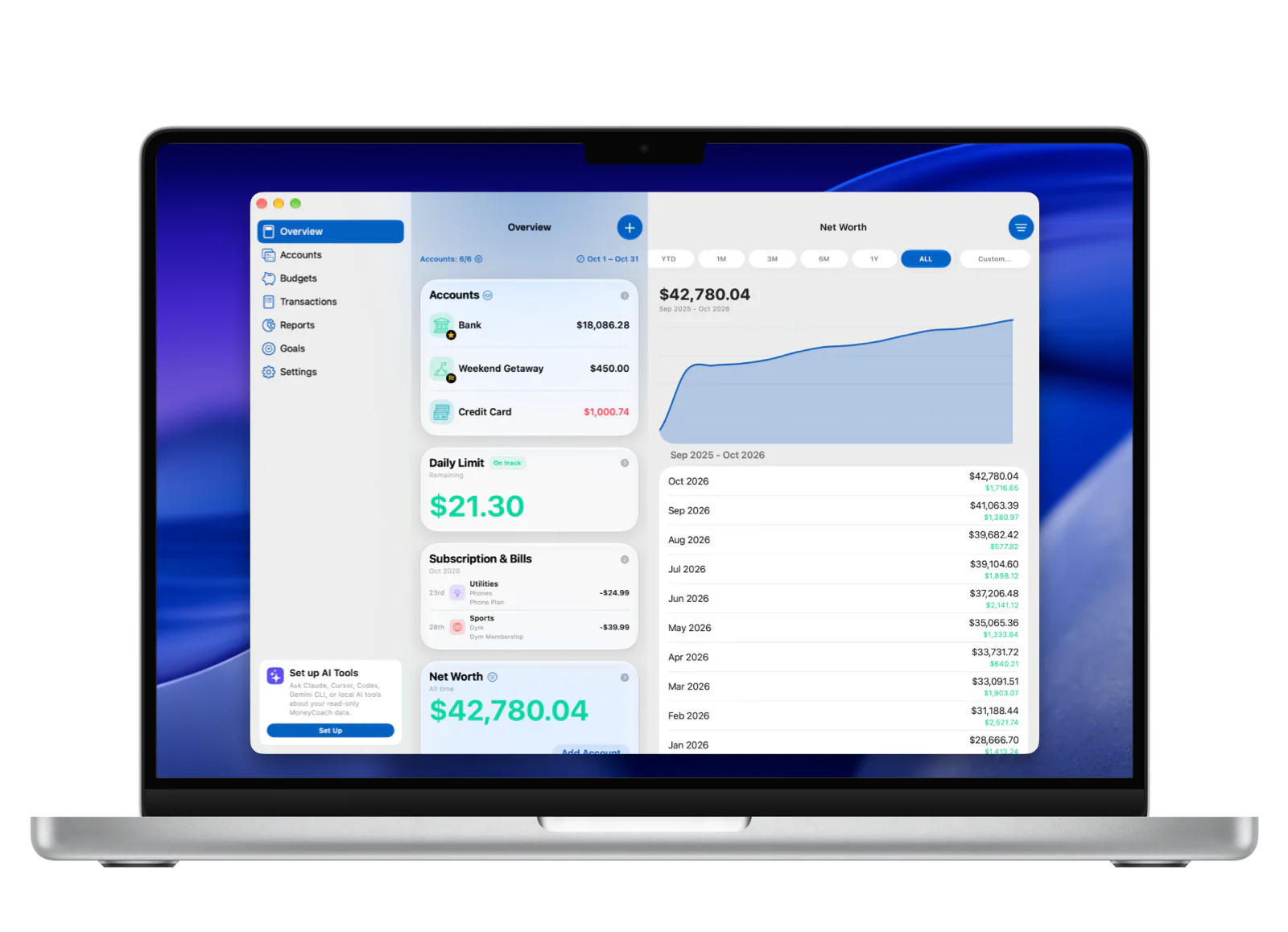
MoneyCoach is personal finance software that runs as a native Mac app from the Mac App Store, not a browser tab. Plan Category Budgets, review reports, import CSV files and Apple Card statements, and manage multi-currency accounts on the big screen with keyboard shortcuts and Shortcuts in the macOS menu bar. iCloud sync keeps the same data on iPhone, iPad, Apple Watch and Apple Vision Pro, and read-only bank sync covers 2,800+ banks across Europe.
Download from the Mac App Store; iCloud sync brings your iPhone and iPad data across.
App Store
featured by Apple
MoneyCoach has been featured as App of the Day, in Apple editorial placements, WWDC keynotes, and an App Store Developer Story.
macOS 26
native Mac app
MoneyCoach ships on the Mac App Store and was updated for macOS 26 on release day.
iCloud
sync
The same data on Mac, iPhone, iPad, Apple Watch, and Apple Vision Pro.
2,800+
European banks
Read-only bank sync across 30 countries; US connections use Plaid and start on iPhone; Canada is coming soon. Manual entry and imports remain available.
Short answer
MoneyCoach is a native Mac app for personal finance: budgets, bills, goals, reports and multi-currency accounts on Mac, synced through iCloud with iPhone, iPad and Apple Watch, with Apple Pay import, CSV import and read-only bank sync across Europe to bring transactions in without retyping.
Start with the right fit
Who MoneyCoach for Mac is for
You want personal finance software that runs as a native Mac app instead of a browser tab.
You prefer reviewing budgets and reports on a larger screen with a keyboard.
You want CSV imports, Apple Card statements and transaction cleanup to feel less cramped.
You manage multiple accounts, currencies, cards, or family finance workflows.
You already track on iPhone or Apple Watch and want the same data on Mac through iCloud sync.
Decision guide
Mac personal finance workflows
Use the bigger screen for the bigger decisions
Review reports, clean up CSV and Apple Card imports, inspect Apple Pay spending patterns, and plan Category Budgets with keyboard shortcuts on Mac, then keep everyday spending capture on iPhone and Apple Watch. iCloud sync keeps every device on the same data.
MoneyCoach workflow
How MoneyCoach helps Mac users
- Native Mac app from the Mac App Store, updated for macOS 26 on release day.
- Keyboard shortcuts for adding expenses, incomes and transfers, plus keyboard navigation.
- MoneyCoach Shortcuts run from the macOS menu bar and Siri for quick entry outside the app window.
- iCloud sync with iPhone, iPad, Apple Watch and Apple Vision Pro.
- CSV import and Apple Card CSV import for bulk transaction history.
- Apple Pay / Wallet purchases imported on iPhone are ready to review on Mac.
- Category Budgets, Financial Reports, multi-currency accounts and credit cards on a desktop screen.
- Read-only bank sync for 2,800+ banks in 30 European countries.
- MoneyCoach AI on Apple Silicon Macs (M1 or later) with Apple Intelligence.
When Mac is not the main workflow
Use iPhone for fast day-to-day expense capture and Apple Pay / Wallet import; iCloud sync brings it to Mac.
Use Apple Watch for glanceable checks, not full reviews.
Use Mac for the weekly or monthly review, CSV cleanup, and keyboard-driven entry where screen size helps.
Supported US banks connect through Plaid, starting on iPhone; European banks use GoCardless. Canada is coming soon. Manual entry and CSV import remain available.
★★★★★Great, great app!
“Money coach is simple to use but powerful at the same time. I can manage my bank account in different countries using different currencies and generating really useful reports!”
- Andresantosfx, App Store review
Australia
Next steps
Related MoneyCoach guides and features
Use these pages to move from research into a practical MoneyCoach setup.
Personal finance software for Mac, iPhone and iPad FAQ
Is MoneyCoach a native Mac app?
Yes. MoneyCoach is a native Mac app from the Mac App Store with keyboard shortcuts, Shortcuts in the macOS menu bar, and day-one support for macOS 26. It is not a web app in a browser tab.
Does MoneyCoach sync between Mac, iPhone and iPad?
Yes. iCloud sync keeps accounts, transactions, budgets, and goals the same on Mac, iPhone, iPad, Apple Watch, and Apple Vision Pro.
Does MoneyCoach for Mac have keyboard shortcuts?
Yes. Add expenses, incomes, and transfers with keyboard shortcuts, navigate with the keyboard, and run MoneyCoach Shortcuts from the macOS menu bar or Siri.
Can MoneyCoach connect to my bank on Mac?
In Europe, yes: read-only bank sync covers 2,800+ banks in 30 countries. Supported US banks connect through Plaid, starting on iPhone; their account data can then update on Mac. Canada is coming soon. Manual entry and imports remain available.
Is Mac better than iPhone for budgeting?
Mac is better for review-heavy tasks like reports, CSV imports, and monthly planning. iPhone is better for fast daily capture.
Can I review Apple Pay spending on Mac?
Yes. Use the iPhone Apple Pay / Wallet import workflow for eligible transactions, then use Mac for the bigger-screen review of categories, reports, and monthly budgets.
What should I do first on Mac?
Use Mac for one high-value review task first, such as cleaning an import, checking reports, or setting Category Budgets. That avoids setup overload and makes the desktop workflow useful immediately.
Should I track every expense from Mac?
Usually no. Mac is best for review and planning. iPhone, widgets, Apple Watch, Apple Pay import, and CSV import are better for capturing or bringing in day-to-day spending.
Build a budget you can actually keep
MoneyCoach helps you track spending, plan budgets, review reports, and reach goals across the Apple devices you already use.
MoneyCoach UG, Berlin. Learn more at About Us or contact support at info@moneycoach.ai.