AI that does the boring part
AI Budgeting App
An AI budgeting app uses a model to remove the manual work from budgeting: it categorizes transactions for you, suggests goals, and answers questions about your own spending in plain language. MoneyCoach does this through MoneyCoach Intelligence, and none of it replaces your judgement. You still set the budgets and make the calls.
Best if you want AI to remove the tedious part of budgeting without handing over control.
App Store
featured by Apple
MoneyCoach has been featured as App of the Day, in Apple editorial placements, WWDC keynotes, and an App Store Developer Story.
1M+
downloads
A mature Apple-first budgeting app with a large user base.
16K+
App Store ratings
Rated 4.5 on the App Store worldwide.
0
money moved by AI
MoneyCoach never initiates a payment, transfer, or trade on your behalf.
Short answer
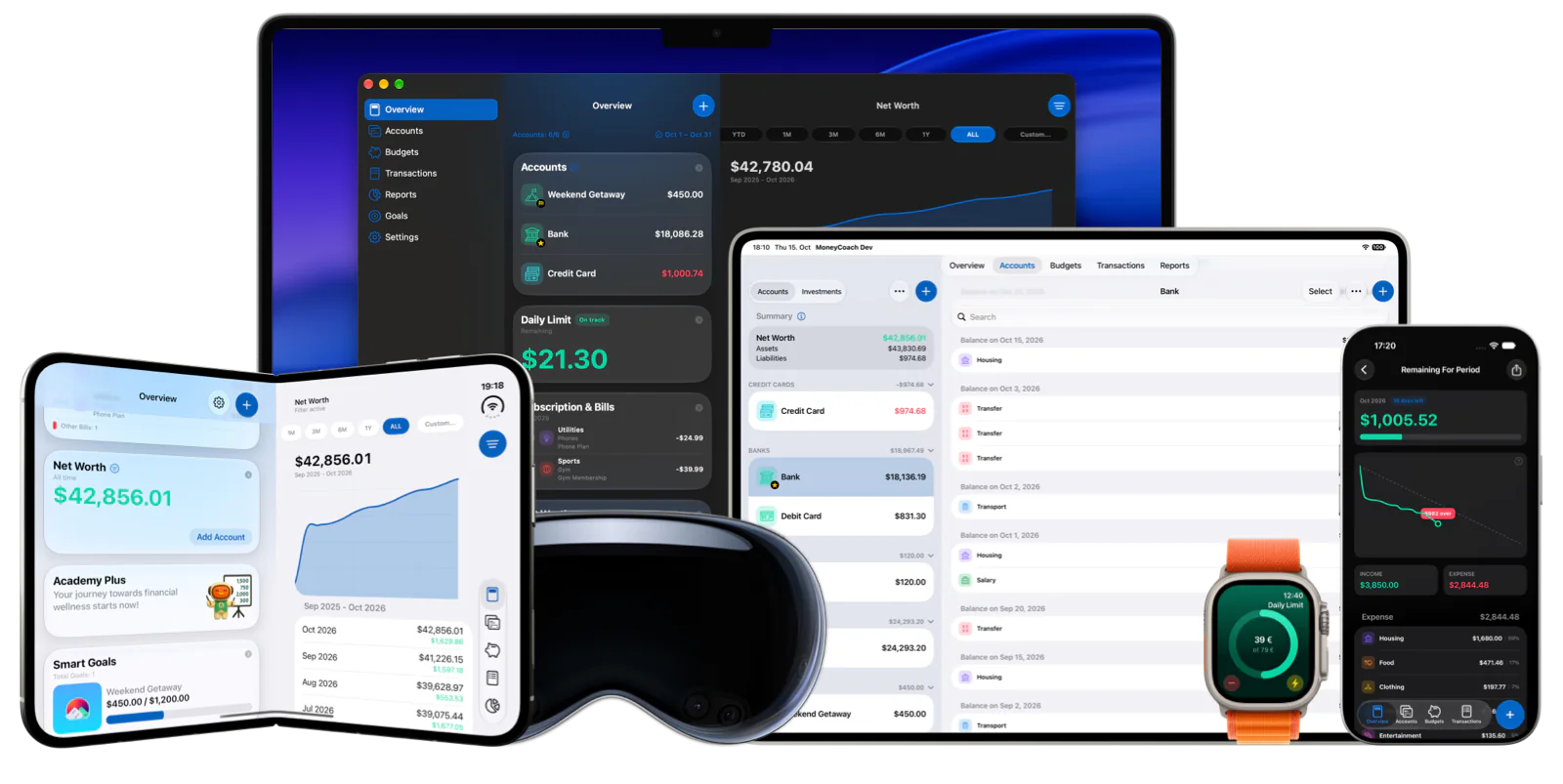
MoneyCoach is an AI budgeting app for Apple users. MoneyCoach Intelligence handles predictive spending categorization, smart goal suggestions, and natural language search over your own data, while the free AI calculators explain retirement, mortgage, savings, and debt payoff results in plain language.
Start with the right fit
Who an AI budgeting app actually helps
People who abandon budgeting apps because categorizing transactions is tedious.
People who want to ask "how much did I spend on groceries in March" instead of building a report.
People who already use AI tools daily and want their finances in the same workflow.
Apple users who want the same AI budgeting system on every device they own.
Best for
- You want transactions categorized automatically instead of tagged one by one.
- You want to ask questions about your own spending in plain language.
- You want AI help with the admin, not an algorithm making money decisions for you.
- You use iPhone, iPad, Mac, Apple Watch, or Apple Vision Pro.
Not the best fit if
- You want an AI that automatically moves money or executes trades. MoneyCoach does not do that.
- You want personalized investment advice. MoneyCoach is a budgeting app, not an advisor.
- You want an Android-first app.
- You do not want any of your data processed in the cloud, even under strict access controls.
Decision guide
Match the AI feature to what you need
Start with the part AI is genuinely good at
Let categorization run for one month before judging it. That is the feature that saves the most time, and it is the one that improves fastest from your corrections.
Comparison
What "AI budgeting app" can actually mean
The phrase covers very different products. It helps to know which kind of AI you are buying before you compare features.
| Type of AI | What it does | Where MoneyCoach fits |
|---|---|---|
| Categorization AI | Reads a transaction and predicts its category. | Predictive Spending Categorization, which learns from every one-tap correction you make. |
| Conversational AI | Answers questions about your data in plain language. | Natural language search inside the app, plus read-only assistant access through local MCP on Mac or optional cloud sharing with Premium Max. |
| Planning AI | Suggests goals and targets from your history. | Smart goal suggestions, plus the free AI calculators for one-off scenarios. |
| Advice AI | Tells you what to buy, sell, or invest in. | Not offered. MoneyCoach does not give personalized financial advice. |
| Autonomous AI | Moves money or pays bills on your behalf. | Not offered. MoneyCoach never moves money for you. |
MoneyCoach workflow
What MoneyCoach Intelligence actually does
- Predictive Spending Categorization assigns categories to your transactions automatically.
- Smart Suggestions draw on your transaction history and merchant patterns for accurate category matches.
- One-Tap Correction fixes any mistake instantly, and MoneyCoach learns from it.
- Personalized Learning means the model understands your spending patterns better the longer you use it.
- Smart goal suggestions turn your history into realistic savings targets.
- Natural language search answers questions about your own spending without building a report.
- With Premium Max, MoneyCoach supports read-only assistant access through local MCP on Mac or optional MoneyCoach Cloud sharing for supported assistants such as ChatGPT and Claude.
Where the AI stops
It does not give financial advice. MoneyCoach helps you see your money clearly; what you do about it is your decision.
It does not move money. No payments, no transfers, no trades, ever.
It is not a substitute for reviewing your own budget. AI removes the data entry, not the thinking.
Categorization improves with use. Expect a few corrections in week one, and far fewer by week four.
★★★★★Everyday spending feels easier to understand
“It didn't take long to get into the habit of logging every transaction, and I can already see the benefit of having all my transactions recorded.”
- Discotoast, App Store review
United States
Next steps
Related MoneyCoach guides and features
Use these pages to move from research into a practical MoneyCoach setup.
Common concerns
Questions people ask before switching
Does the AI see my financial data?
MoneyCoach Intelligence runs on Google Cloud Platform under strict access controls, and your data is never shared with third parties. When you sync across devices, that sync is protected with end-to-end encryption.
Can the AI move my money?
No. MoneyCoach never initiates payments or transfers. The AI categorizes, suggests, and explains. Every decision and every transaction stays yours.
What if it categorizes something wrong?
Fix it with one tap. MoneyCoach learns from the correction, so the same merchant is handled correctly next time. The more you use it, the better it matches how you actually think about your spending.
Do I need Premium for the AI features?
MoneyCoach Intelligence is part of MoneyCoach Premium. The AI financial calculators on the free tools pages are free and need no account. Check the App Store listing for current plan details, because availability and pricing vary by country.
Is this an AI financial advisor?
No. MoneyCoach is a budgeting app. It helps you see and organize your own money, and it does not give personalized investment or financial advice.
AI Budgeting App FAQ
What is an AI budgeting app?
An AI budgeting app uses a model to automate the manual parts of budgeting: predicting categories for your transactions, suggesting savings goals from your history, and answering questions about your spending in plain language. It does not replace your decisions. It removes the data entry that makes people quit budgeting.
What does MoneyCoach AI actually do?
MoneyCoach Intelligence provides predictive spending categorization, smart category suggestions based on your transaction history and merchant patterns, one-tap correction that the model learns from, smart goal suggestions, and natural language search over your own data.
Is my data safe in an AI budgeting app?
In MoneyCoach, AI processing runs on Google Cloud Platform under strict access controls, and your data is never shared with third parties. Syncing across devices is protected with end-to-end encryption.
Does the AI make financial decisions for me?
No. MoneyCoach does not give personalized investment or financial advice, and it never moves money. The AI categorizes, suggests, and explains. Every decision stays with you.
Is there a free AI budget tool I can try first?
Yes. The free AI financial calculators need no account: run a retirement, mortgage, savings, auto loan, credit card, or debt payoff scenario and the AI explains your own result in plain language.
Can I use MoneyCoach as an AI personal finance coach?
It works as a coach in the practical sense: it keeps your categories current, flags where the month is going, suggests goals from your real history, and answers questions about your spending. It is not a licensed advisor and does not recommend investments.
Can I connect my own AI assistant to MoneyCoach?
Yes, with Premium Max and your opt-in. Use local MCP with compatible clients on Mac, or enable an optional MoneyCoach Cloud copy for supported assistants such as ChatGPT and Claude. Both provide read-only access. Cloud sharing uploads selected data; review its privacy details before enabling it.
How long before the AI categorization gets good?
Expect corrections in the first week while it learns your merchants and habits, and noticeably fewer by the fourth. Every one-tap correction teaches the model, so the accuracy you get depends partly on how consistently you fix the early misses.
Do I need to connect a bank for the AI to work?
No. MoneyCoach works with manual accounts, Apple Pay Wallet import through Shortcuts, and CSV import. Bank connections are optional, so you can use an AI budgeting app without linking a bank account.
Let the AI handle the admin
Predictive categorization, smart goal suggestions, and natural language search over your own data, across iPhone, iPad, Mac, Apple Watch, and Apple Vision Pro.
MoneyCoach UG, Berlin. Learn more at About Us or contact support at info@moneycoach.ai.