
Rebalance Budgets helps you adjust your Category Budgets when the month is already in motion. MoneyCoach looks at spending so far this month, previews suggested changes, and keeps your total category budget unchanged.
It is useful when your original plan no longer matches reality, but you still want to stay disciplined with the same overall budget.
What rebalancing does
Rebalancing spreads your total budget across your Category Budgets based on current spending patterns.
If one category is using more of the month's budget than expected, MoneyCoach can suggest increasing that category. If another category is using less, MoneyCoach can suggest reducing it. The increases and decreases balance each other, so the total planned budget stays the same.
Rebalancing does not create transactions, does not move money between bank accounts, and does not add income. It only changes budget limits inside MoneyCoach.
Step-by-step guide
- Open Budgets.
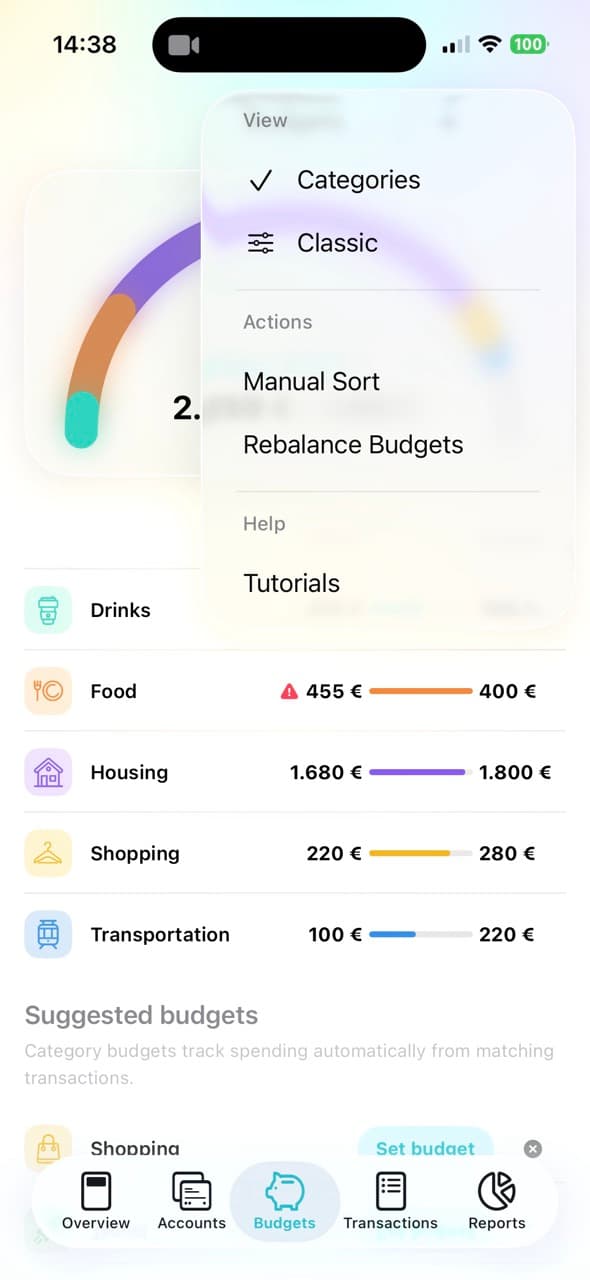
- Make sure you are viewing Categories.
- Tap the More menu.
- Tap Rebalance Budgets.
- Review the Preview Budget Changes screen.
- Choose the Scope:
- Only this month applies the suggested changes to the current month only.
- From now on applies the suggested changes from the current month forward.
- Review each suggested increase or decrease.
- Tap Done to apply the rebalance.
If MoneyCoach shows No Suggested Changes, your budgets are already balanced for current spending and there is nothing to apply.
How to read the preview
The preview shows each suggested budget change as an amount and a percentage.
A positive change means MoneyCoach suggests giving that category more budget room. A negative change means MoneyCoach suggests taking budget room away from that category. The suggestions are sorted by the largest change first, so the most important adjustments are easier to review.
Choosing the right scope
Use Only this month when the rebalance is temporary. This is best when a specific month is unusual, such as a travel month, holiday month, or a month with one-off purchases.
Use From now on when the rebalance reflects a real change in your normal spending. This is useful when a category consistently needs more budget room and another category consistently needs less.
When to use Rebalance instead of Transfer or Top-up
Use Rebalance Budgets when you want MoneyCoach to suggest adjustments across multiple Category Budgets while keeping the total budget unchanged.
Use Transfer when you already know exactly which budget should give money and which budget should receive it.
Use Top-up when you want to add extra room to one budget from this month's available income.
Why it helps
Rebalancing turns budgeting into an active monthly habit. Instead of abandoning the plan after one category goes off track, you can adjust the plan while preserving the same total spending target.
That makes Category Budgets more practical: you still get structure, but you also get a controlled way to adapt when real spending changes.