Skip to content

Budget your month with Category Budgets and Classic Budgets

MoneyCoach gives you two ways to plan spending: Category Budgets for automatic monthly category planning, and Classic Budgets for the original custom budget setup.

Choose your budgeting style

Category Budgets are the new default. Classic Budgets are still there.

Most users should start with Category Budgets because they match how people actually spend: month by month, category by category. Classic Budgets remain available for users who prefer the original custom budget setup.

Category Budgets

Recommended

Best for monthly category planning. Set limits for categories or subcategories, track expenses automatically, and adjust your plan with rollover, top-ups, transfers, and rebalancing.

  • Automatic tracking from expense categories
  • Parent category and subcategory budgets
  • Rollover, top-ups, transfers, and rebalancing
Explore Category Budgets

Classic Budgets

Original setup

Best if you already use the older custom budget workflow or want to keep a familiar setup. Classic Budgets remain available separately in MoneyCoach.

  • Flexible custom budget setup
  • Useful for existing budget workflows
  • Still available for users who prefer it
Read the Classic Budget guide

Smart Budgets

New

Plan your month with Category Budgets

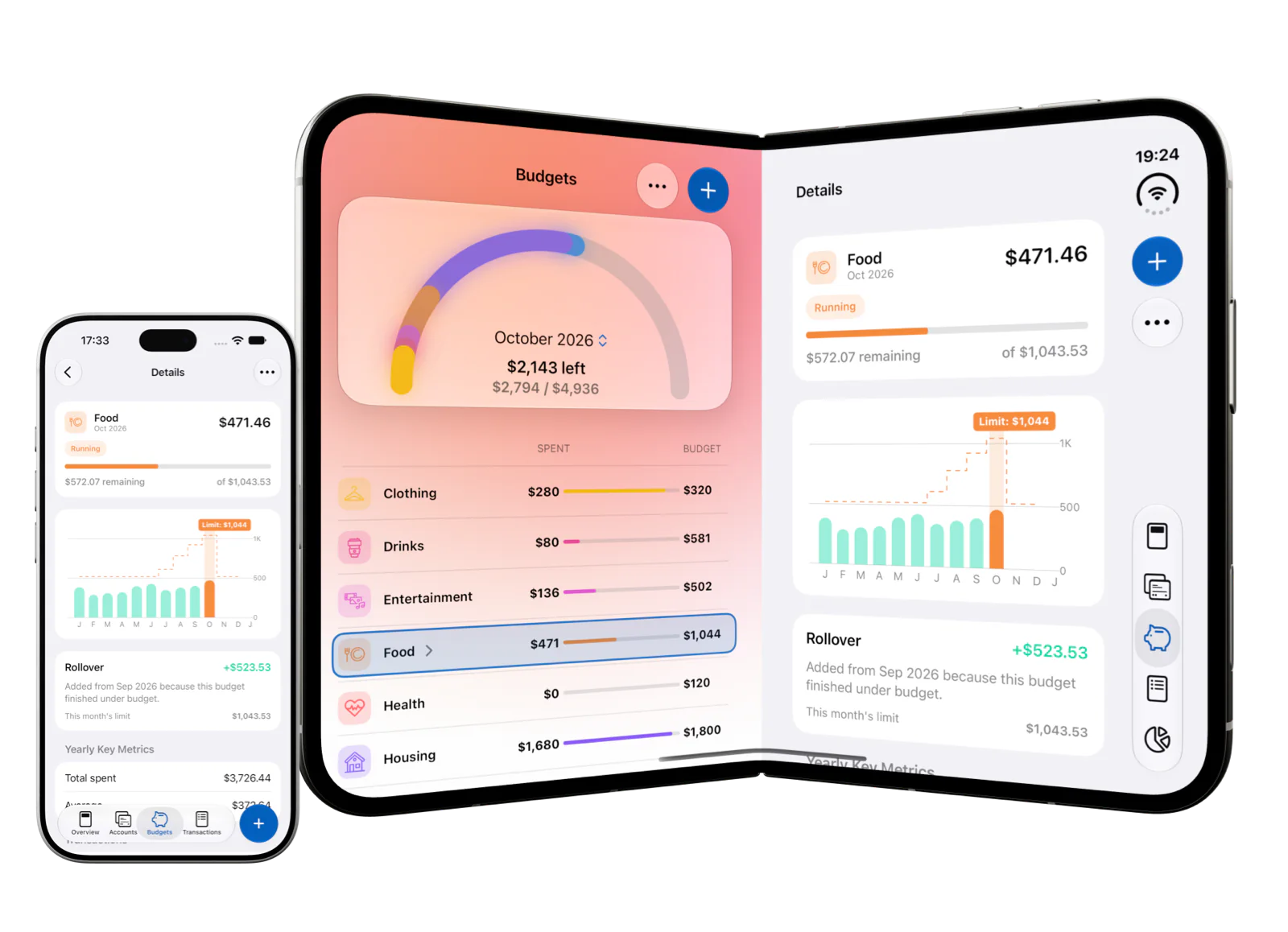
Category Budgets are the new way to budget around real spending categories. Set limits for categories or subcategories, track matching expenses automatically, then top up, transfer, rebalance, and roll over budget room as your month changes.

MoneyCoach Budgeting App screenshot

Budget by category.

Create monthly limits for Food, Shopping, Transport, Entertainment, or any category you already track in MoneyCoach.

Use subcategory limits.

Create a budget for a parent category or add subcategory budgets, like separate limits for Groceries and Restaurants inside Food.

Adjust as the month changes.

Top up a budget, transfer room between categories, rebalance your plan, and use rollover without moving real money.

Budgeting in MoneyCoach FAQ

Which MoneyCoach budget type should I use?

Most users should start with Category Budgets because they track spending automatically from categories and subcategories. Use Classic Budgets if you prefer the original custom budget setup.

Are Classic Budgets still available in MoneyCoach?

Yes. Classic Budgets remain available separately in MoneyCoach for users who already use the older workflow or prefer custom budget rules.

Can I budget subcategories in MoneyCoach?

Yes. Category Budgets can use parent categories and subcategory limits, so you can create a Food budget with separate limits for Groceries and Restaurants.

Do Category Budgets change my bank balance?

No. Category Budgets only change budget limits inside MoneyCoach. Top-ups, transfers, rollover, and rebalancing do not move real money or create bank transfers.

The modern way to manage your finances

MoneyCoach is a one-stop-shop that makes managing your personal and family finances fun and accessible. Achieve financial freedom and reduce your financial stress today.