Shared budgeting for couples
Best budgeting app for couples on iPhone, iPad and Mac
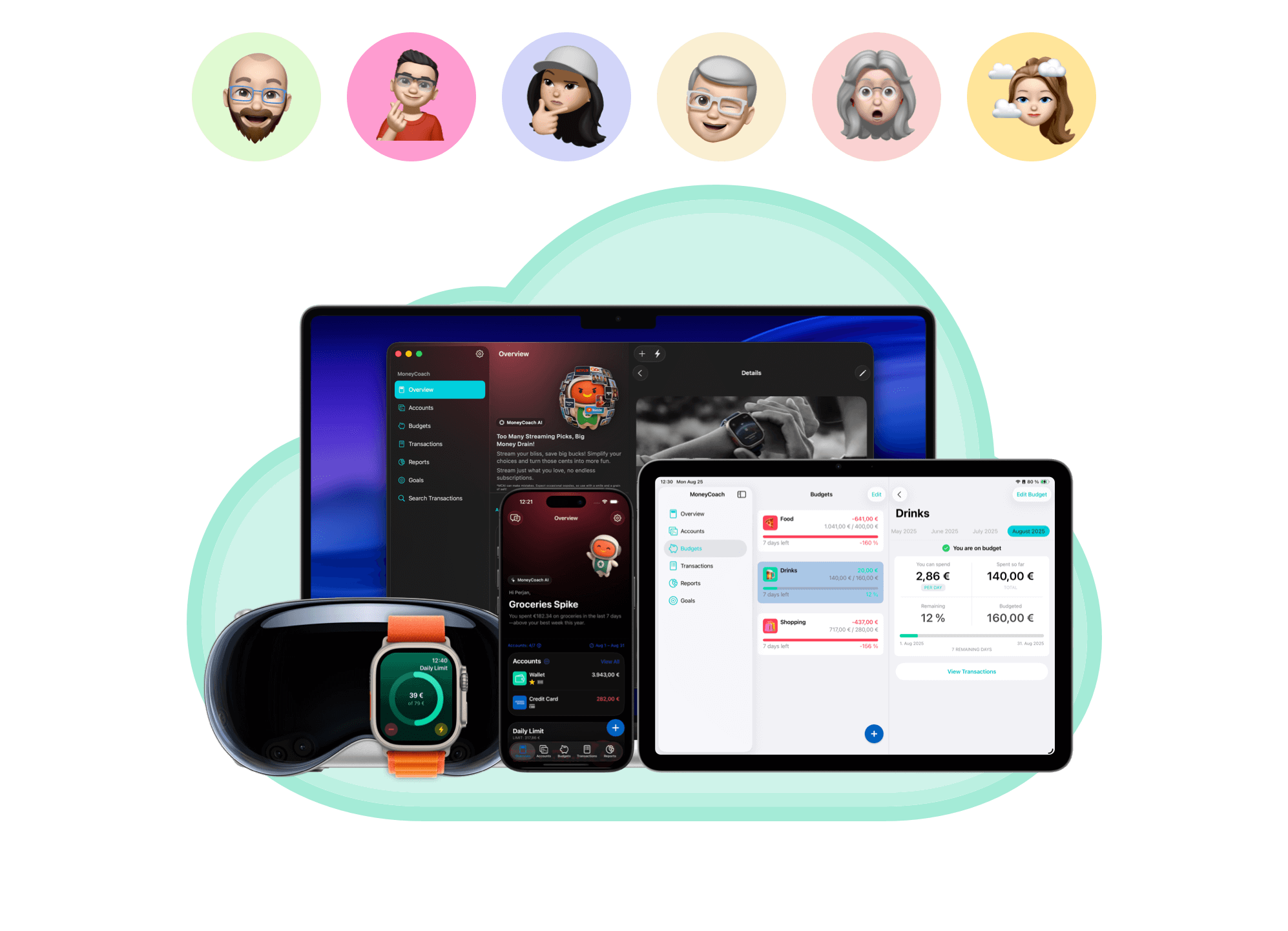
MoneyCoach is a strong budgeting app for couples on iPhone, iPad and Mac because you can start alone, build a useful budget, then invite your partner when the workflow is ready. Family Sync, Category Budgets, goals, reports, Apple Pay / Wallet import, and Apple Card guides support shared decisions without turning money talks into guesswork.
Start alone if needed, then invite your partner when the budget structure is clear.
App Store
featured by Apple
MoneyCoach has been featured as App of the Day, in Apple editorial placements, WWDC keynotes, and an App Store Developer Story.
Family Sync
available
Share finance data with another Apple ID.
Goals
included
Plan shared outcomes instead of only tracking expenses.
Reports
shared context
Use real history for household decisions.
Short answer
MoneyCoach helps couples budget on iPhone, iPad and Mac by supporting shared visibility without forcing one Apple ID. Start with one shared category, then use Family Sync, Category Budgets, goals, reports, and Apple-first import workflows when both partners are ready.
Start with the right fit
Who this couples budgeting workflow is for
You and your partner want shared visibility without sharing one Apple ID.
You want to start alone before inviting your partner.
You need household categories like groceries, rent, subscriptions, travel, and kids.
You want goals and budgets to support conversations, not arguments.
Best for
- Couples who want shared household categories without merging every detail.
- Partners using different Apple IDs.
- Couples who want to start with one category before building a full system.
- Apple households that want goals, reports, budgets, and Family Sync.
Not the best fit if
- Couples who only need to split one-off group expenses.
- Partners who want full bank aggregation to be mandatory from day one.
Decision guide
Couples budgeting choices
Begin with one shared category
Groceries, subscriptions, or a shared goal is enough to make the first couple budget useful without turning setup into a negotiation.
Comparison
Couples budget app comparison
Couples do not all budget the same way. Some share everything, some share only household categories, and some keep separate accounts with shared goals. MoneyCoach fits the Apple household that wants a flexible shared system.
| Option | Best for | Tradeoff |
|---|---|---|
| MoneyCoach | Apple couples who want shared categories, goals, reports, and optional imports. | Best when the couple agrees what to share first. |
| MoneySpaces | Separate shared spaces for groups, couples, families, and roommates. | Better as a dedicated collaborative budget space. |
| Monarch/Honeydue-style apps | Couples-first dashboards and bank-connected collaboration. | May assume more account linking or a different platform mix. |
| Splitwise | Splitting expenses after they happen. | Not a full monthly budget system. |
| Spreadsheet | Highly custom relationship rules. | Harder to maintain together on mobile. |
MoneyCoach workflow
How MoneyCoach helps couples budget together
- Family Sync lets partners share MoneyCoach data across Apple IDs.
- Category Budgets make shared spending categories visible.
- Apple Pay / Wallet import helps capture eligible everyday purchases without asking one partner to type everything.
- Goals help couples plan for trips, purchases, emergencies, or a home.
- Reports show patterns without relying on memory.
- Apple Card sharing guides help with Apple-first household finance workflows.
- MoneySpaces, our shared budget app, adds a dedicated shared space when a couple wants one budget that both partners own.
When couples should start smaller
If money conversations are tense, start with one shared category such as groceries.
If one partner does not want to track daily, use weekly review instead of constant notifications.
If privacy matters, agree which accounts and categories are shared before syncing.
★★★★★Reliable
“This app has helped me so much to budget and understand my spending habits. I have so many category options and breakdowns to make it as basic or detailed as I want.”
- Playful Cheetah, App Store review
Next steps
Related MoneyCoach guides and features
Use these pages to move from research into a practical MoneyCoach setup.
Common concerns
Questions people ask before switching
Do we need to share every account?
No. Start with shared household categories or one shared goal. Privacy boundaries are easier to discuss before syncing everything.
What if one partner does not track daily?
Use weekly review and import workflows instead of expecting both people to log every transaction perfectly.
Is MoneyCoach the same as MoneySpaces?
MoneyCoach is the full personal finance app with Family Sync. MoneySpaces is better when the shared space itself is the main product experience.
Search context used for this guide
Best budgeting app for couples on iPhone, iPad and Mac FAQ
Can couples use MoneyCoach together?
Yes. MoneyCoach supports Family Sync so partners can share MoneyCoach data while using different Apple IDs.
Can I start alone before inviting my partner?
Yes. A practical approach is to set up accounts, categories, and budgets first, then invite your partner once the workflow is clear.
What should couples budget together first?
Start with shared categories like groceries, subscriptions, rent, travel, debt payments, or a shared savings goal.
Can Apple Pay import help couples budget together?
Yes. If shared spending often happens with Apple Pay, eligible Wallet imports can reduce manual entry and make household purchases easier to review together.
How do we avoid making setup feel like a money argument?
Start with one shared category and one weekly review. Keeping the first commitment small reduces defensiveness and gives both partners a concrete result to react to.
Can one partner track more than the other?
Yes. One partner can set up the structure first, then Family Sync and import workflows can reduce the amount of daily manual work expected from both people.
Should couples use MoneyCoach or MoneySpaces?
Use MoneyCoach with Family Sync when each partner keeps a full personal finance app on iPhone, iPad, or Mac and shares selected data. Use MoneySpaces when you want one shared budget that both partners own, with separate spaces for household, travel, or roommates.
Start with one shared category
Use groceries, subscriptions, or a shared goal as the first step, then add Family Sync and deeper categories when the budget starts helping conversations.
MoneyCoach UG, Berlin. Learn more at About Us or contact support at info@moneycoach.ai.