To start a budget on any day in MoneyCoach, use a Classic budget and set its From date to that day. With Budget Interval set to Month and From set to 10 November, the budget runs from 10 November to 9 December. The next period starts on 10 December. Use this to budget from payday to payday, by credit card billing cycle, or for one trip.
TL;DR
- Open Budgets and switch to the Classic view.
- Create a budget, or edit an existing classic budget.
- Set Budget Interval to Month.
- Set From to the day that your budget must start.
- Tap Done (the checkmark button).
Before you start
- This works for classic budgets only. A category budget always uses one calendar month, from the 1st to the last day.
- Classic budgets are available on all plans.
Step-by-step guide
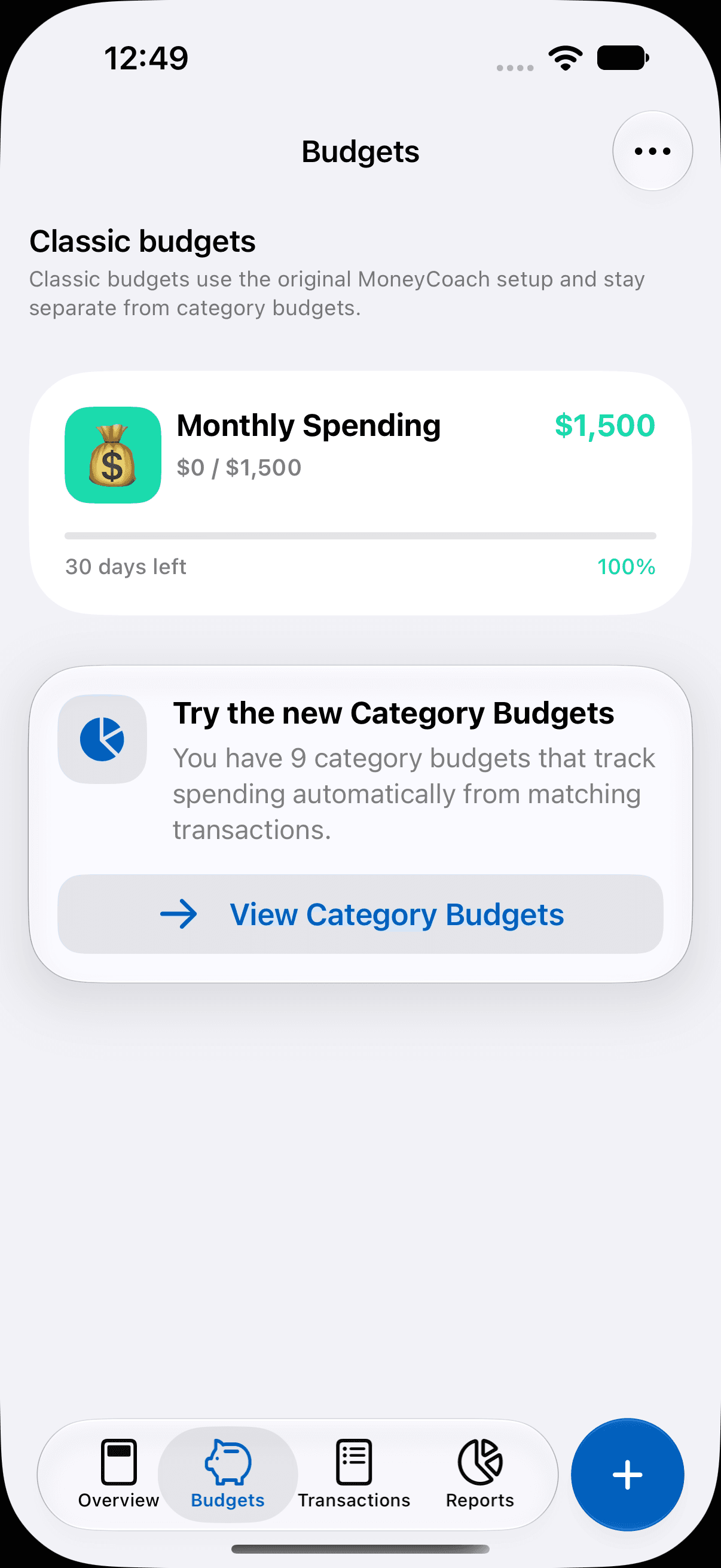
Open the Classic view
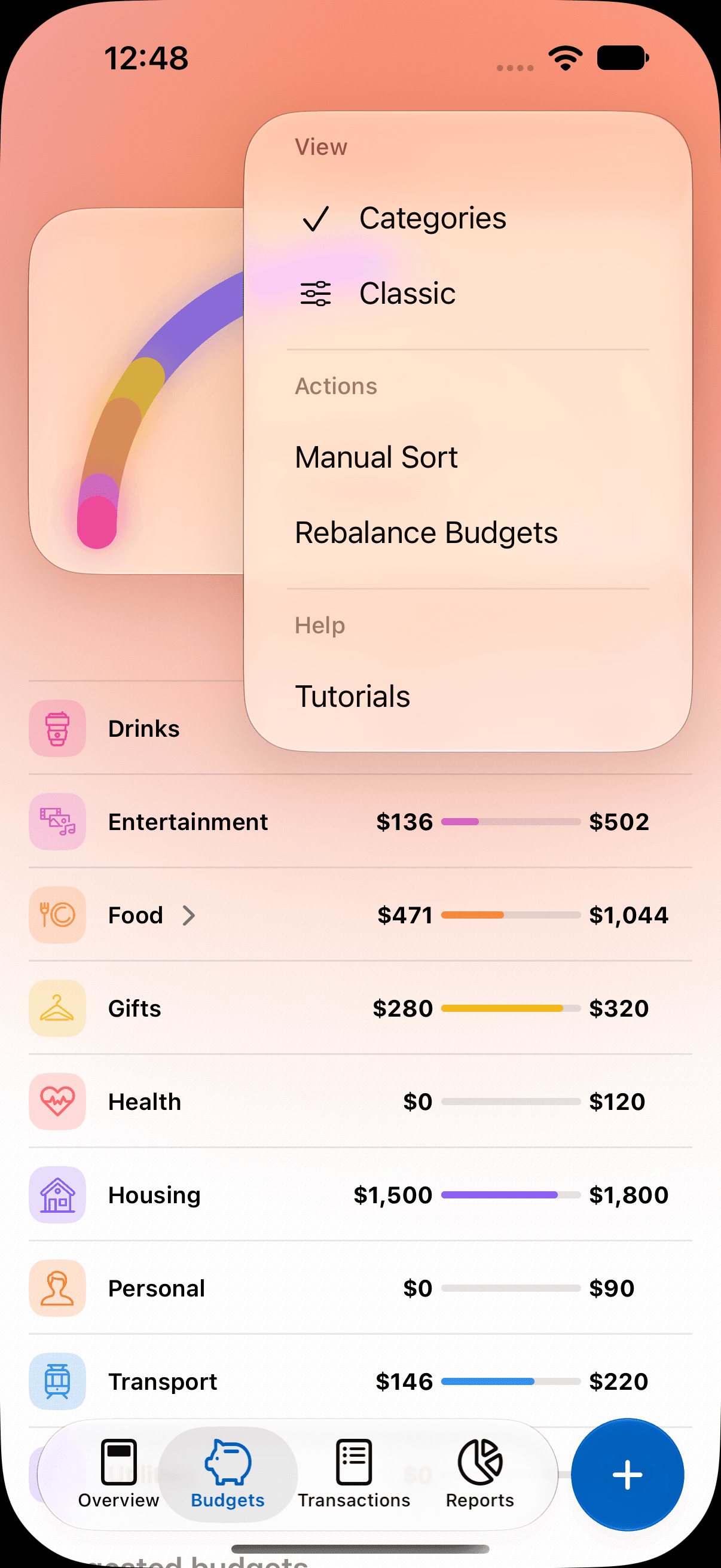
- Open the Budgets tab, or tap the Budgets card in Overview.
- Tap the ellipsis (...) menu.
- Under View, select Classic.
Create a budget that starts on your day
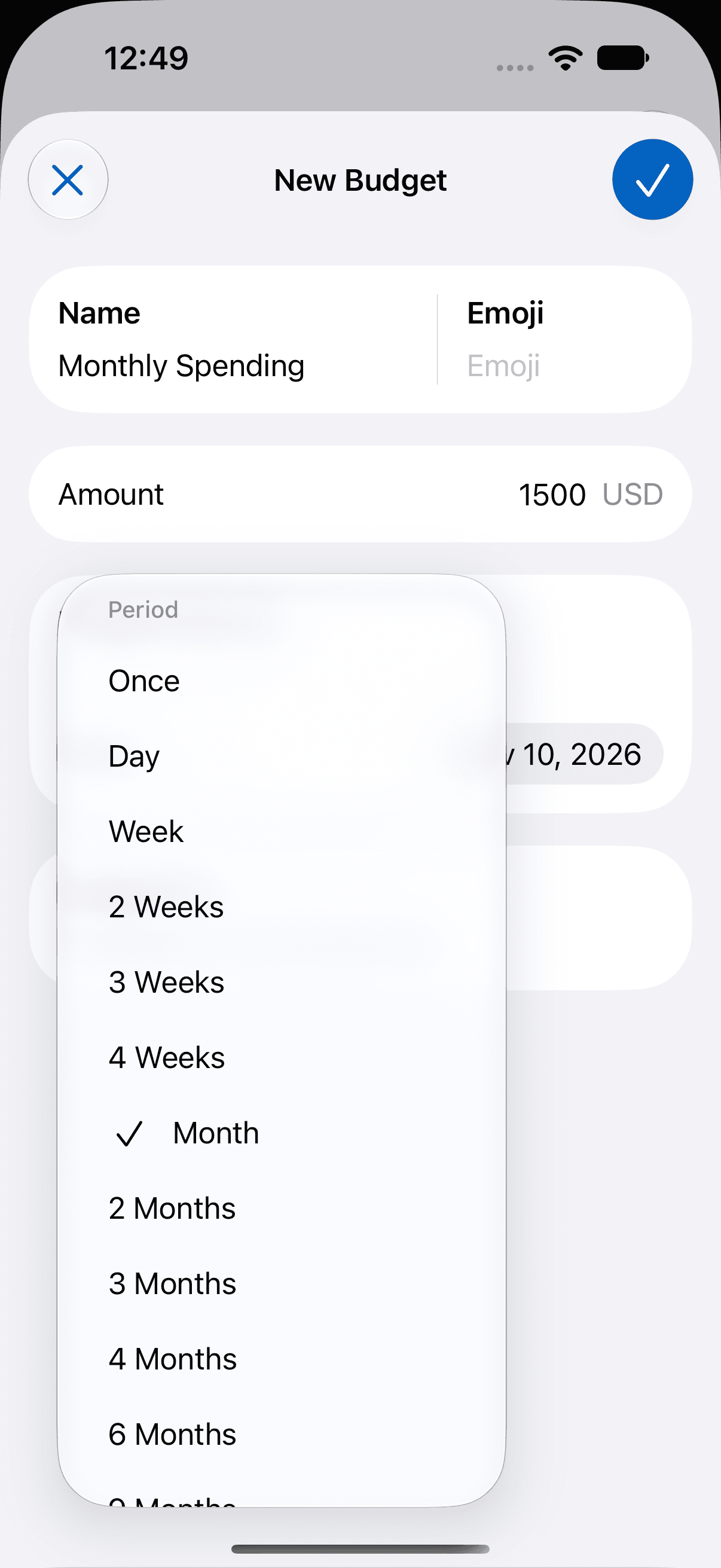
- Tap the + button at the bottom right. The New Budget screen opens.
- Enter a Name and an Amount.
- Under Budget Interval, tap the current interval and select Month.
- Tap the From date and select the start day, for example 10 November.
- Tap Budget For and select the categories that the budget tracks. Then tap Done (the checkmark button).
- Tap Done (the checkmark button) to save the budget.
The budget now counts expenses from 10 November to 9 December. On 10 December, a new period starts. Tap the budget card to see the dates of the current period.
Change the start day of an existing classic budget
- In the Classic view, swipe the budget card to the left and tap Edit. You can also touch and hold the card, then tap Edit. Or tap the card, then tap the pencil button at the top right.
- On Edit Budget, change the From date.
- Tap Done (the checkmark button).
A change to a classic budget applies to the whole budget.
Create a budget for one date range only
- On New Budget, set Budget Interval to Once.
- Set From to the first day, for example 10 November.
- Set Until to the last day, for example 10 December.
- Tap Done (the checkmark button).
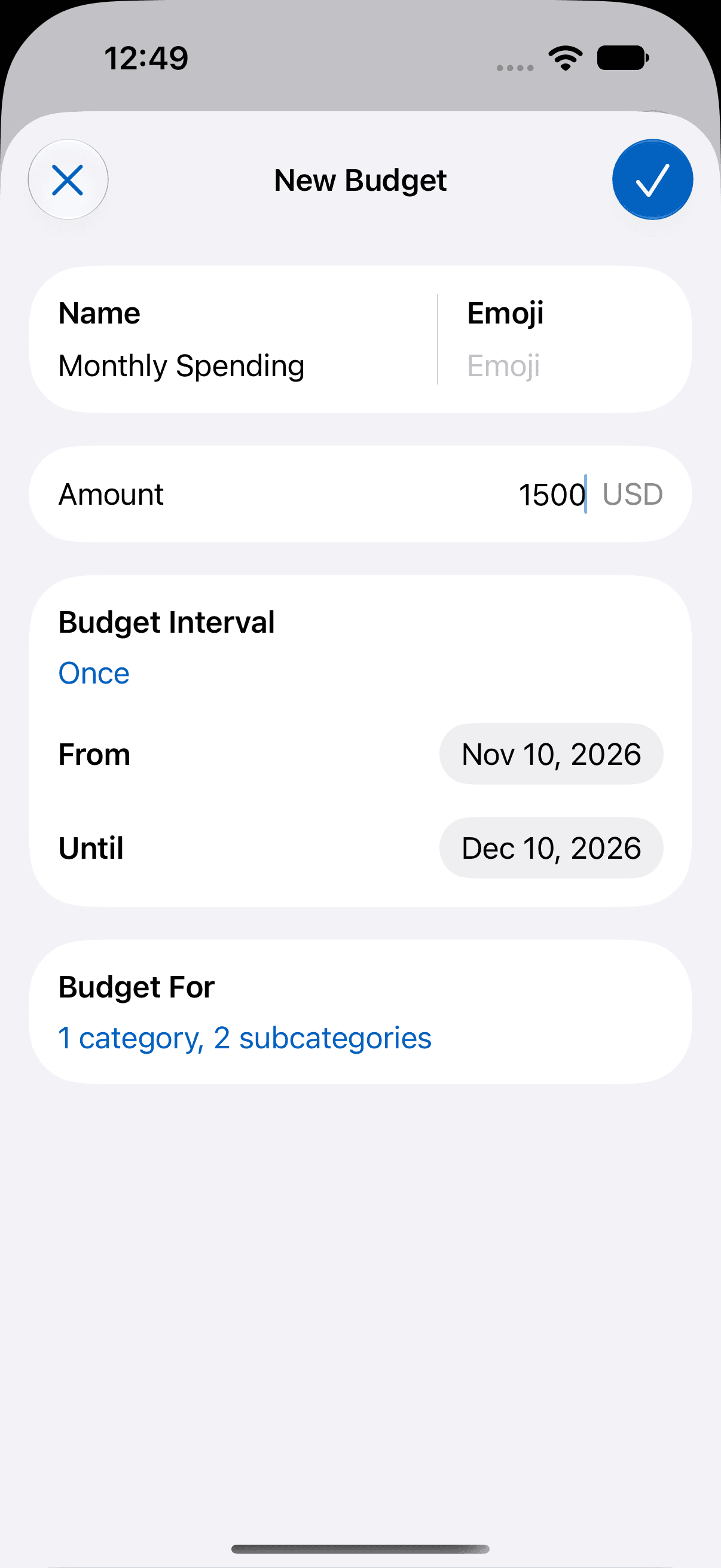
The Until day is part of the budget. A budget with Once does not repeat.
When to start a budget on another day
A budget that starts on the 1st does not fit everyone. These examples show which settings to use:
- Salary on the 25th: set Budget Interval to Month and From to the 25th. Each period starts with your new salary.
- Paid every two weeks: set Budget Interval to 2 Weeks and From to your last payday.
- Credit card statement closes on the 18th: set Budget Interval to Month and From to the 19th. Select only the categories that you pay with the card.
- Weekly allowance on Saturday: set Budget Interval to Week and From to a Saturday.
- Holiday trip from 20 to 27 December: set Budget Interval to Once, From to 20 December and Until to 27 December.
- Christmas gifts from 1 November to 24 December: set Budget Interval to Once. To plan the amount, read the holiday budget guide and the Black Friday budgeting tips.
For example, you get your salary on the 10th. Set From to the 10th and Budget Interval to Month. The "days left" on the budget card then count down to your next payday.
Choose the right interval
All intervals start on the From date. This table uses From set to 10 November.
| Budget Interval | Length of each period | First period |
|---|---|---|
| Month | One calendar month | 10 November to 9 December |
| 4 Weeks | 28 days | 10 November to 7 December |
| 2 Weeks | 14 days | 10 November to 23 November |
| Week | 7 days | 10 November to 16 November |
| Once | From the From date to the Until date | 10 November to the Until day, which is included |
You can also select Day, 3 Weeks, 2 Months, 3 Months, 4 Months, 6 Months, 9 Months and Year.
To learn more about the other budget fields, read how to create a budget in MoneyCoach. For monthly limits per category, read how to create category budgets in MoneyCoach.
Additional information
- Payday Settings changes some Overview cards and reports. It does not change the period of a budget.
- Budgets have no "twice a month" interval. If you get paid on the 1st and the 15th, 2 Weeks is the nearest interval, but its start day moves a little each month.
- Classic budgets have no rollover. Each period starts with the full amount.
- The Classic view shows the current period of each budget. To see earlier periods, open the budget.
Frequently asked questions
Can a MoneyCoach budget run from the 10th of one month to the 10th of the next?
Yes. Use a classic budget. Set Budget Interval to Month and set From to the 10th. Each period then runs from the 10th to the 9th of the next month, and the next period starts on the 10th.
I changed my payday in Payday Settings. Why does my budget still start on the 1st?
Payday Settings changes the period of some Overview cards and reports, for example the Daily Limit. It does not change any budget. To start a budget on your payday, set the From date of a classic budget to that day.
How do I budget when I get paid every two weeks?
Create a classic budget, set Budget Interval to 2 Weeks and set From to your last payday. Each period is 14 days long, and a new period starts on each payday.
What is the difference between Month and 4 Weeks?
Month is one calendar month, counted from the day of the From date. 4 Weeks is always 28 days. With From set to 10 November, Month runs to 9 December and 4 Weeks runs to 7 December.
Can I make a weekly budget that starts on a Friday?
Yes. Create a classic budget, set Budget Interval to Week and set From to a Friday. Each period then runs from Friday to Thursday.
Can each budget start on a different day?
Yes. Each classic budget has its own From date. For example, a groceries budget can start on the 10th and a fuel budget on the 1st.
Can I change the start day of a budget that I already have?
Yes, for a classic budget. Open the budget in the Classic view, start the edit, and change the From date on the Edit Budget screen. Then tap Done.
Does money that I did not spend roll over to the next period?
No. Classic budgets have no rollover. Each period starts with the full amount. Rollover is available for category budgets only, and they always use calendar months.
Can I see the earlier periods of a budget?
Yes. Tap the budget card to open its details. The details screen lists up to 12 periods, and you can select one.
How do I make a budget for a trip or for one date range only?
Create a classic budget and set Budget Interval to Once. Set From to the first day and Until to the last day, for example 20 to 27 December. The Until day is part of the budget, and the budget does not repeat.
Can a category budget start on another day than the 1st?
No. A category budget always uses one calendar month, from the first day to the last day. Use a classic budget if you need another start day.