Open Settings > Tab Bar to choose and reorder the tabs at the bottom of MoneyCoach on iPhone. You can add Reports for direct access.
Before you start
Tab bar customization requires Premium access on iPhone. This guide covers MoneyCoach 14.0 and later.
The tab bar holds up to four tabs. Overview must stay, but you can move it to another position.
Open Tab Bar settings
- Open MoneyCoach Settings.
- Under Customization, tap Tab Bar.
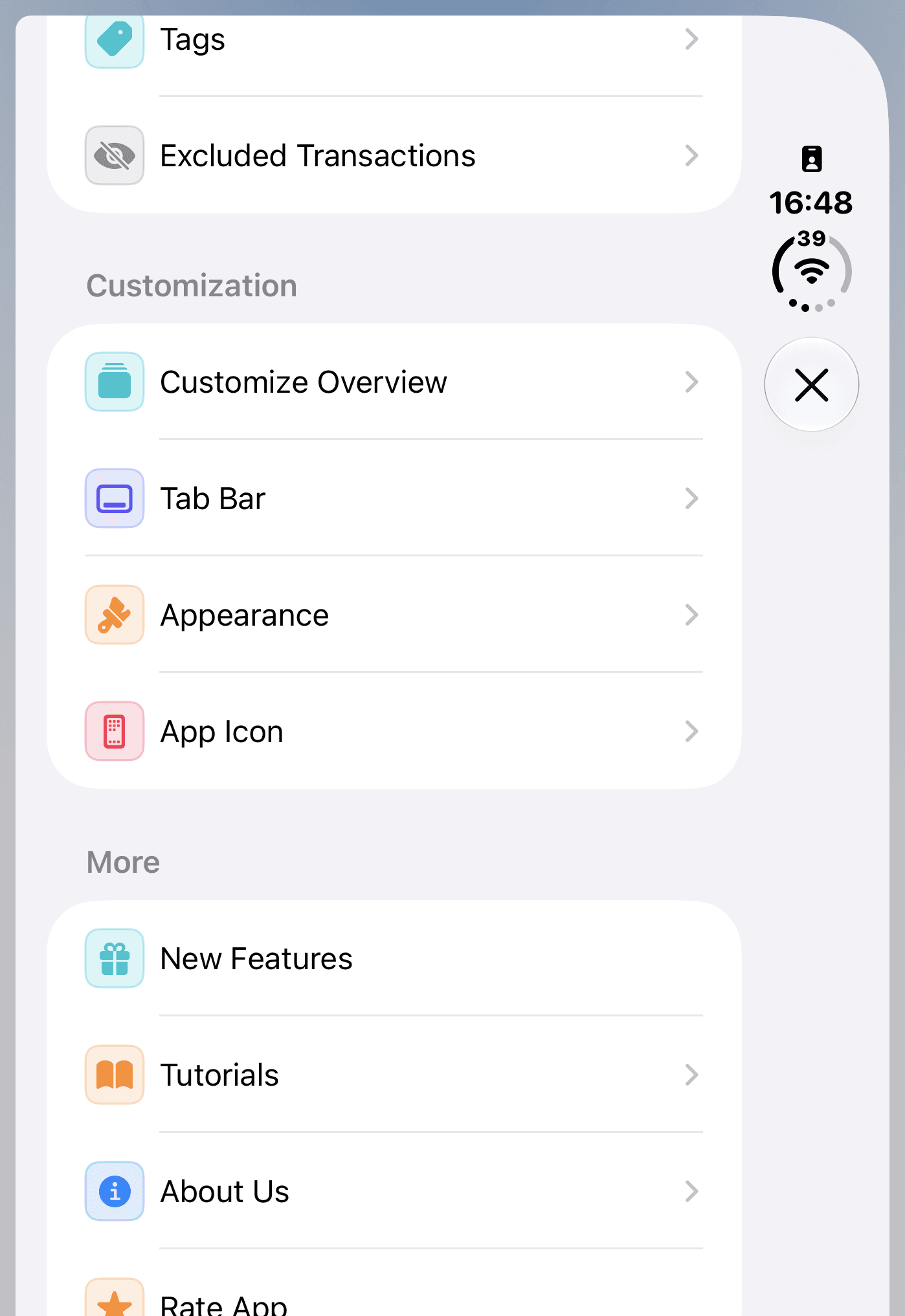
Open Tab Bar from the Customization section.
Put Reports back in the bottom tab bar
- If four tabs appear under Tab Order, use a red minus control to remove a tab you do not need.
- Under More Tabs, tap Reports.
- Drag the handle beside Reports to the position you want.
- Return to the main screen.
The bottom tab bar now includes Reports. Tap it to open your reports directly.
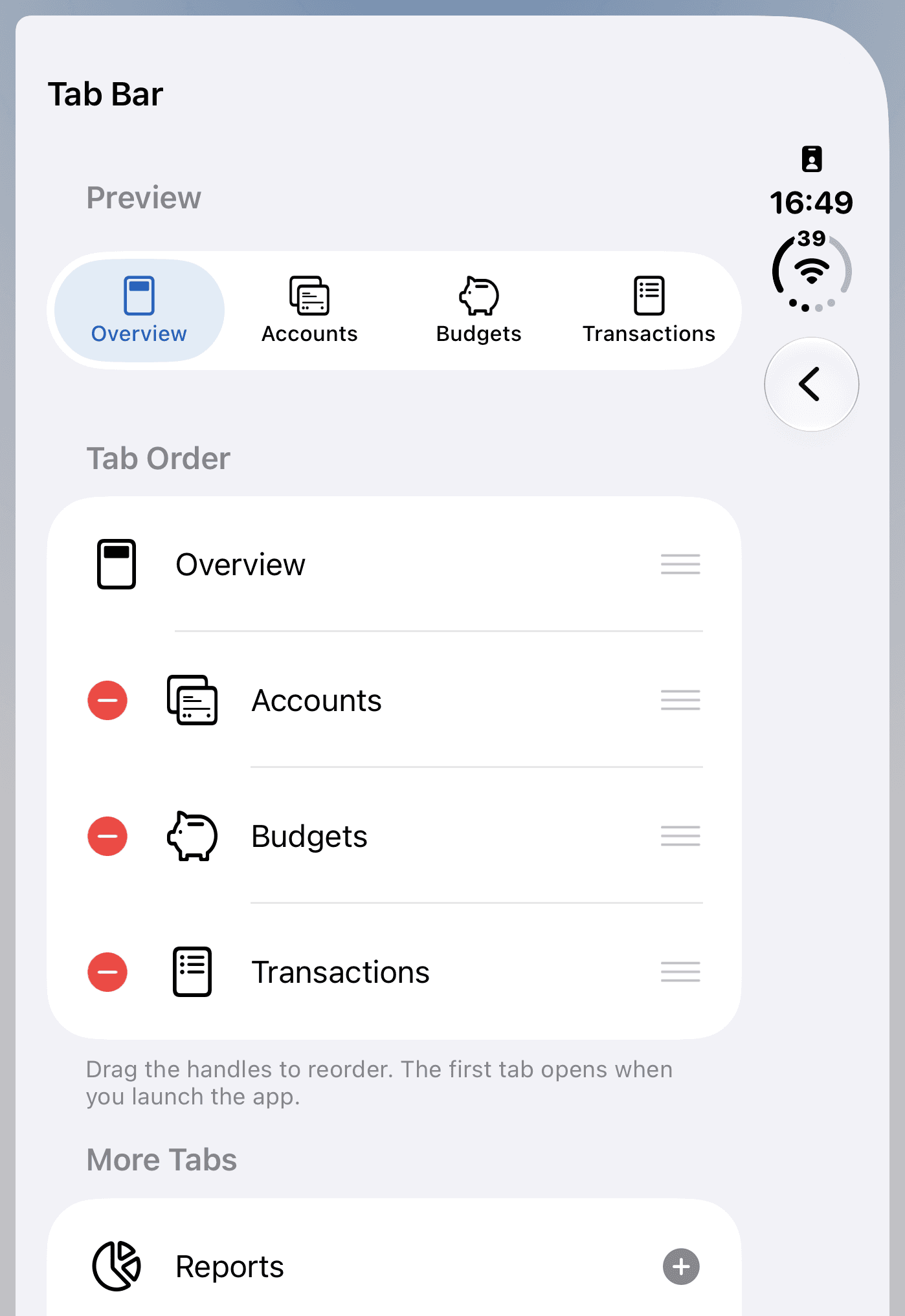
This example already has four tabs. Remove one before you add Reports.
You can choose Overview, Accounts, Budgets, Transactions, Reports, and Goals. Removing a tab changes navigation; it does not delete your data.
Change the order and launch screen
Drag the handles under Tab Order to rearrange your tabs. The Preview shows the selected order.
The first tab opens when you launch MoneyCoach. For example, move Reports first if you want the app to open there.
Changes save automatically. To return to the original setup, tap Restore default tabs after you change the layout.
Questions and answers
How do I put Reports back in the bottom tab bar?
On iPhone with Premium access, open Settings and tap Tab Bar under Customization. If four tabs are selected, remove one other than Overview. Under More Tabs, tap Reports.
Why is the plus next to Reports gray?
The tab bar holds up to four tabs. Remove a tab other than Overview to make room for Reports.
Can I choose which tab opens when I launch MoneyCoach?
Yes. Drag that tab to the first position under Tab Order. The first tab opens when you launch the app.
Can I customize the tab bar on iPad or Mac?
No. Tab Bar customization is available on iPhone with Premium access. iPad and Mac keep their existing layouts.
Additional information
For another way to open reports, see how to find Reports in MoneyCoach.
To change the cards on Overview, read how to customize your Overview.