YNAB vs MoneyCoach
A YNAB alternative with native apps on every Apple device
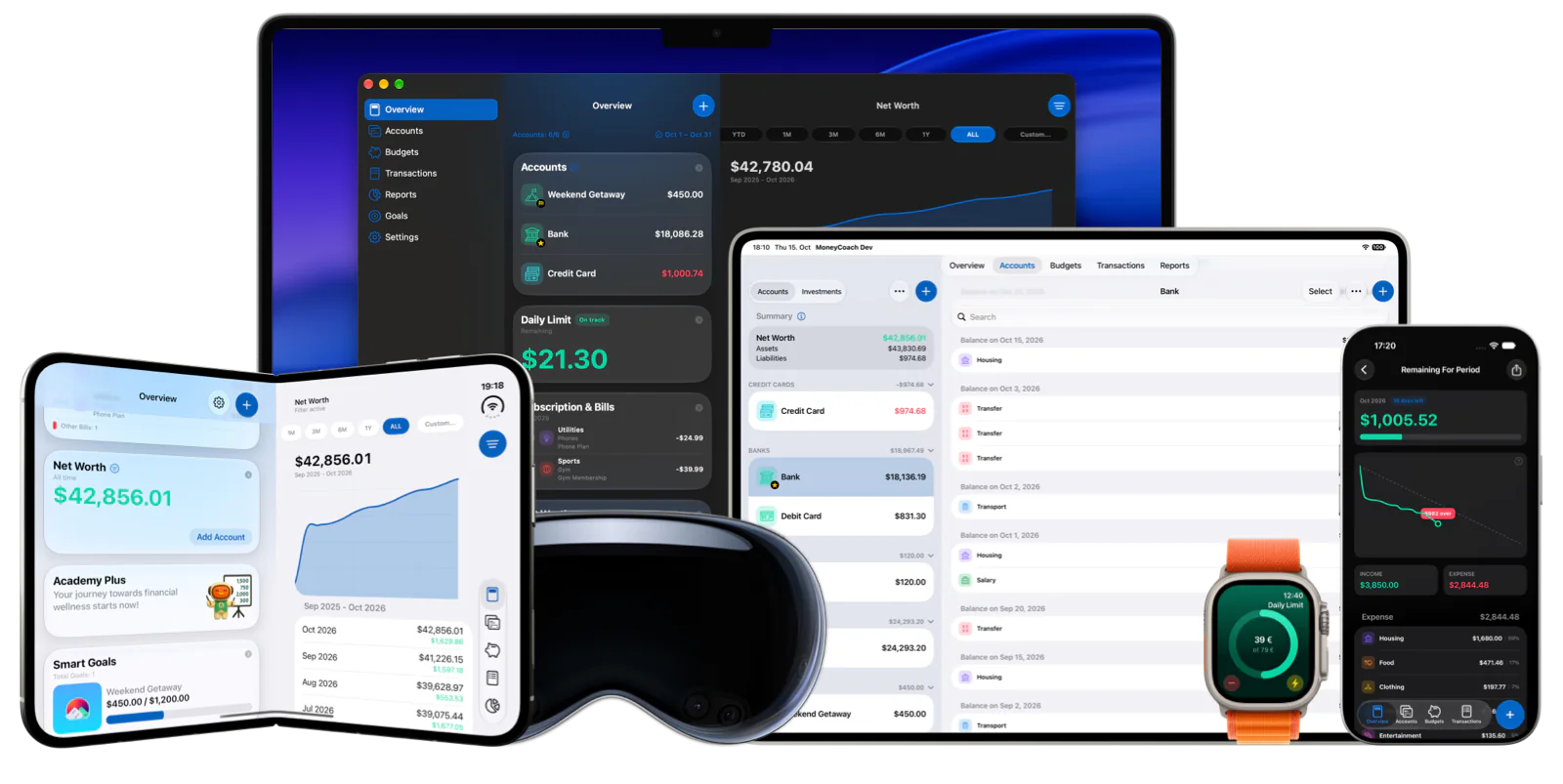
YNAB is a web-first budgeting service with iPhone, iPad, Apple Watch, and Android apps; on a Mac it runs in the browser. MoneyCoach is a money management and budgeting app built only for Apple platforms, with native apps on iPhone, iPad, Mac, Apple Watch, and Apple Vision Pro, category budgets, goals, CSV import, Apple Pay import, and optional read-only bank sync for 2,800+ European banks.
Free to download with a free trial. Bank sync is optional and available for European banks only.
5
native Apple platforms
iPhone, iPad, Mac, Apple Watch, and Apple Vision Pro, synced through iCloud.
2,800+
European banks
Optional read-only bank sync in 30 countries through GoCardless.
16K+
App Store ratings
Rated 4.5 on the App Store worldwide.
Short answer
MoneyCoach is a YNAB alternative for people who want a native Mac app and native apps on the rest of their Apple devices, a monthly category-budget method instead of strict zero-based assigning, and bank sync that covers 2,800+ European banks. YNAB remains the stronger pick if you want the strict "give every dollar a job" workflow or rely on US and Canadian bank connections.
Start with the right fit
Who should switch from YNAB to MoneyCoach?
Mac users who want a native desktop app instead of the YNAB web app.
People in Europe who want read-only bank sync with their local banks.
Apple Watch and Vision Pro owners who want the budget on every device.
Households that want to share a budget with Family Sync on Apple devices.
Anyone who prefers category budgets and goals over strict zero-based assigning.
Best for
- You want a native Mac app for budgeting, not a web app in a browser tab.
- You use iPhone, iPad, Mac, Apple Watch, or Apple Vision Pro and want one app that runs natively on all of them.
- You live in Europe and want read-only bank sync across 2,800+ banks in 30 countries.
- You prefer monthly category budgets and goals over assigning every unit of income by hand.
- You want to start privately with manual accounts, Apple Pay import, and CSV files, with bank sync optional.
Not the best fit if
- You want strict zero-based envelope budgeting where every unit of income must be assigned before you spend.
- You depend on US or Canadian bank sync: MoneyCoach bank sync covers European banks only.
- You need Android or a web app for a household member who does not use Apple devices.
Decision guide
Switching from YNAB: what changes
Move from a browser tab to a native Mac app
Export your YNAB plan and transactions as CSV, import the file into MoneyCoach on Mac, then set monthly category budgets and goals. Daily spending capture stays on iPhone, Apple Watch, and widgets.
Comparison
YNAB vs MoneyCoach
YNAB cells are taken from ynab.com, support.ynab.com, and the YNAB App Store listing. MoneyCoach cells link to the relevant MoneyCoach page. Prices and platform support change, so check both sources before deciding.
| Feature | YNAB | MoneyCoach |
|---|---|---|
| Platforms | Web app, iPhone, iPad, Apple Watch, Android (ynab.com app lineup). | iPhone, iPad, Mac, Apple Watch, Apple Vision Pro |
| Native Mac app | No. YNAB help states there is no downloadable desktop app; Mac users run the web app in Chrome or Safari. | Yes, a native Mac app with iCloud sync to iPhone and iPad |
| Budgeting method | Zero-based: "give every dollar a job" by assigning all Ready to Assign money to categories. | Monthly category budgets plus goals; envelope-style limits without forced assigning |
| Bank sync | Direct Import via MX and Plaid in the US, Canada, the UK, and 17 listed European countries (YNAB help). | 2,800+ European banks in 30 countries via GoCardless, read-only; Apple Pay import elsewhere |
| Pricing | $14.99/month or $109/year (USD, plus tax) after a 34-day trial, per ynab.com/pricing. | Free to download with a free trial, then Premium or Premium Max; see the App Store listing for current prices in your country. |
| Free plan | No free plan; 34-day free trial, then a paid subscription. | No free plan; free trial, then Premium or Premium Max. |
| Shortcuts, widgets, Apple Watch | Apple Watch app, mobile widgets, and Siri support (ynab.com and App Store listing). | Shortcuts, interactive widgets, Live Activities, and an Apple Watch app |
| Data import and export | File-Based Import (CSV, QFX, OFX, QIF) on web and iPad only; CSV/TSV export on web only. | CSV import on iPhone, iPad, and Mac; CSV and PDF export |
MoneyCoach workflow
What MoneyCoach gives YNAB switchers
- Native apps on iPhone, iPad, Mac, Apple Watch, and Apple Vision Pro with iCloud sync.
- Monthly Category Budgets with limits, budget history, and progress that updates from transactions.
- Goals for savings targets that you fund over time.
- Read-only bank sync for 2,800+ European banks in 30 countries via GoCardless.
- Apple Pay and Wallet transaction import through Shortcuts; CSV import for bank exports and YNAB history.
- Shortcuts, interactive widgets, Live Activities, and an Apple Watch app for quick entry.
- Reports for spending by category, net worth, subscriptions, and cash flow; CSV and PDF export.
Where YNAB still wins
YNAB enforces zero-based budgeting: every unit of Ready to Assign money must be given a category. MoneyCoach uses category limits and goals and does not force full assignment.
YNAB Direct Import covers the US and Canada through MX and Plaid. MoneyCoach bank sync is limited to European banks; elsewhere you use Apple Pay import, CSV, or manual entry.
YNAB has Android and web apps, so mixed-platform households can share one plan. MoneyCoach is Apple only.
★★★★★Great App
“I chose to use Money Coach Premium several years ago, after reviewing quite a few other options, and I’ve had no regrets.”
- J-Lazza, App Store review
Australia
Next steps
Related MoneyCoach guides and features
Use these pages to move from research into a practical MoneyCoach setup.
Common concerns
Questions people ask before switching
Can I keep a YNAB-style workflow in MoneyCoach?
Partly. MoneyCoach uses monthly Category Budgets: each spending category gets a limit and transactions update progress automatically. You can also set goals and fund them over time. What MoneyCoach does not do is force every unit of income to be assigned before you can spend, so strict zero-based purists will notice the difference.
Why does a native Mac app matter?
A native app runs without a browser session or web login and keeps the same data as iPhone and iPad through iCloud sync. YNAB help documents installing the web app as a Chrome or Safari shortcut instead of offering a downloadable Mac app.
Is bank sync only for Europe?
Yes. MoneyCoach connects to 2,800+ European banks in 30 countries through GoCardless with read-only access. Outside Europe you can import Apple Pay and Wallet transactions with Shortcuts, import CSV files from your bank, or enter transactions manually.
Will I lose my YNAB history?
No. YNAB exports your plan and transactions as CSV from the web app. MoneyCoach imports CSV files on iPhone, iPad, and Mac, so you can bring your transaction history across and map it to MoneyCoach accounts and categories.
Search context used for this guide
A YNAB alternative with native apps on every Apple device FAQ
Can I do zero-based budgeting in MoneyCoach?
Not in the strict YNAB sense. MoneyCoach uses monthly Category Budgets and goals: you set a limit per category and fund goals, and transactions update progress automatically. Income you do not budget stays in your account balance rather than being forced into a category.
Does YNAB have a Mac app?
YNAB help states there is no downloadable desktop app; on a Mac you use the web app in a browser, optionally installed as a Chrome or Safari shortcut. MoneyCoach has a native Mac app that syncs with iPhone, iPad, Apple Watch, and Apple Vision Pro through iCloud.
Can I import my YNAB data into MoneyCoach?
Yes. Export your plan and transactions as CSV from the YNAB web app, then import the file in MoneyCoach on iPhone, iPad, or Mac. You map the columns to MoneyCoach fields and pick the target account during import.
Does MoneyCoach sync with banks in Europe and the US?
MoneyCoach bank sync covers 2,800+ European banks in 30 countries through GoCardless with read-only access. There is no US or Canadian bank sync. Outside Europe you can import Apple Pay and Wallet transactions with Shortcuts, import CSV files, or enter transactions manually.
How does MoneyCoach pricing compare with YNAB?
YNAB lists $14.99 per month or $109 per year in USD after a 34-day trial. MoneyCoach is free to download and starts with a free trial, then Premium or Premium Max; current prices vary by country, so check the App Store listing.
Do both apps work on Apple Watch?
Yes. YNAB lists an Apple Watch app in its app lineup. MoneyCoach has an Apple Watch app for adding transactions and checking budgets from the wrist, plus widgets and Shortcuts on iPhone.
Is MoneyCoach available on Android or the web?
No. MoneyCoach is Apple only: iPhone, iPad, Mac, Apple Watch, and Apple Vision Pro. If someone in your household needs Android or a browser, YNAB covers those platforms.
Budget natively on every Apple device you own
Export your YNAB transactions as CSV, import them into MoneyCoach on Mac, and keep daily capture on iPhone and Apple Watch.
MoneyCoach UG, Berlin. Learn more at About Us or contact support at info@moneycoach.ai.