Budgeting on your wrist
Best Budgeting App for Apple Watch
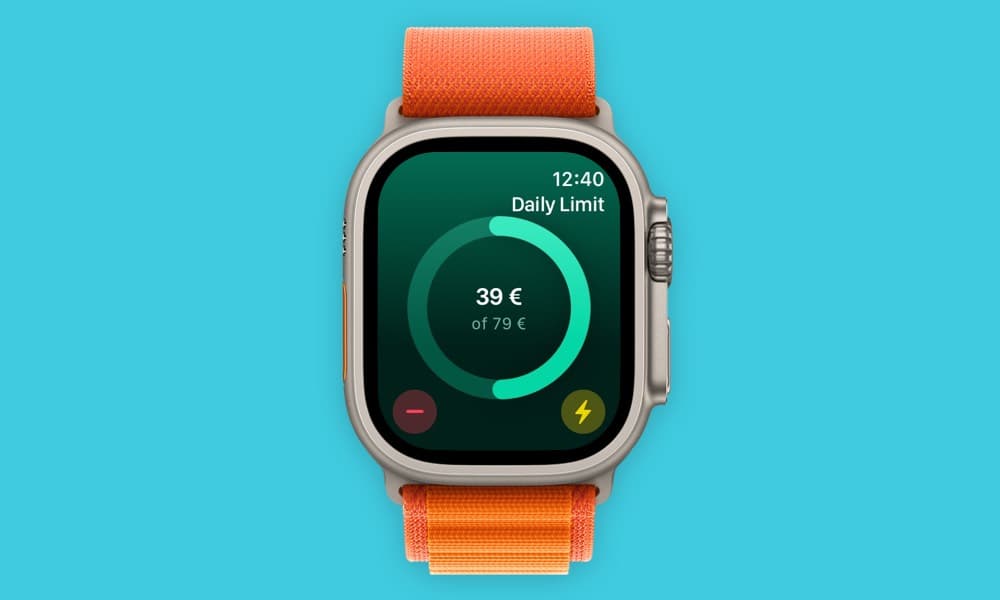
MoneyCoach is a good budgeting app for Apple Watch users who want quick financial checks without opening a full spreadsheet or banking app. It works with the iPhone app so budgets, accounts, Apple Pay spending workflows, and spending context stay close when you are making everyday decisions.
Apple Watch is best for quick checks; iPhone and Mac handle setup and review.
App Store
featured by Apple
MoneyCoach has been featured as App of the Day, in Apple editorial placements, WWDC keynotes, and an App Store Developer Story.
watchOS
support
MoneyCoach includes Apple Watch support.
iPhone
sync
Apple Watch works alongside the iPhone app.
Budgets
glanceable
Category Budgets make quick checks more useful.
Short answer
MoneyCoach is a good budgeting app for Apple Watch users who want quick financial checks without opening a full spreadsheet or banking app. It works with the iPhone app so budgets, accounts, Apple Pay spending workflows, and spending context stay close when you are making everyday decisions.
Start with the right fit
Who should use an Apple Watch budget app?
You want to check budgets before spending.
You want finance information available while shopping or traveling.
You use Apple Pay often and want budget context close to the moment of purchase.
You already use MoneyCoach on iPhone and want quick watch access.
You prefer glanceable prompts over long finance sessions.
Decision guide
Apple Watch budgeting use cases
Put budget context closer to the purchase
Use Apple Watch for quick visibility, Apple Pay for fast purchases, and iPhone or Mac for the full budget review when you have more time.
MoneyCoach workflow
How MoneyCoach uses Apple Watch
- Shows useful finance information close to the moment of spending.
- Pairs with Apple Pay / Wallet import workflows on iPhone for eligible card purchases.
- Keeps Apple Watch connected to the broader iPhone budgeting workflow.
- Pairs well with Category Budgets for quick remaining-budget checks.
- Supports an Apple-first workflow across iPhone, iPad, Mac, and Vision Pro.
- Includes a support guide for Apple Watch sync troubleshooting.
When Apple Watch budgeting is not enough
Use the iPhone or Mac app for deeper review, reports, imports, and setup.
Apple Watch is best for glanceable checks, not full financial planning.
Sync quality depends on normal Apple Watch and iPhone connection behavior.
★★★★★Great App for Budgeting
“Money coach keeps me on track with my spending and savings.”
- Sabriole, App Store review
Canada
Next steps
Related MoneyCoach guides and features
Use these pages to move from research into a practical MoneyCoach setup.
Best Budgeting App for Apple Watch FAQ
Does MoneyCoach work on Apple Watch?
Yes. MoneyCoach supports Apple Watch as part of its Apple device ecosystem.
Is Apple Watch enough for full budgeting?
Apple Watch is best for quick checks. Use the iPhone, iPad, or Mac app for deeper setup, reports, imports, and monthly reviews.
What should I do if Apple Watch sync is not working?
Use the MoneyCoach Apple Watch sync troubleshooting guide to check connection, restart devices, and trigger a fresh sync.
Can Apple Watch help before I pay with Apple Pay?
Yes. Apple Watch is useful for quick budget context before a purchase, while iPhone handles the deeper MoneyCoach workflow and eligible Apple Pay / Wallet imports through Shortcuts.
What is the best first Apple Watch habit?
Use the watch for one repeated check, such as looking at a spending category before shopping. A single reliable prompt is easier to keep than trying to manage the full budget from your wrist.
Does Apple Watch replace iPhone budgeting?
No. Apple Watch reduces friction at the moment of spending, but iPhone and Mac are better for setup, imports, reports, and monthly planning.
Build a budget you can actually keep
MoneyCoach helps you track spending, plan budgets, review reports, and reach goals across the Apple devices you already use.
MoneyCoach UG, Berlin. Learn more at About Us or contact support at info@moneycoach.ai.