Food budget template
Grocery Budget Categories Template
A useful grocery budget separates normal supermarket spending from restaurants, delivery, household basics, and special occasions. In MoneyCoach, use Category Budgets for the parent Food category, then add subcategory limits where detail helps you decide what to adjust during the month.
Set the parent category first, then add subcategory limits only where the extra detail changes a decision.
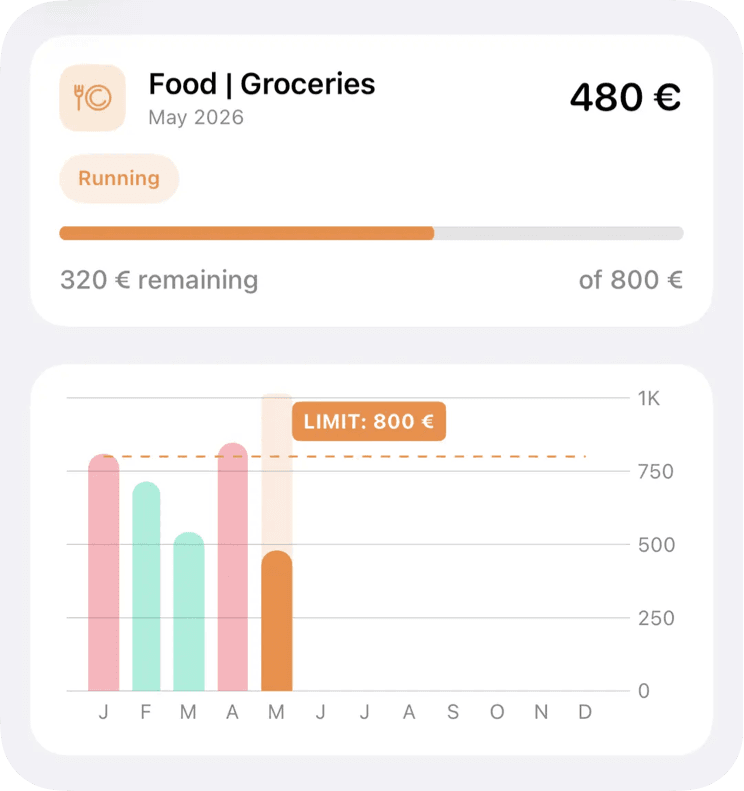
Template
Recommended categories and subcategories
MoneyCoach setup
How to build this budget
- 1Open Category Budgets and create a monthly Food, Groceries, or Supermarket budget.
- 2Choose category-based budgeting for a simple limit, or subcategory-based budgeting if restaurants and delivery need separate limits.
- 3Review spending once a week and transfer budget room only when another category can safely give it up.
- 4Use rollover only for categories where unused room should carry into the next month.
How to adjust it during the month
If supermarket spending is high but delivery is low, rebalance inside the Food category before increasing the full monthly budget.
If one event caused the spike, top up that month instead of permanently raising the category.
If restaurants are the real problem, keep supermarket and restaurant limits separate.
Product workflow note
Category Budgets and Classic Budgets are separate MoneyCoach budget types. Use Category Budgets when you want monthly limits tied to real spending categories and subcategories.
Next steps
Related guides and templates
Use these pages to connect the template to a full monthly budgeting workflow.
Grocery Budget Categories Template FAQ
What should be included in a grocery budget?
Include normal supermarket spending first. Split restaurants, delivery, and household basics only if those costs change the decisions you make during the month.
Should restaurants be part of groceries?
Restaurants can be part of a broader Food budget, but a separate restaurant subcategory makes it easier to spot convenience spending.
What is the easiest way to start a grocery budget?
Start with one parent Food or Groceries budget and review it weekly. Add restaurant or delivery subcategories only when those choices need a separate limit.
Can Apple Pay spending help with grocery tracking?
Yes. If grocery purchases happen through Apple Pay, eligible Wallet imports can reduce manual entry while still letting you review categories and weekly budget room.
Turn this template into a monthly plan
MoneyCoach helps you set category limits, track matching expenses, rebalance the month, and review reports across your Apple devices.