iPhone expense tracking
Manual Expense Tracker for iPhone
MoneyCoach is a manual expense tracker for iPhone users who want speed and control. Add spending in seconds, import eligible Apple Pay / Wallet purchases with Shortcuts, organize everything by category, check budgets from widgets or Apple Watch, and use reports to understand where money goes without forcing a bank connection.
Start with manual entry, then add widgets, Shortcuts, or Apple Watch when the habit is working.
iPhone
native app
Built for Apple devices instead of a generic web wrapper.
Apple Watch
support
Check budgets and accounts from your wrist.
CSV
import
Bring in history from statements or spreadsheets.
Short answer
MoneyCoach is a manual expense tracker for iPhone users who want speed and control. Add spending in seconds, import eligible Apple Pay / Wallet purchases with Shortcuts, organize everything by category, check budgets from widgets or Apple Watch, and use reports to understand where money goes without forcing a bank connection.
Start with the right fit
Who this manual iPhone tracker is for
You want to log spending as it happens instead of reconciling later.
You use cash, Apple Pay, Apple Card, or multiple payment methods.
You want categories, notes, payees, tags, and reports in one iPhone app.
You want Apple Watch, widgets, and Shortcuts to make manual entry faster.
Decision guide
Manual iPhone tracking options
Make manual tracking easy enough to repeat
Use a short daily workflow: add the transaction, import Apple Pay purchases where possible, pick the category, and let budgets and reports show what changed.
MoneyCoach workflow
How MoneyCoach keeps manual tracking fast
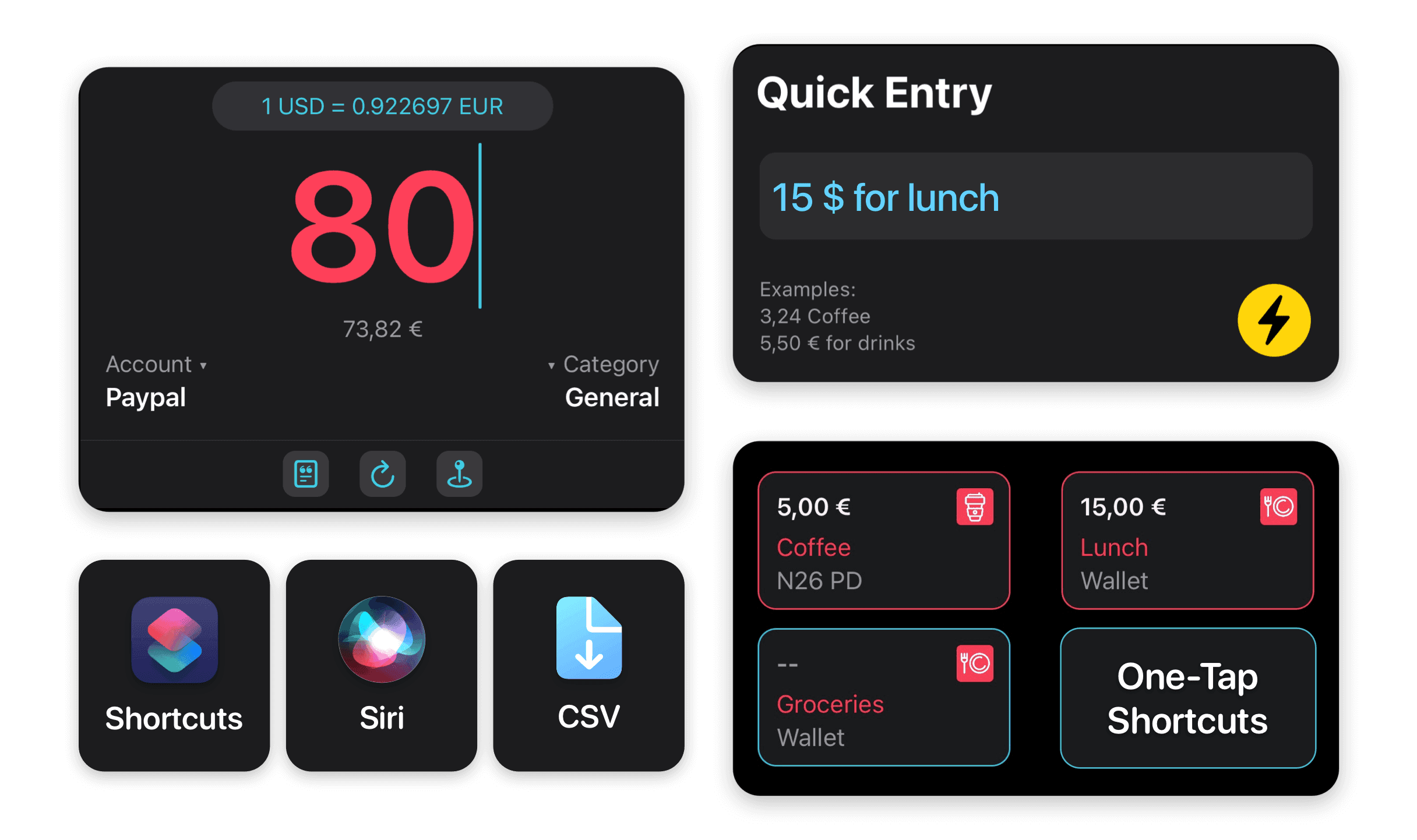
- Quick Entry helps record routine expenses with fewer taps.
- Interactive widgets and Shortcuts reduce the friction of adding transactions.
- Apple Watch support keeps budgets and accounts glanceable from your wrist.
- CSV import and Apple Pay Wallet import help when you need bulk history.
- Reports, credit card tools, and Category Budgets turn entries into decisions.
When manual tracking is not the best fit
If you never want to enter or review transactions, a bank-sync-first workflow may fit better.
If you have many supported US or European bank accounts, MoneyCoach online banking can reduce manual work.
If you only need a simple note list, MoneyCoach may be more powerful than necessary.
★★★★★New Redesign is Great
“It’s nice to manually log all my expenses. Makes me more aware of what I’m spending day to day.”
- georgeblackm, App Store review
United States
Next steps
Related MoneyCoach guides and features
Use these pages to move from research into a practical MoneyCoach setup.
Manual Expense Tracker for iPhone FAQ
Can I track expenses manually on iPhone with MoneyCoach?
Yes. MoneyCoach lets you add expenses manually on iPhone and organize them by account, category, payee, tag, description, and date.
Does MoneyCoach support Apple Watch?
Yes. MoneyCoach has Apple Watch support for checking financial information and using MoneyCoach across Apple devices.
Can I import transactions instead of typing everything?
Yes. MoneyCoach supports CSV import workflows and Apple Pay Wallet import guides for users who want a mix of manual and imported data.
Can Apple Pay make manual tracking easier?
Yes. If many purchases happen through Apple Pay, eligible Wallet transactions can be imported with Shortcuts so you keep the control of manual budgeting while reducing repetitive entry.
What is the easiest iPhone tracking habit to start with?
Start by tracking only everyday spending for one account. That small commitment lowers the effort, creates visible progress, and makes it easier to add widgets, Apple Watch, Apple Pay import, or CSV import later.
Do I need to categorize every old transaction first?
No. Start with today or this week. Import history only when it helps a specific decision, such as setting a grocery budget or reviewing subscriptions.
Build a budget you can actually keep
MoneyCoach helps you track spending, plan budgets, review reports, and reach goals across the Apple devices you already use.
MoneyCoach UG, Berlin. Learn more at About Us or contact support at info@moneycoach.ai.