Money manager for Apple users
Best Money Manager App for iPhone
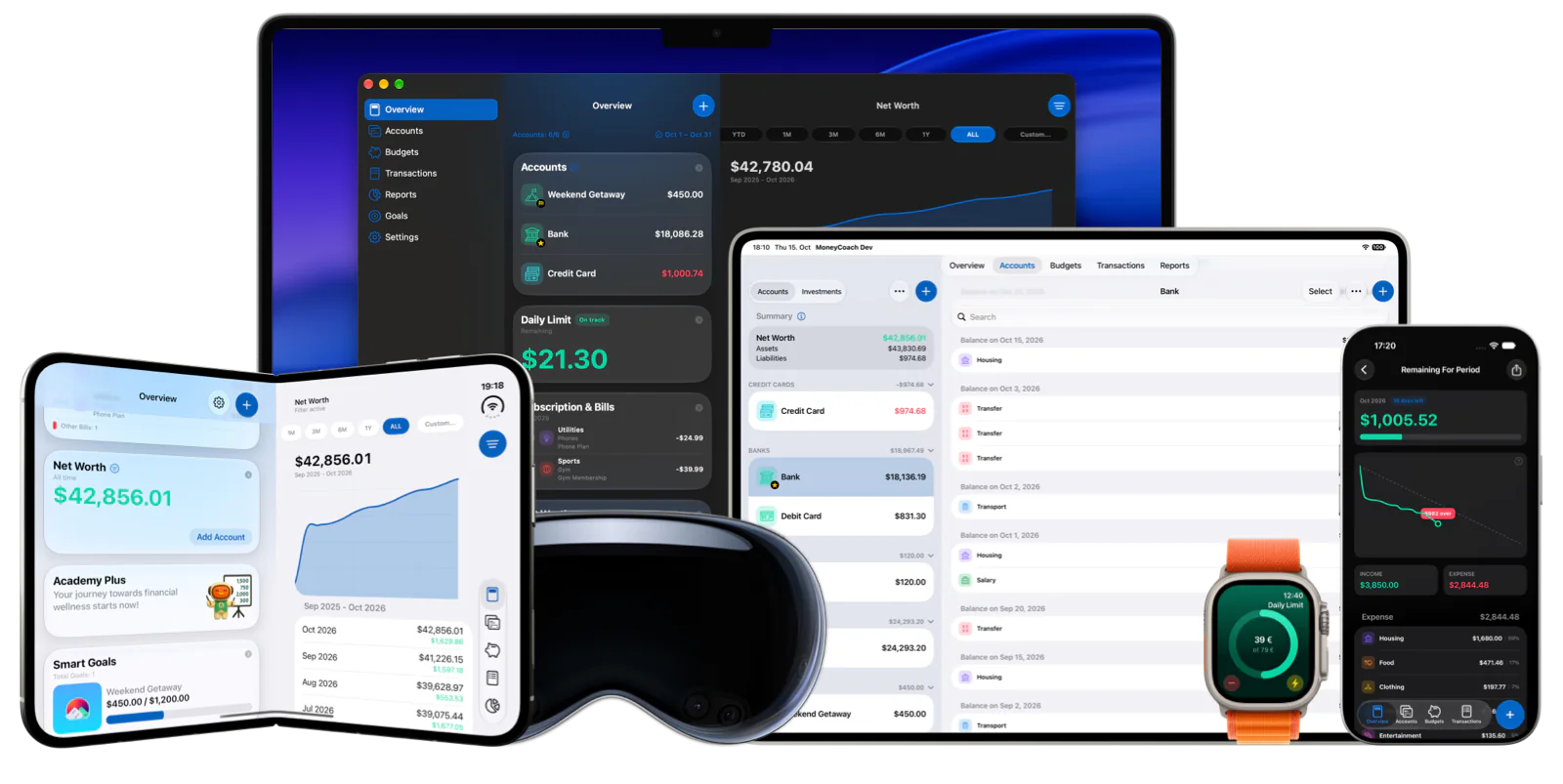
MoneyCoach is a strong money manager app for iPhone users who want one place for spending, budgets, goals, subscriptions, credit cards, reports, and shared household workflows. Start simple with manual tracking, then add Apple Pay import, CSV import, Family Sync, or optional online banking when each one helps.
Start with the money workflow you need today, then grow into the full personal finance setup.
App Store
featured by Apple
MoneyCoach has been featured as App of the Day, in Apple editorial placements, WWDC keynotes, and an App Store Developer Story.
12+
years of updates
A long-running personal finance app with consistent product care.
1M+
downloads
Large adoption across Apple users.
16K+
App Store ratings
Rated 4.5 on the App Store worldwide.
Short answer
MoneyCoach works best as a money manager app when you want budgets, spending, goals, subscriptions, credit cards, reports, and shared Apple household workflows in one place. Start with one account and one category, then add deeper features only when they solve a real problem.
Start with the right fit
Who MoneyCoach is best for as a money manager
You want more than a transaction list, but less friction than a bank-first setup.
You use Apple devices and want a native iPhone, iPad, Mac, Apple Watch, and Vision Pro workflow.
You want one place for budgets, goals, subscriptions, credit cards, reports, and shared finances.
You want privacy-first manual control with optional imports and automation.
Best for
- You want one iPhone app for budgets, spending, goals, subscriptions, and reports.
- You want Apple-native workflows instead of a generic web dashboard.
- You want manual control with optional Apple Pay, CSV, and bank import.
- You want a money system that can grow from solo use to shared household use.
Not the best fit if
- You only need a bare transaction list.
- You want a bank-only dashboard with no manual review or budgeting habit.
Decision guide
Money manager needs
Use one app for the decisions that repeat
Track spending, plan budgets, review goals, and manage recurring costs from the same Apple-native workflow instead of scattering decisions across notes and spreadsheets.
Comparison
Money manager vs budget app vs tracker
| Tool type | Best use case | MoneyCoach angle |
|---|---|---|
| Money manager app | One place for repeated money decisions. | Budgets, goals, reports, bills, subscriptions, and accounts together. |
| Budget app | Planning limits before spending happens. | Category Budgets |
| Expense tracker | Seeing where money already went. | Spending tracker workflow |
| Bill tracker | Recurring fixed costs and due dates. | Bill manager page |
MoneyCoach workflow
How MoneyCoach helps manage money
- Spending tracking shows what happened across accounts and categories.
- Category Budgets turn recurring monthly decisions into visible limits.
- Goals help separate future plans from everyday spending.
- Reports make progress and problem categories easier to see.
- Family Sync, Apple Pay import, CSV import, and optional bank sync support more advanced workflows.
When a money manager is better than a single-purpose app
A single-purpose tracker is enough if you only need a list of expenses.
MoneyCoach fits better when spending, budgets, goals, bills, subscriptions, and reports need to connect.
Start with one workflow so the broader feature set feels useful instead of overwhelming.
★★★★★Best of the Best
“This app by far has the easiest understanding on how it to operate and control your money and see where you can save money.”
- Papper Boy Productions, App Store review
United States
Next steps
Related MoneyCoach guides and features
Use these pages to move from research into a practical MoneyCoach setup.
Common concerns
Questions people ask before switching
Will this feel too complex?
Start with one account, one spending category, and one goal. That small first commitment makes the broader app useful without forcing a full setup on day one.
Is this only a budget app?
No. MoneyCoach connects budgets with goals, reports, subscriptions, credit cards, Family Sync, and Apple-device workflows.
Do I need bank sync?
No. Manual tracking, Apple Pay import, and CSV import can all work before you decide whether optional bank sync is worth it.
Search context used for this guide
Best Money Manager App for iPhone FAQ
Is MoneyCoach a money manager or just a budget app?
MoneyCoach can be used as both. It tracks spending, budgets, goals, subscriptions, credit cards, reports, and shared Apple household workflows.
Why call MoneyCoach one of the best money manager apps for iPhone?
The claim is based on fit for Apple users: native Apple platform support, long-running updates, App Store recognition, strong reviews, manual privacy, and a broad money-management feature set.
What is the easiest way to start managing money in MoneyCoach?
Start with one account, one spending category, and one goal. That creates visible progress before you add imports, Family Sync, subscriptions, or deeper reports.
Does MoneyCoach require bank sync?
No. You can manage money manually, use Apple Pay / Wallet import, import CSV files, or connect supported US or European banks only if automatic imports are worth it.
Start with the money workflow you need today
Use MoneyCoach for one account and one decision first, then add budgets, goals, reports, subscriptions, and sharing as your system matures.
MoneyCoach UG, Berlin. Learn more at About Us or contact support at info@moneycoach.ai.