Recurring spending template
Subscription Budget Categories Template
A subscription budget works best when recurring charges are grouped by purpose, not just by vendor. In MoneyCoach, create a monthly Subscriptions Category Budget, then split streaming, apps, cloud storage, fitness, and family services when cancellation decisions need more detail.
Set the parent category first, then add subcategory limits only where the extra detail changes a decision.
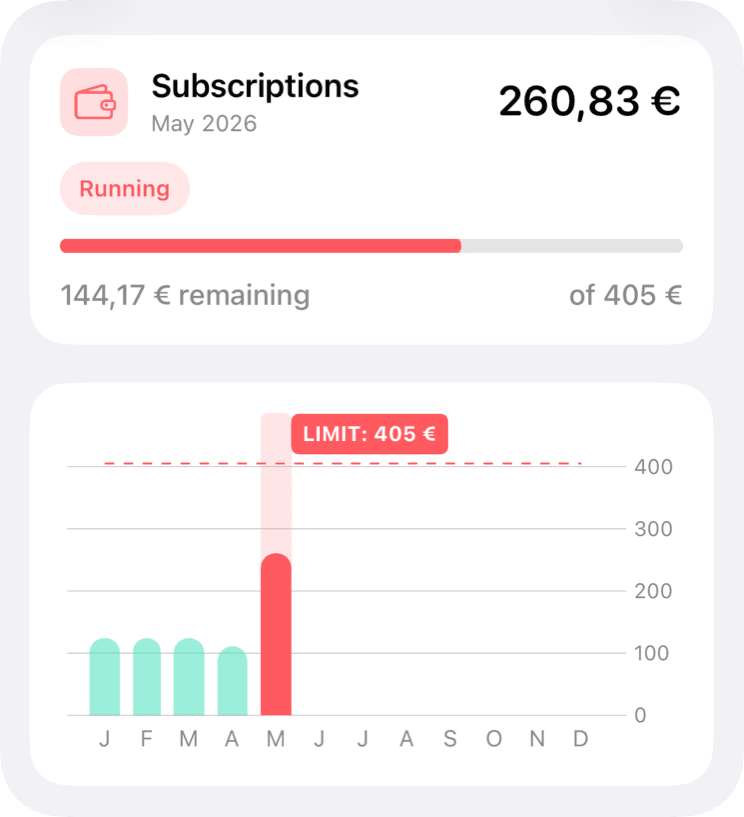
Template
Recommended categories and subcategories
MoneyCoach setup
How to build this budget
- 1Create a Subscriptions Category Budget with the monthly total you are willing to keep.
- 2Add subcategory limits for streaming, software, fitness, and learning if decisions differ by group.
- 3Use transaction history or a cancellation notice list to catch annual subscriptions before renewal.
- 4Review the budget monthly and cancel one service before increasing the limit.
How to adjust it during the month
Use the cancellation notice workflow before renewal dates instead of reacting after the charge lands.
If a yearly charge is valid, top up that month and decide whether the monthly baseline should change.
If multiple services serve the same purpose, keep the one used most and redirect the freed budget to goals.
Product workflow note
Category Budgets and Classic Budgets are separate MoneyCoach budget types. Use Category Budgets when you want monthly limits tied to real spending categories and subcategories.
Next steps
Related guides and templates
Use these pages to connect the template to a full monthly budgeting workflow.
Subscription Budget Categories Template FAQ
How much should I budget for subscriptions?
Start with the subscriptions you actively use, then set a monthly limit below the current total if you want cancellation pressure built into the plan.
Should annual subscriptions be in a monthly budget?
Yes. Annual subscriptions should still be planned monthly so renewal months do not distort the rest of the budget.
What is the fastest way to reduce subscription spending?
Pick one duplicated or unused service before raising the budget. A single cancellation creates a quick win and makes the monthly limit feel realistic.
How do I avoid forgetting renewal dates?
Keep annual subscriptions visible in a dedicated subcategory and review them monthly. Use cancellation notice tools or reminders before the renewal charge lands.
Turn this template into a monthly plan
MoneyCoach helps you set category limits, track matching expenses, rebalance the month, and review reports across your Apple devices.