Family budget template
Kids Budget Categories Template
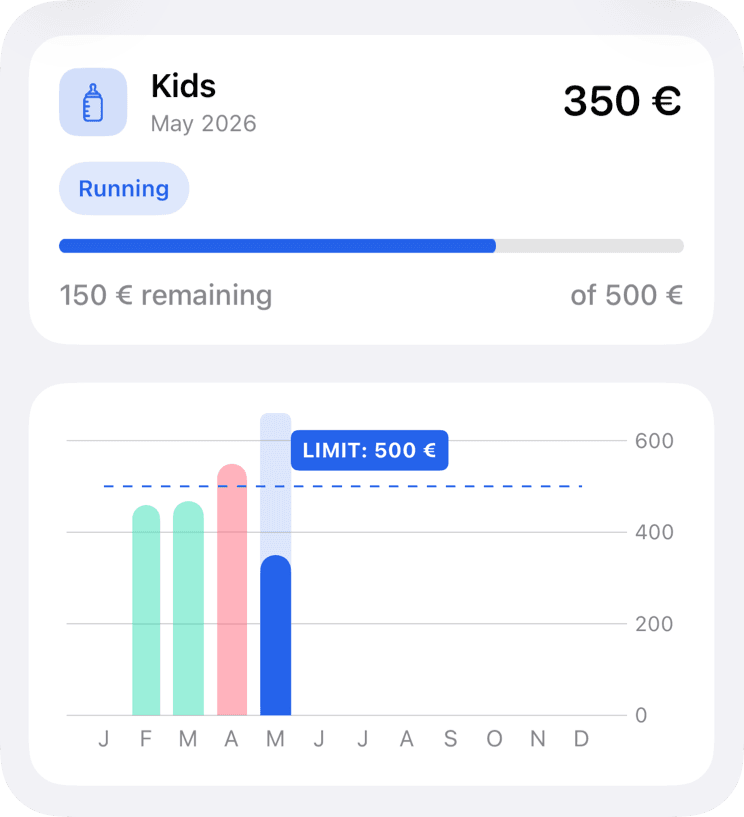
A kids budget is easier to manage when routine costs are separate from school seasons, activities, clothes, and one-off events. In MoneyCoach, use Category Budgets for the main Kids or Family category, then add subcategory limits for the parts that need different rules.
Set the parent category first, then add subcategory limits only where the extra detail changes a decision.
Template
Recommended categories and subcategories
MoneyCoach setup
How to build this budget
- 1Create a Kids or Family Category Budget with the normal monthly amount.
- 2Split childcare, school, clothes, and activities if those costs need separate decisions.
- 3Use rollover for seasonal costs and top-ups for one-time events.
- 4Share the budget with Family Sync if more than one adult needs visibility.
How to adjust it during the month
Keep childcare separate from discretionary kids spending so fixed costs do not hide choices.
Use subcategories for school seasons instead of permanently raising the whole family budget.
Review activities against family goals before increasing the monthly limit.
Product workflow note
Category Budgets and Classic Budgets are separate MoneyCoach budget types. Use Category Budgets when you want monthly limits tied to real spending categories and subcategories.
Next steps
Related guides and templates
Use these pages to connect the template to a full monthly budgeting workflow.
Kids Budget Categories Template FAQ
What categories should parents use for kids expenses?
Start with childcare, school, clothes, activities, allowance, gifts, and events. Add more detail only where a separate limit changes behavior.
Should kids expenses use rollover?
Rollover is useful for school, clothes, activities, and gifts because those costs often arrive unevenly across the year.
How do parents keep a kids budget from getting too detailed?
Start with childcare, school, clothes, activities, and events. Add more detail only when a separate limit changes a real decision.
Should both parents review the kids budget?
Yes, if both adults make spending decisions. A short weekly review creates shared context without turning every purchase into a discussion.
Turn this template into a monthly plan
MoneyCoach helps you set category limits, track matching expenses, rebalance the month, and review reports across your Apple devices.