Spending tracker for iPhone
Best Spending Tracker App for iPhone
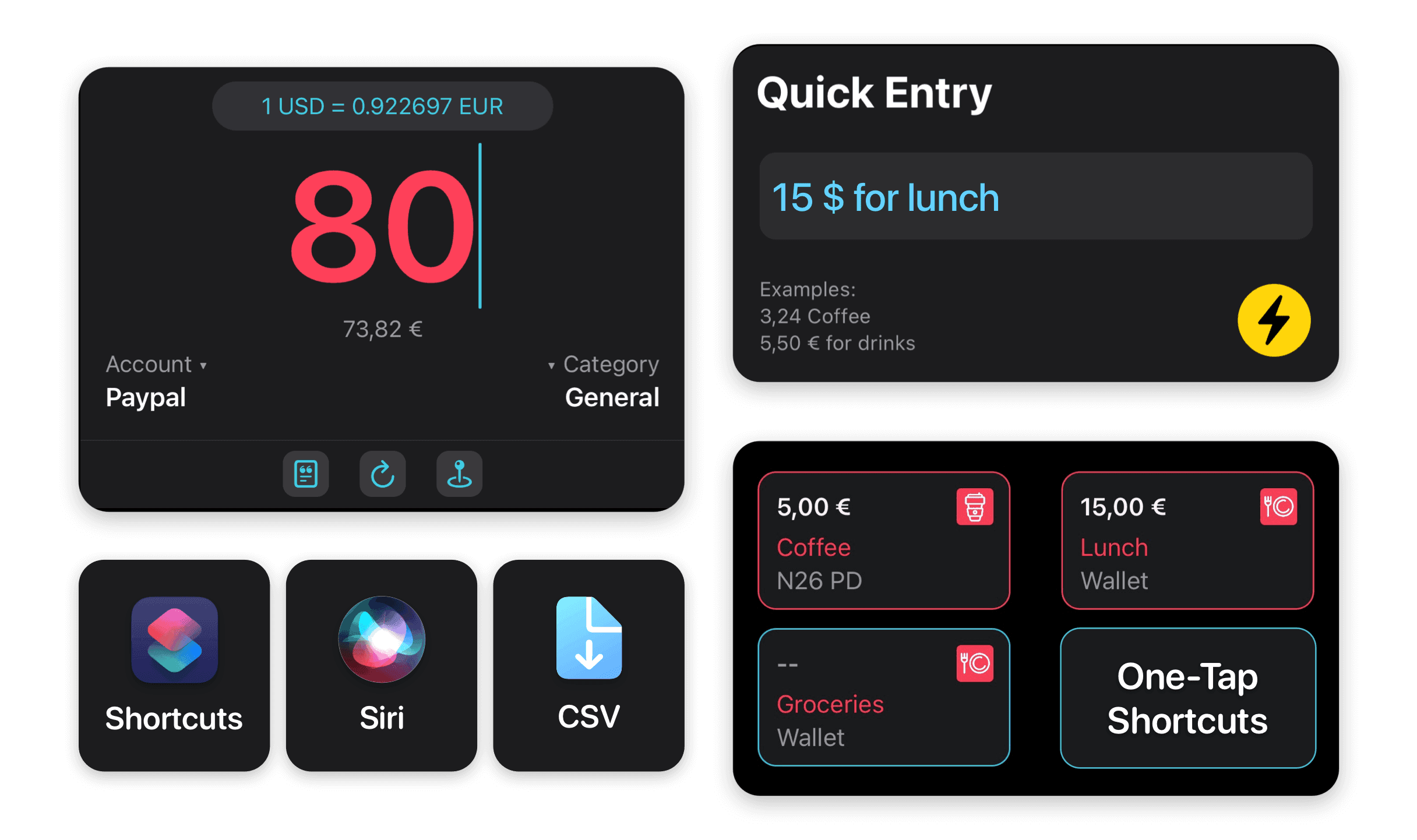
MoneyCoach is a strong spending tracker app for iPhone users who want everyday spending to become visible fast. Add transactions manually, import eligible Apple Pay / Wallet purchases with Shortcuts, organize spending by category, and review reports without being forced into bank sync.
Start with one account and one spending category, then add imports or automation only where they save work.
App Store
featured by Apple
MoneyCoach has been featured as App of the Day, in Apple editorial placements, WWDC keynotes, and an App Store Developer Story.
1M+
downloads
A mature Apple finance app with a large user base.
15,800+
positive ratings
App Store review proof used across the MoneyCoach site.
5
Apple platforms
iPhone, iPad, Mac, Apple Watch, and Apple Vision Pro.
Short answer
MoneyCoach is a strong spending tracker app for iPhone users who want everyday spending to become visible fast. Add transactions manually, import eligible Apple Pay / Wallet purchases with Shortcuts, organize spending by category, and review reports without being forced into bank sync.
Start with the right fit
Who MoneyCoach is best for as a spending tracker
You want to see where money goes without building a complex budget first.
You use iPhone, Apple Pay, Apple Watch, widgets, or Shortcuts for daily habits.
You want manual control, CSV import, Apple Pay import, or optional bank sync.
You want reports and category history, not just a list of transactions.
Decision guide
Spending tracker needs
Make spending visible before the month gets away
Capture today’s purchases, check the category impact, and use reports to spot the pattern before it turns into another vague end-of-month surprise.
MoneyCoach workflow
How MoneyCoach helps track spending
- Quick Entry, widgets, and Shortcuts reduce the effort of adding everyday purchases.
- Apple Pay / Wallet import can bring in eligible card purchases with less typing.
- Categories, payees, notes, and tags make spending searchable and reviewable.
- Reports show trends by category, account, and time period.
- Category Budgets let tracked spending turn into monthly decisions.
When a spending tracker should become a budget
Tracking alone tells you what happened; Category Budgets help decide what should happen next.
Manual tracking gives control, while Apple Pay import, CSV import, and optional bank sync reduce repetitive entry.
The best first step is small: track one account or one category before trying to perfect everything.
★★★★★Great and easy way to track spending…
“This app is great for tracking spending and keeping me on track.”
- DrewCamp4, App Store review
United States
Next steps
Related MoneyCoach guides and features
Use these pages to move from research into a practical MoneyCoach setup.
Best Spending Tracker App for iPhone FAQ
Is MoneyCoach a good spending tracker app for iPhone?
Yes. MoneyCoach is a strong fit if you want Apple-native spending tracking with manual entry, Apple Pay / Wallet import, reports, budgets, and optional bank connections.
Can I track spending without connecting my bank?
Yes. You can use manual accounts, Quick Entry, widgets, CSV import, and Apple Pay / Wallet import workflows without making bank sync the starting point.
What should I track first?
Start with one high-frequency category such as groceries, restaurants, transport, or subscriptions. A focused start creates a quick win and avoids setup fatigue.
Does spending tracking help if I already know I overspend?
Yes, because the useful question becomes where and when it happens. Reports and Category Budgets turn a vague problem into a specific category decision.
Build a budget you can actually keep
MoneyCoach helps you track spending, plan budgets, review reports, and reach goals across the Apple devices you already use.
MoneyCoach UG, Berlin. Learn more at About Us or contact support at info@moneycoach.ai.