If your budget keeps breaking down after two or three weeks, your tool might be the problem.
A spreadsheet can be powerful, but it demands consistency and maintenance. A budget app provides more structure but usually less control over formulas and layout.
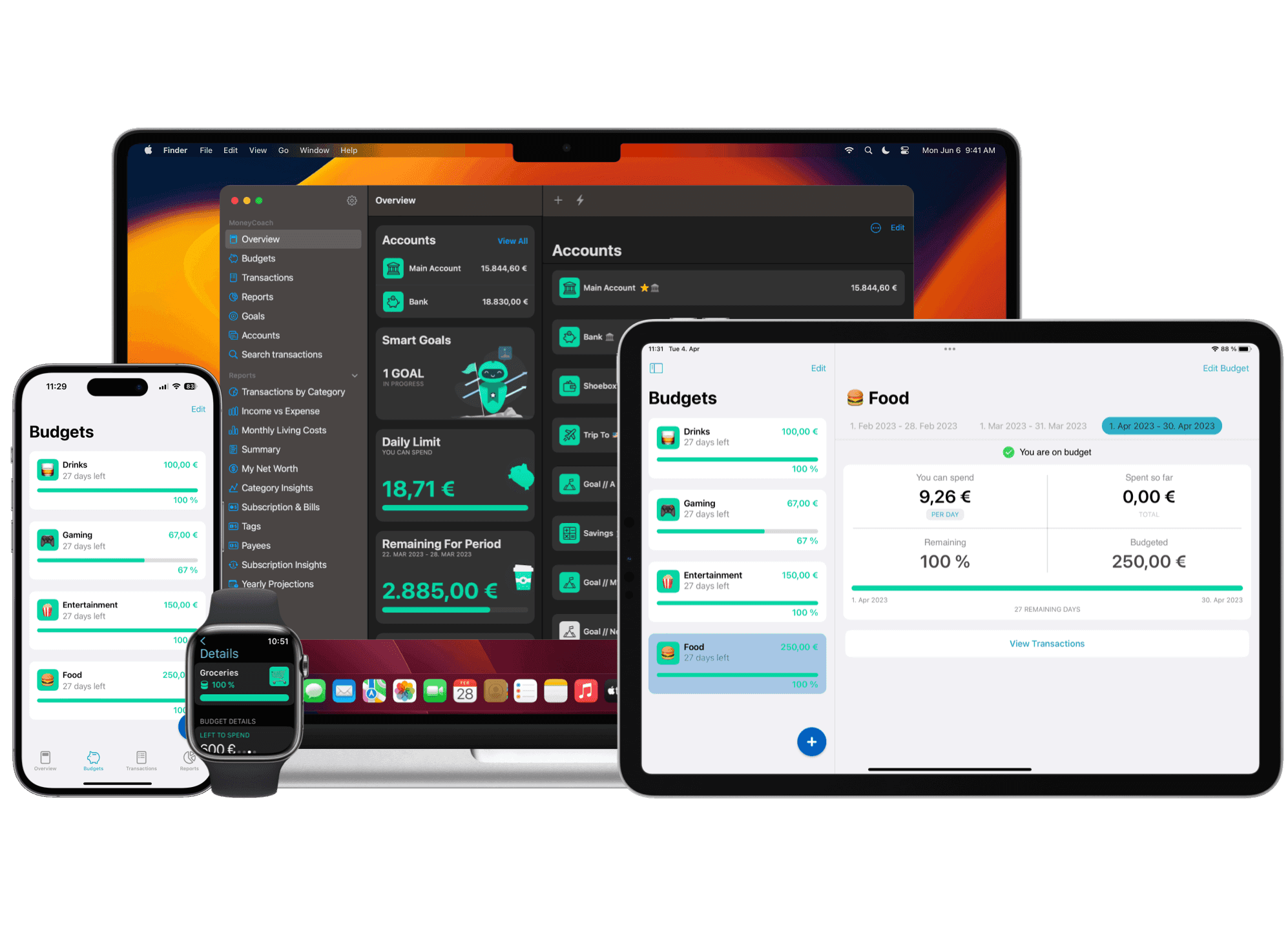
If you already have spreadsheet history, MoneyCoach gives you a middle path: keep your old data useful with CSV import, then turn it into a monthly budget planner app workflow with category budgets, reports, and regular reviews.
This guide compares both options in practical terms so you can choose based on your real workflow, not just features.
Quick definition: budget app vs spreadsheet
A budget app is software built to track spending, manage categories, and show progress against your monthly plan.
A budget spreadsheet is a manual framework (Excel, Google Sheets, Numbers) where you define categories, formulas, and reporting logic yourself.
If you want a broader budgeting foundation first, start with The Ultimate Guide to Using a Budget Planner Effectively.
Side-by-side comparison
| Decision area | Budget app | Spreadsheet |
|---|---|---|
| Setup time | Fast, guided onboarding | Slower, you build structure manually |
| Daily updates | App-defined entry workflow | User-defined entry workflow |
| Error checking | App-defined validation | You inspect formulas and references |
| Customization | Moderate | Very high |
| Collaboration | Usually built-in sharing | Possible, but fragile with shared editing |
| Insights | Automatic reports and trends | You create all analysis logic |
| Ongoing maintenance | Product updates the workflow | You maintain the model and formulas |
Where spreadsheets win
A spreadsheet can be the better choice when:
- You need custom logic that most apps do not support.
- You enjoy building formulas and views.
- You are modeling one-off scenarios (career change, move, tax year simulation).
- You need full control over formatting and data structure.
For example, if you are pressure-testing retirement savings assumptions, you may want your own model plus a dedicated tool like the Retirement Calculator.
Where budget apps win
A budget app may fit better when:
- You want to spend less time maintaining your system.
- You need real-time category visibility during the month.
- You want an AI budgeting app to suggest categories instead of maintaining lookup formulas.
- You want recurring transactions, reminders, and clean reporting.
- You budget with a partner and need shared context.
If your goal is execution and consistency, compare the friction of each workflow rather than assuming the tool with more features will work better.
The hidden cost most people miss
The biggest cost is not subscription price. It is dropped maintenance.
When you skip updates for 2-3 weeks, your budget loses signal. Then decisions get reactive again.
Ask this question: Which tool will I still use in week 14, not week 1?
Decision framework (use this in 60 seconds)
Choose a spreadsheet if:
- You are highly consistent with manual updates.
- You need advanced custom formulas now.
- You are comfortable debugging broken logic.
Choose a budget app if:
- You want lower setup and formula maintenance.
- You need reminders and faster monthly reviews.
- You want shared visibility for household budgeting.
Use both if:
- You run daily budgeting in an app, and
- keep strategic planning in a spreadsheet.
A practical setup to test
- Track day-to-day spending and categories in your budgeting app.
- Run a 15-minute weekly review to correct drift early.
- Use calculators for major planning decisions instead of one giant spreadsheet.
Useful links:
- Free Financial Calculators & AI Tools
- Credit Card Payoff Calculator
- Debt Payoff Calculator
- Retirement Calculator
Common mistakes when choosing
- Choosing based on "power" instead of consistency.
- Overbuilding a spreadsheet before defining clear budget categories.
- Ignoring collaboration needs if you manage money with someone else.
- Switching tools too often before completing one full monthly cycle.
Final takeaway
Pick the system that reduces friction enough for you to stay consistent.
If you want custom modeling and are willing to maintain it, a spreadsheet can be an excellent choice. If you want a ready-made daily workflow, test a budget app for one complete month. Keep the option that produces a record you actually review and trust.