
We're going straight from MoneyCoach 12.5.1 to MoneyCoach 14. Yes, we skipped 13. It's unlucky, and after everything we've been working on, we felt like making a bigger jump.
A wallet that opens with your iPhone Duo. US bank connections. Investments next to your everyday accounts. There's a lot to show you, so let's get into it.
iPhone Duo, meet MoneyCoach Wallet
A phone that folds like a wallet deserves an actual wallet. So we built one.
MoneyCoach Wallet turns your accounts into cards tucked inside a 3D leather wallet. Open your iPhone Duo and the wallet opens with it. Tap a card to see the account, add a transaction, or reach for the banknotes to open your cash account. These are your real MoneyCoach accounts, with changes shared between the wallet and the full app.
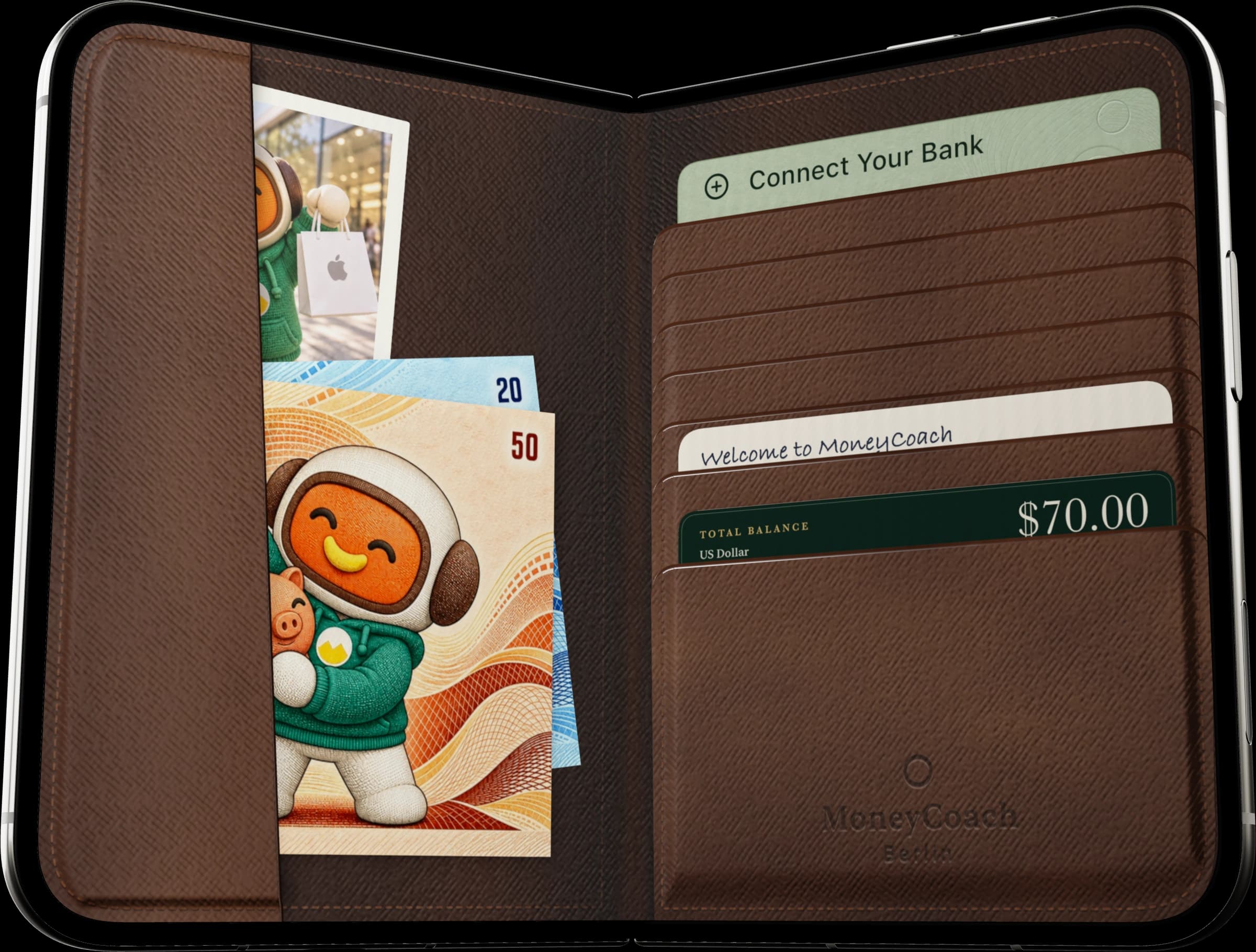
You can make it yours with the Atelier's leathers, foils, and monograms. Or jump into the full app whenever you want your budgets, reports, and the rest of MoneyCoach.
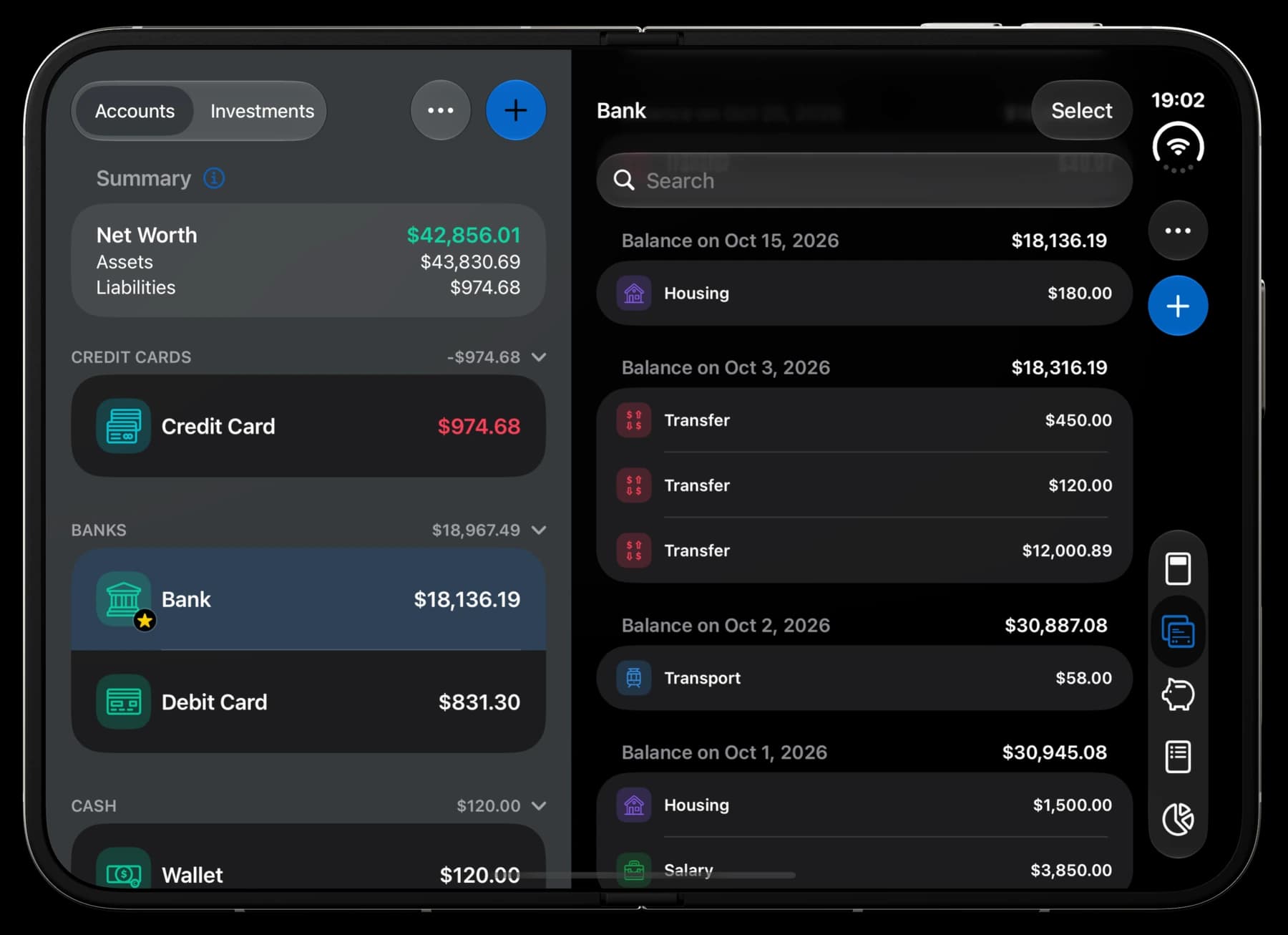
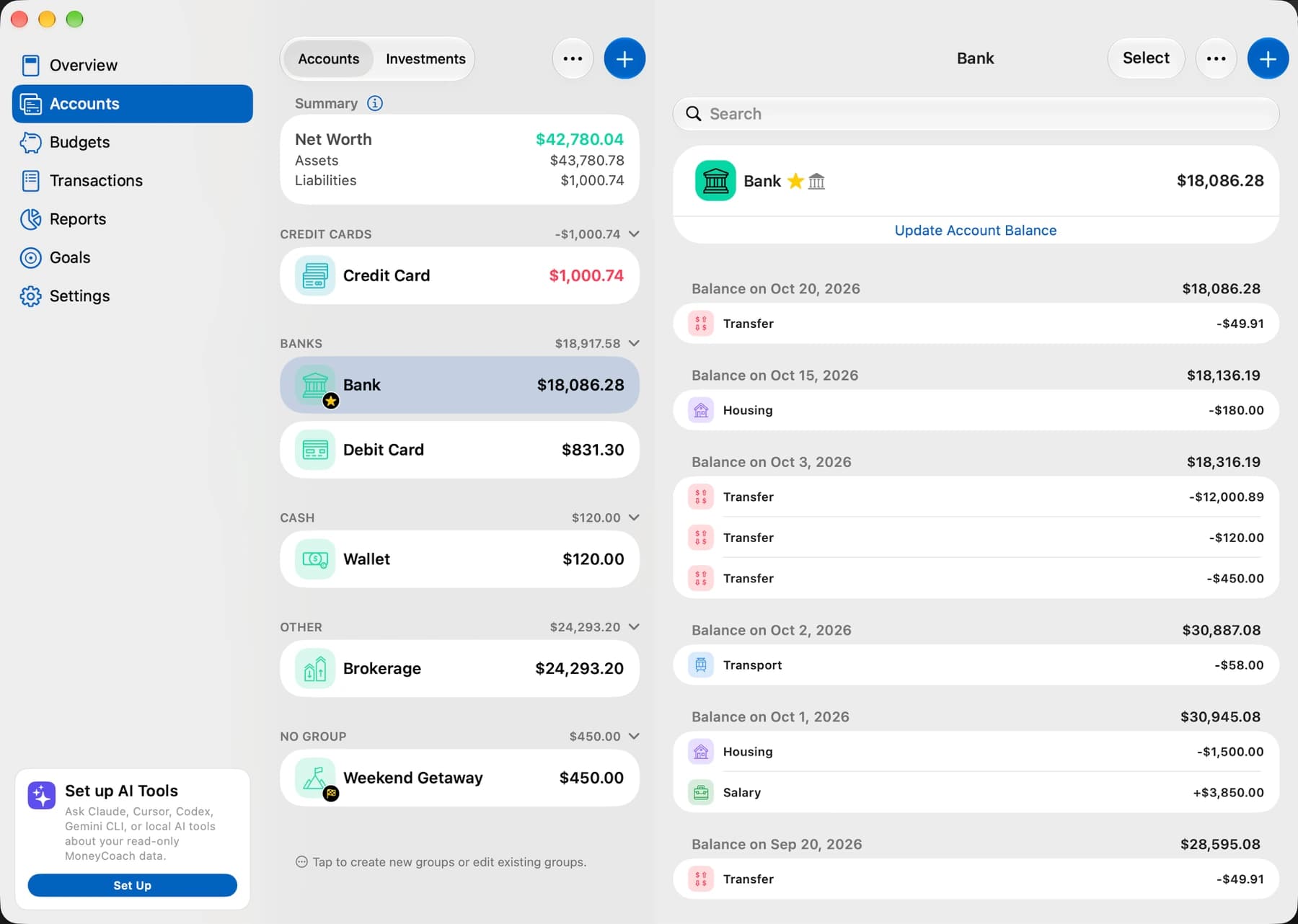
We've also adapted the full app to the Duo's larger display. Open it up and your accounts and transactions sit side by side. Fold it back and the layout follows. It makes good use of that extra screen.
US banking is here. Canada is coming soon.
You can now connect supported US banks through Plaid and bring balances and transactions into MoneyCoach automatically, alongside our existing European bank connections.
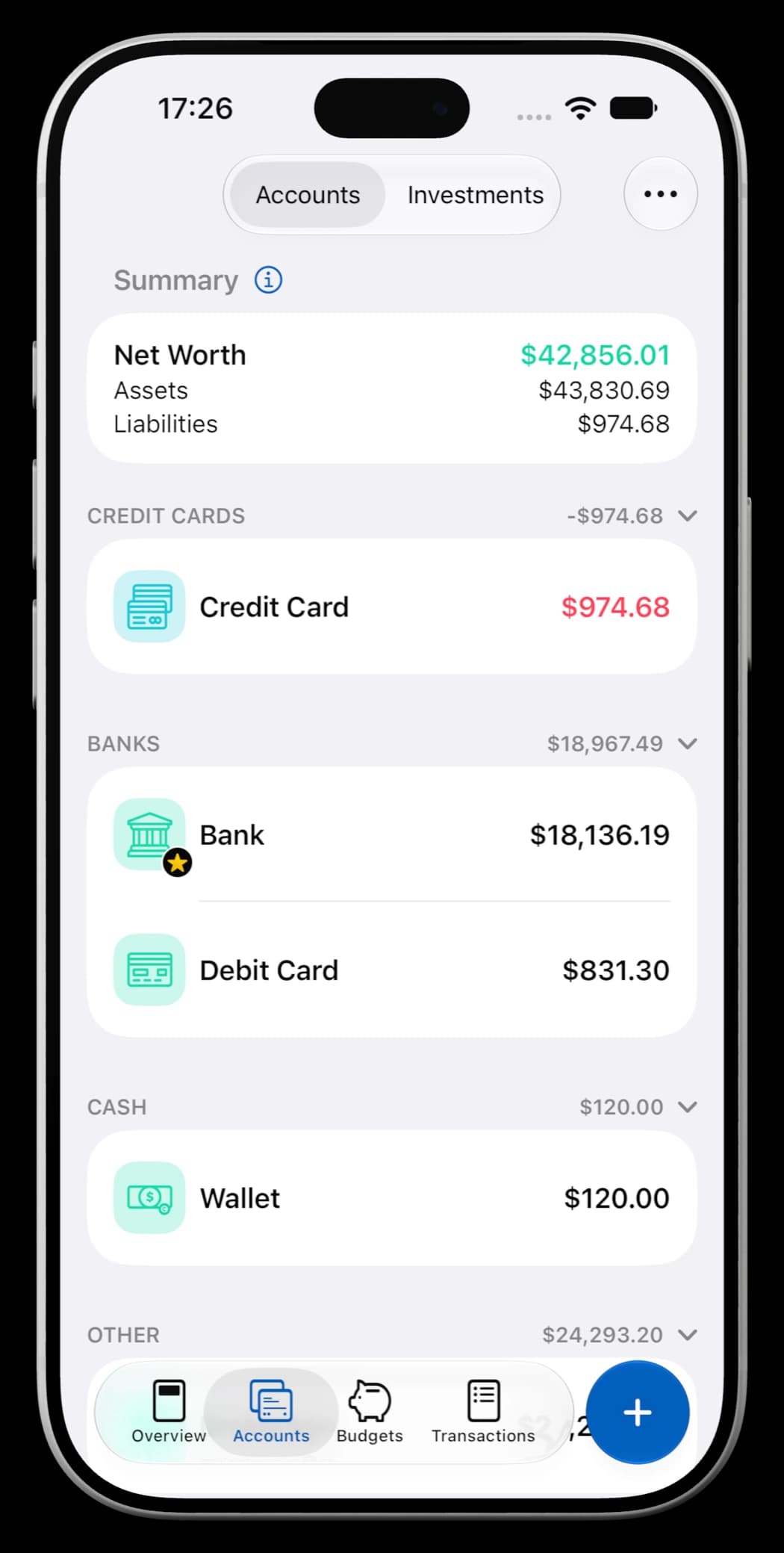
We've spent a lot of time making the experience better, too. The first import shows what's happening as accounts and transactions arrive, and you can carry on using the app while it finishes. Reconnecting is clearer, bank icons are easier to recognize, and supported transfers between your own linked accounts stay out of your spending totals.
When your bank supplies them, savings and loan accounts can also show details such as APY, interest rates, and upcoming payments.
Canada is next, and it's coming soon. Canadian bank linking isn't available in this release yet. Online banking requires a qualifying plan and a supported bank.
Your investments belong here, too
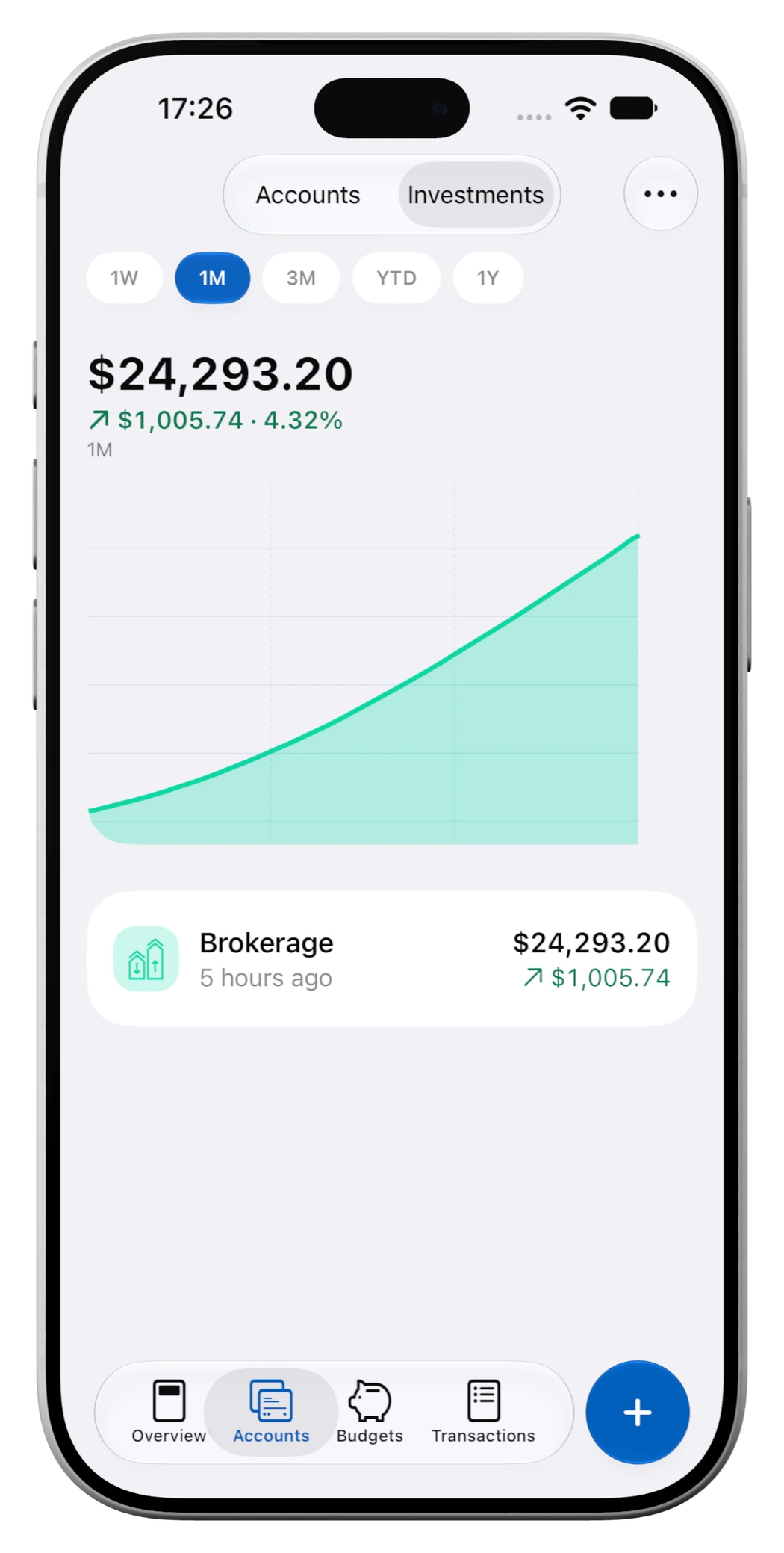
Your checking account only tells part of the story. With Premium Max, you can track investments alongside the rest of your money and include them in your net worth.
Add holdings manually, connect a supported US brokerage, or import a brokerage CSV. Supported Trade Republic exports are recognized automatically, and you can match columns for other formats. Re-importing a file won't add recognized transactions twice.
Search stocks, ETFs, and supported crypto, check your portfolio, and explore investment charts. Reconstructed history is marked as estimated, so you can tell it apart from recorded net worth values.
Talk to Claude or ChatGPT about your money
Ever wanted to ask, “How much did I spend on eating out last month?” and get an answer from your own transactions?
With Premium Max, you can connect a supported assistant such as Claude or ChatGPT through optional MoneyCoach Cloud sharing in MCP & AI. This uploads a read-only copy of selected financial data after you opt in. Cloud sharing requires a MoneyCoach sign-in and an eligible personal ledger; family-ledger participants cannot enable it. Compatible local MCP clients can also read MoneyCoach data on your Mac without using that cloud copy. Ask about spending, account balances, budgets, goals, or upcoming bills.
You choose whether to share your data. Descriptions and merchant names are off by default, and the connection is read-only: assistants can't move money or change your records. You can delete the shared data and disconnect from MoneyCoach.
Put your favorite screens first
MoneyCoach 14 lets Premium users customize the iPhone tab bar. Want Reports or Goals a tap away? Add them. Prefer to start in Accounts? Move it first.
Choose up to four tabs, with Overview always included, and drag them into order. You'll find it in Settings under Customization, then Tab Bar.
We've redesigned the iPad and Mac apps, and they're faster, too. iPad has a new top tab bar, while the Mac app feels even more native with its persistent sidebar, clearer icons, and room for lists and details side by side. We've also fixed some annoying legacy bugs that made navigating certain screens awkward. Switching screens, going back, and picking up where you left off now feels much smoother. On iPhone, there's landscape support and an Add button that follows what you're doing.
Budgets that can change with your month
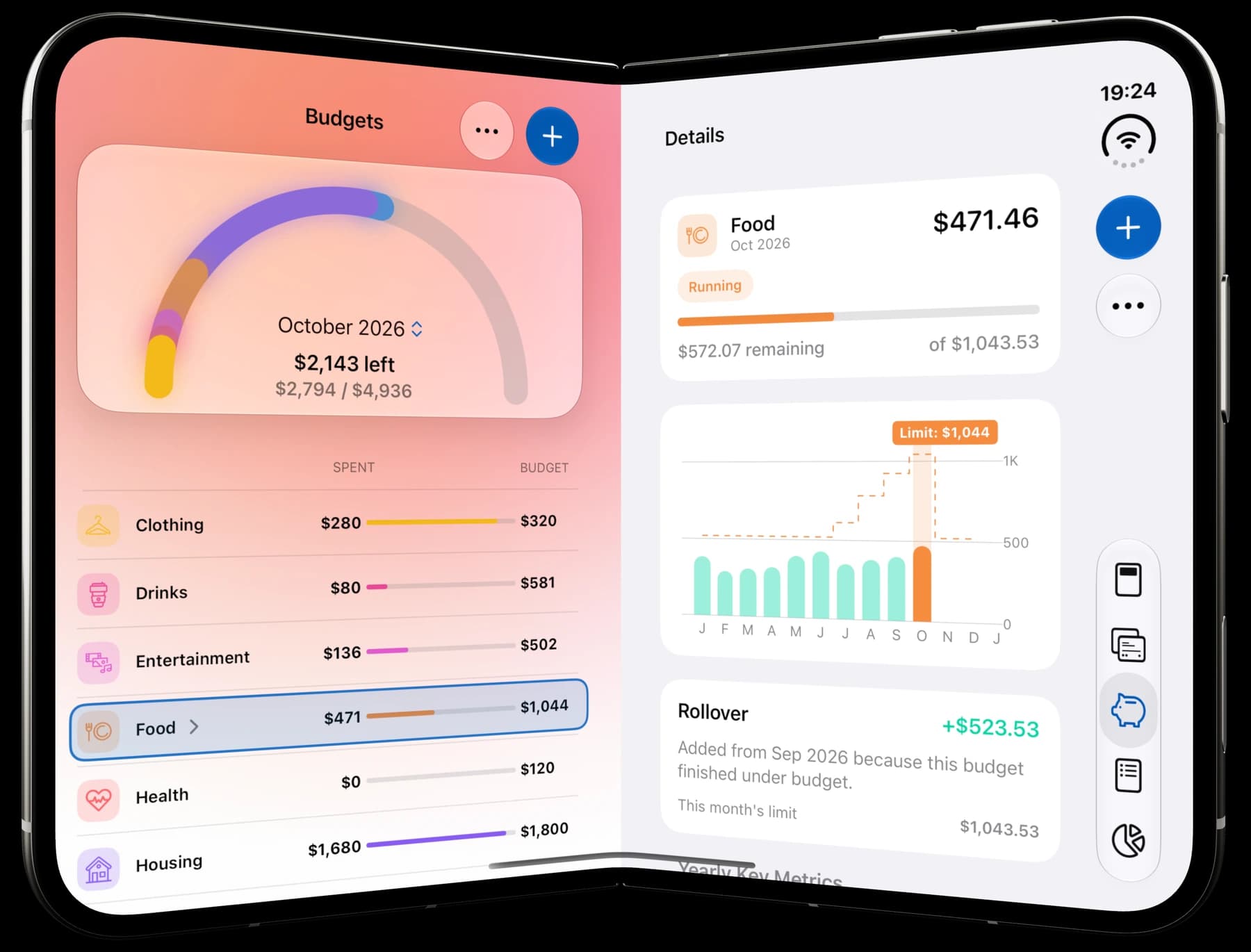
Changing this month's budget shouldn't rewrite last month's plan.
You can now apply a category limit to this month, from now on, or all time. It's a small change that makes adjusting your budget much less fiddly.
A fresh Moco, and the everyday improvements
Moco has a new hoodie and a fresh look throughout the app. You'll spot him on the launch screen, in Overview, Quick Entry, and plenty of other places.
We've also worked through a long list of requests and fixes. A few worth calling out:
- Clearer transactions: more useful details in regular rows, including transfer direction, payee, location, and pending status, plus better bulk editing.
- Easier categorization: nearby place suggestions, more default categories for new installations, and custom category colors that stay put when you change the category type.
- Better currency handling: more precise crypto amounts, clearer notices for old or missing exchange rates, and fixes for editing foreign-currency transactions.
- Shortcuts and widgets: restored Apple Wallet Shortcut queuing, fewer confirmations when adding transactions, and fixes for Upcoming Bills and Favorite Budget widgets.
- More reliable basics: fixes for transaction entry on iOS 18, linked loan edits, Restore Purchases, PDF exports, and accessibility. Crash reports follow your Share Analytics & Crash Logs setting.
Some of these additions arrived in the updates through 12.5.1; 14 brings the new tab-bar customization and the latest refinements. Together, they make this a much bigger MoneyCoach than the one we shipped with 12.1.
We hope you enjoy it. And if you own an iPhone Duo, open that wallet. We're pretty proud of it.
MoneyCoachMake money feel simpler.iPhoneiPhone DuoiPadMacApple WatchApple Vision ProDownload on theApp Store
The MoneyCoach team