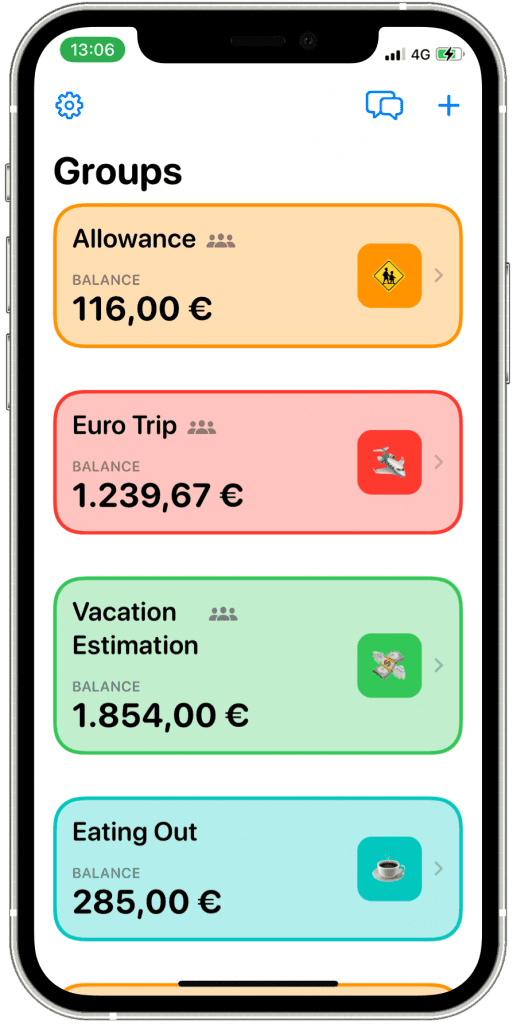
A Space is a flexible money list in MoneySpaces. It holds the income, expenses, balance, members, tags, and conversations for one purpose.
It can represent:
- a personal wallet or account;
- a household or couple budget;
- shared roommate costs;
- a child's allowance;
- a trip or event estimate; or
- money owed between friends.
It does not need to match a real bank account. The name and scope you choose determine what its balance means.
Choose one clear purpose
Before creating a Space, write a one-sentence rule: “This Space contains all shared household income and expenses” or “This Space contains only the estimated and actual costs of our Rome trip.”
Avoid entering the same expense in multiple Spaces unless you intentionally want separate records. For example, if dinner is recorded in both “Household” and “Weekend Trip,” the combined total will count it twice.
Private or shared?
Keep a Space private when it contains only your records. Share it when other people need to add transactions, review the same balance, or discuss individual entries.
Sharing is collaborative access, not a bank transfer. Inviting someone does not give MoneySpaces control over a bank account.
A practical starting structure
For a couple, begin with one shared “Household” Space rather than several overlapping Spaces. Add income contributions, rent, utilities, groceries, and other agreed shared costs. Keep personal spending in private Spaces if that is your agreement.
For a trip, use one Space for the whole trip and tags such as Transport, Stay, Food, and Activities. This makes the total visible without fragmenting the plan.
How to verify your setup
After adding one test income and one test expense, confirm that:
- the balance changes as expected;
- the transaction appears only once;
- invited members can see the intended Space; and
- private information is not included in a shared description or comment.
MoneySpaces was redesigned for iOS 26, so button names and positions can differ from older screenshots. Open Settings → Tutorials in the current app when the interface differs from this guide. See the MoneySpaces overview for current platform and feature information.