Wow, thanks for being here. We love indie software, like you do too!
Just to save you time and nerves, we prepared this post for you. It contains the most important facts about MoneyCoach. We hope you love it.

If you don’t have much time: MoneyCoach is an Apple-native personal finance app for iPhone, iPad, Mac, Apple Watch and Apple Vision Pro. It was featured by Apple many times, has more than 1 million downloads and a 4.5-star rating from 16K+ ratings on the App Store worldwide.
Cheers from Berlin 🇩🇪, Perjan
Price: Free download with a free trial, then a Premium or Premium Max subscription
Website | App Store
For all press and interview inquiries, please contact:
Perjan Duro, Founder & Developer
perjan@moneycoach.ai
LinkedIn
MoneyCoach UG (haftungsbeschränkt), Berlin, Germany
Website | X | Instagram | Facebook | YouTube | TikTok | LinkedIn
Accolades
-
Top app for Apple Vision Pro at the European Vision Pro launch (July 2024)
-
“App Of The Day” — Worldwide on the App Store
-
Developer Spotlight Story on the App Store
-
“Apps We Love” 2023 — Worldwide Feature on the App Store
-
“Apps We Love” 2022 — Worldwide Feature on the App Store
-
Showcased on Apple’s WWDC21 Keynote
-
“App Of The Day” — Feature on US App Store
-
“Apps We Love” 2021 — Worldwide Feature on the App Store
-
Featured on Apple’s official website
-
Showcased on Apple’s WWDC20 Keynote
-
“Apps We Love” 2020 — Worldwide Feature on the App Store
-
“Apps We Love” 2019 — Worldwide Feature on the App Store
-
“Apps We Love” 2018 — Worldwide Feature on the App Store
-
“Apps We Love” 2017 — Worldwide Feature on the App Store
What does MoneyCoach do?
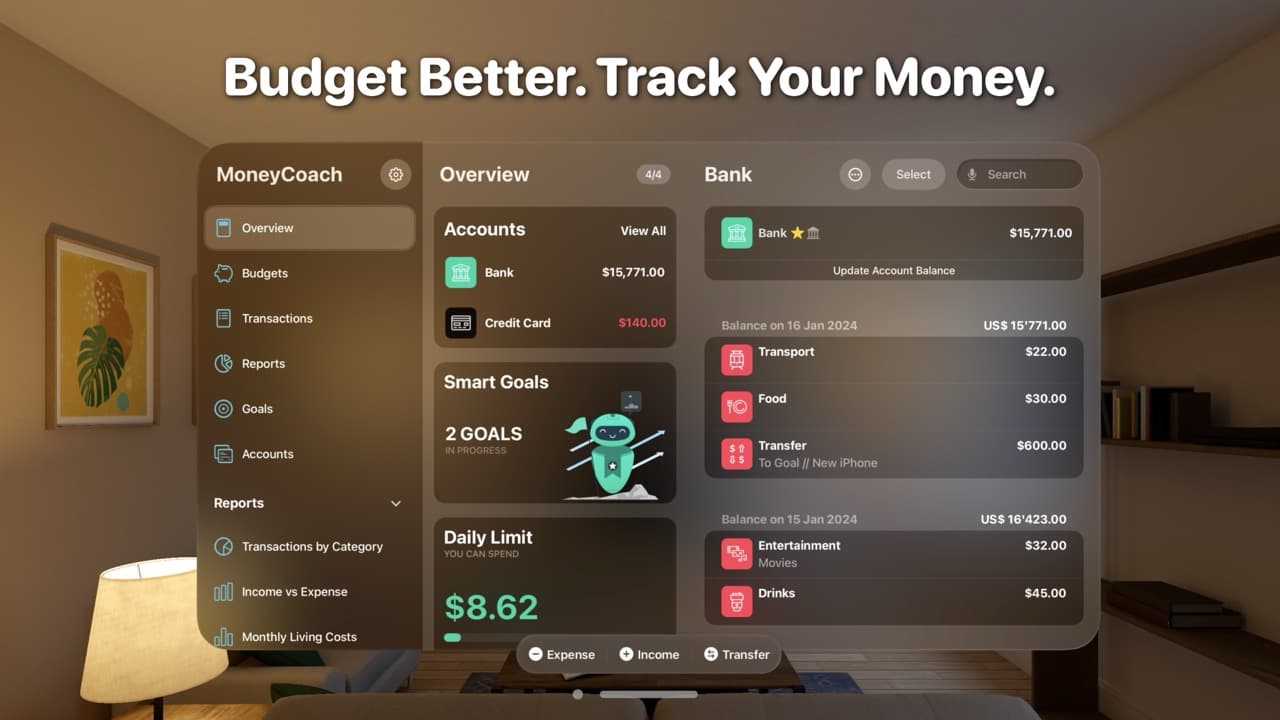
MoneyCoach is an Apple-native budget tracker and personal finance app. Track your spending, plan budgets, manage bills, follow your net worth and work toward your money goals.
-
It gives you a grip on your personal finances.
-
It helps you save more and spend smarter.
-
It works without a bank connection. In Europe, you can also connect your bank.
MoneyCoach creates healthy financial habits that reduce your financial stress, increase your financial knowledge, and develop your financial skills.
Every other finance app is focused on saving money, but MoneyCoach wants you to have more of everything.
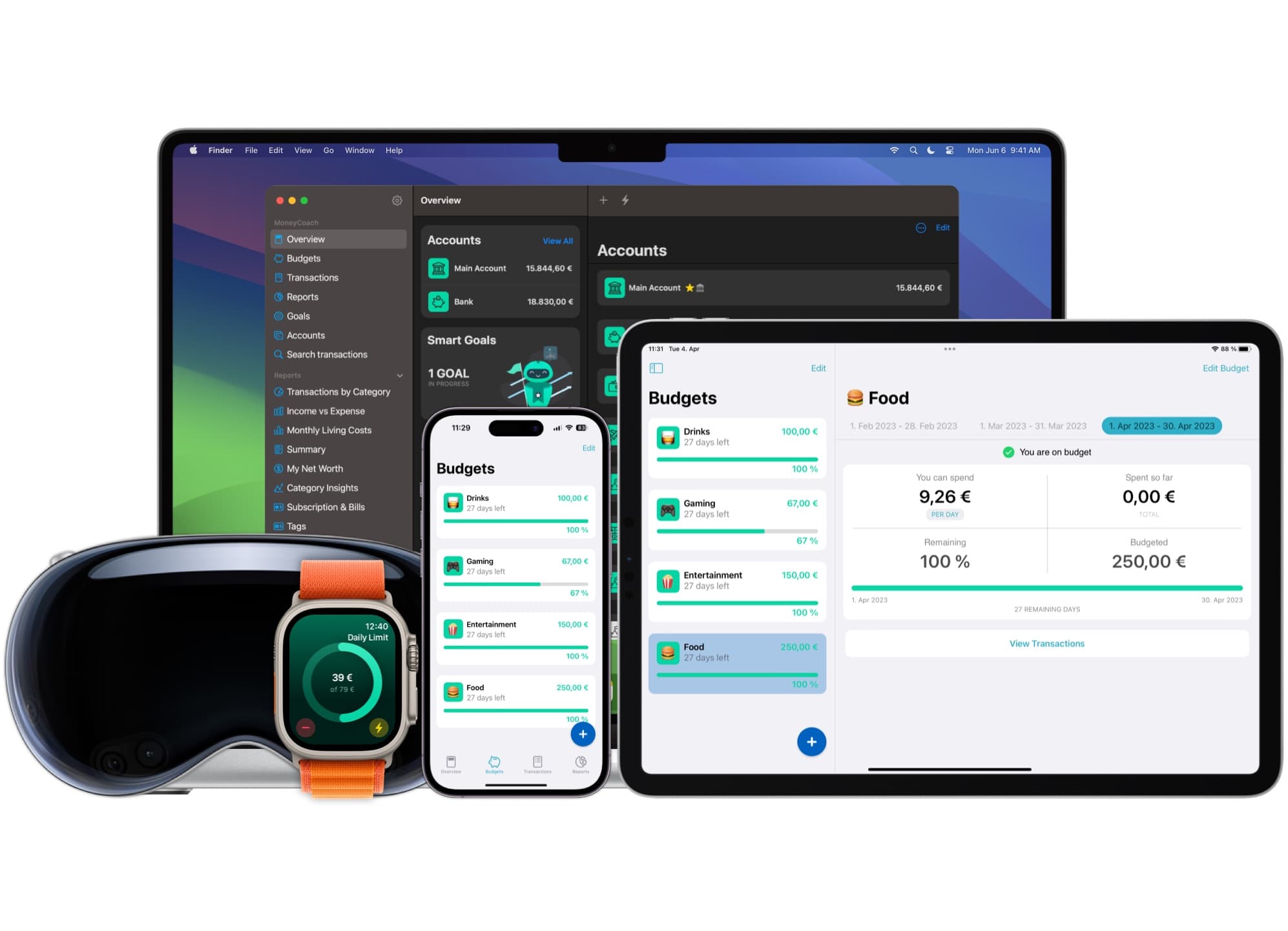
MoneyCoach is available on iPhone, iPad, Apple Vision Pro, Mac and Apple Watch.
There are many apps like this. Why MoneyCoach?
Because of:
-
One app for every Apple device. MoneyCoach 11 launched on day one of iOS 26, iPadOS 26, macOS 26, watchOS 26 and visionOS 26.
-
Privacy by default. Your data stays on your device, iCloud sync is optional, and there is no web dashboard. We never sell your data.
-
New features in every release. MoneyCoach 12 (September 2026) brought Siri AI and an all-new Quick Entry.
-
World-class, personal support.
Who is MoneyCoach for?
Anyone who needs to keep track of their money across multiple accounts and know their net worth in real time. It is ideal for:
-
Freelancers
-
Software developers
-
Designers
-
Students
-
Couples and families who plan their money together
-
Anyone who has a lot of financial accounts (credit cards, savings, debts, etc.)
-
Anyone who hates Excel files and long bank statements
-
Anyone who wants to buy their Tesla, by learning how to make more and spend less
-
Anyone who wants to achieve financial freedom
Our mission: helping people achieve financial freedom
Money stress comes from not knowing where the money goes. MoneyCoach shows it on the device you already hold. Then it helps you plan the next step: a budget, a goal, a debt paid off.
Key Features Guide
-
Apple Pay and Wallet transaction import with Shortcuts
-
Apple Card CSV import
-
Siri, Siri Shortcuts and App Intents
-
MoneyCoach AI with Apple Intelligence [Beta]
-
Quick Entry: add a transaction in your own words
-
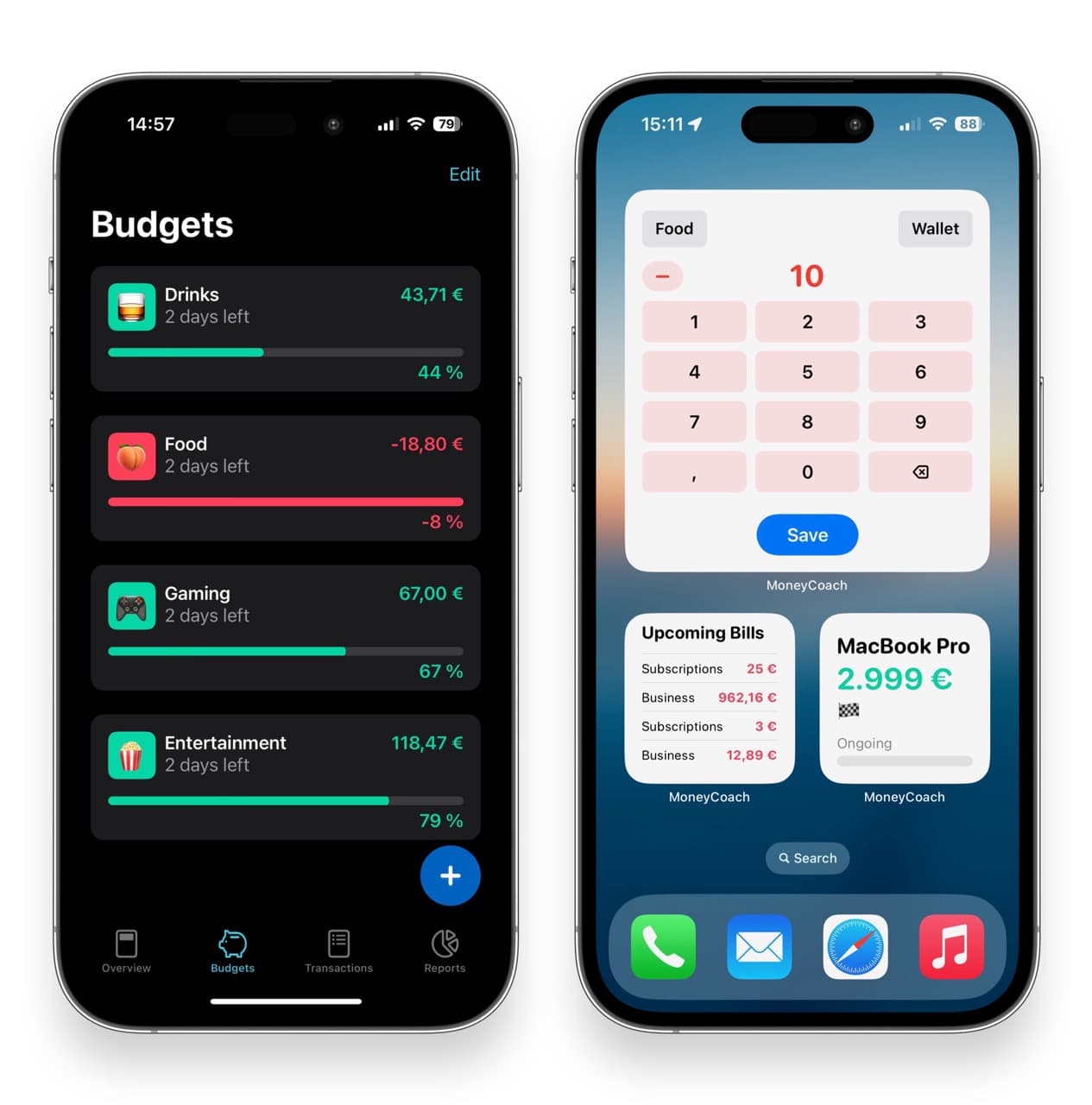
Interactive widgets, Live Activities and Control Center shortcuts
-
Apple Watch app
-
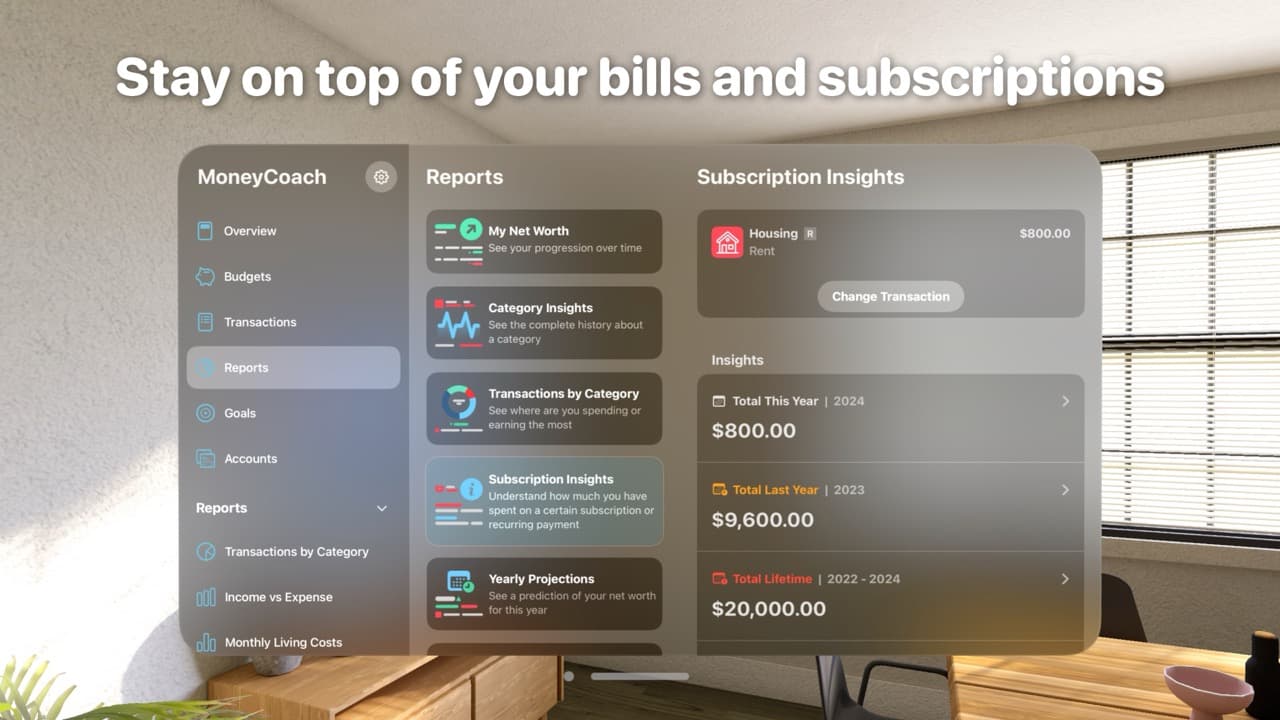
Apple Vision Pro app and widgets
-
iCloud sync on all your devices
-
Family Sync with your partner or family, also on a different Apple ID
-
Online Banking for European users [Beta]
-
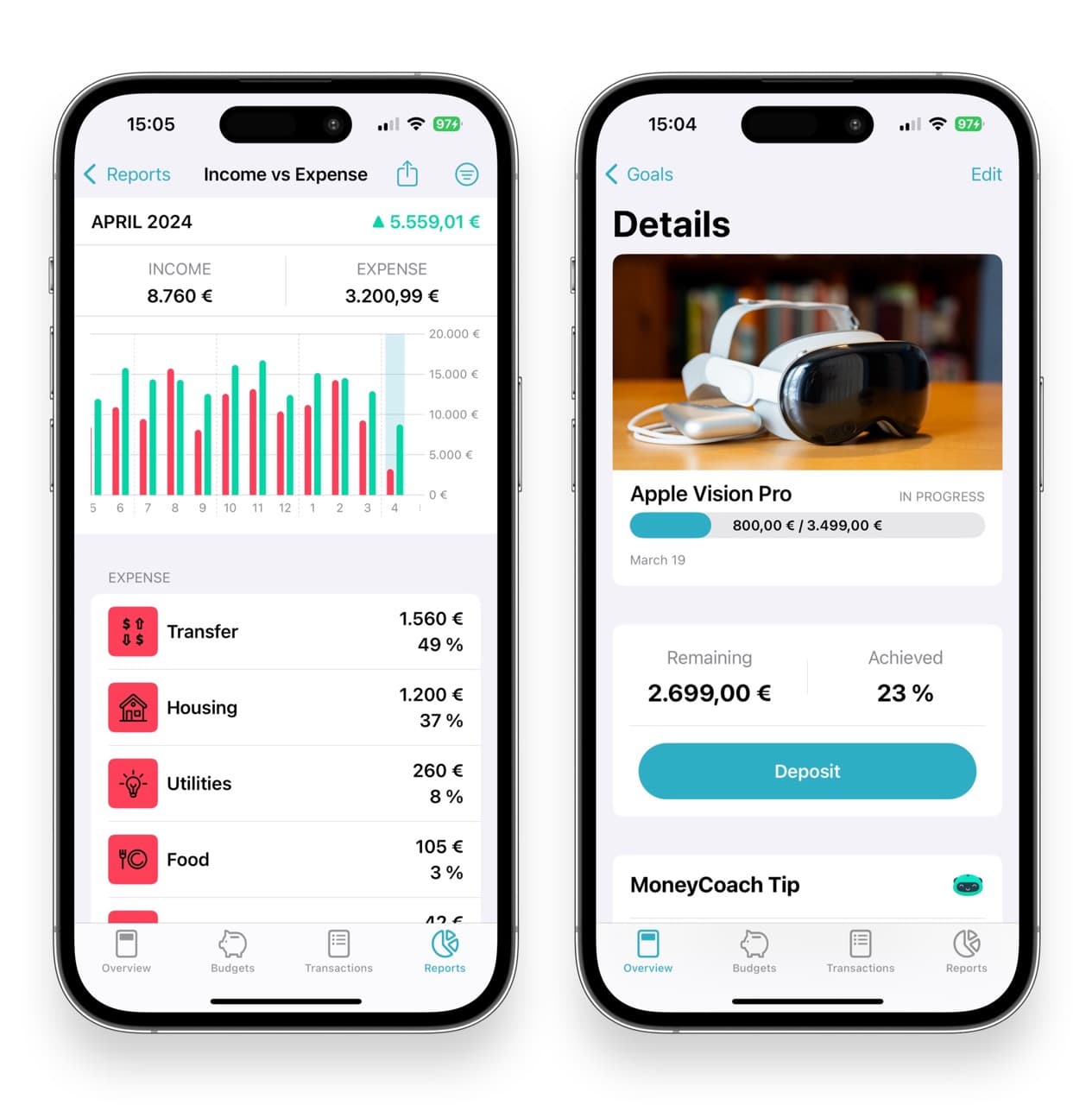
Category budgets
-
Customizable smart goals
-
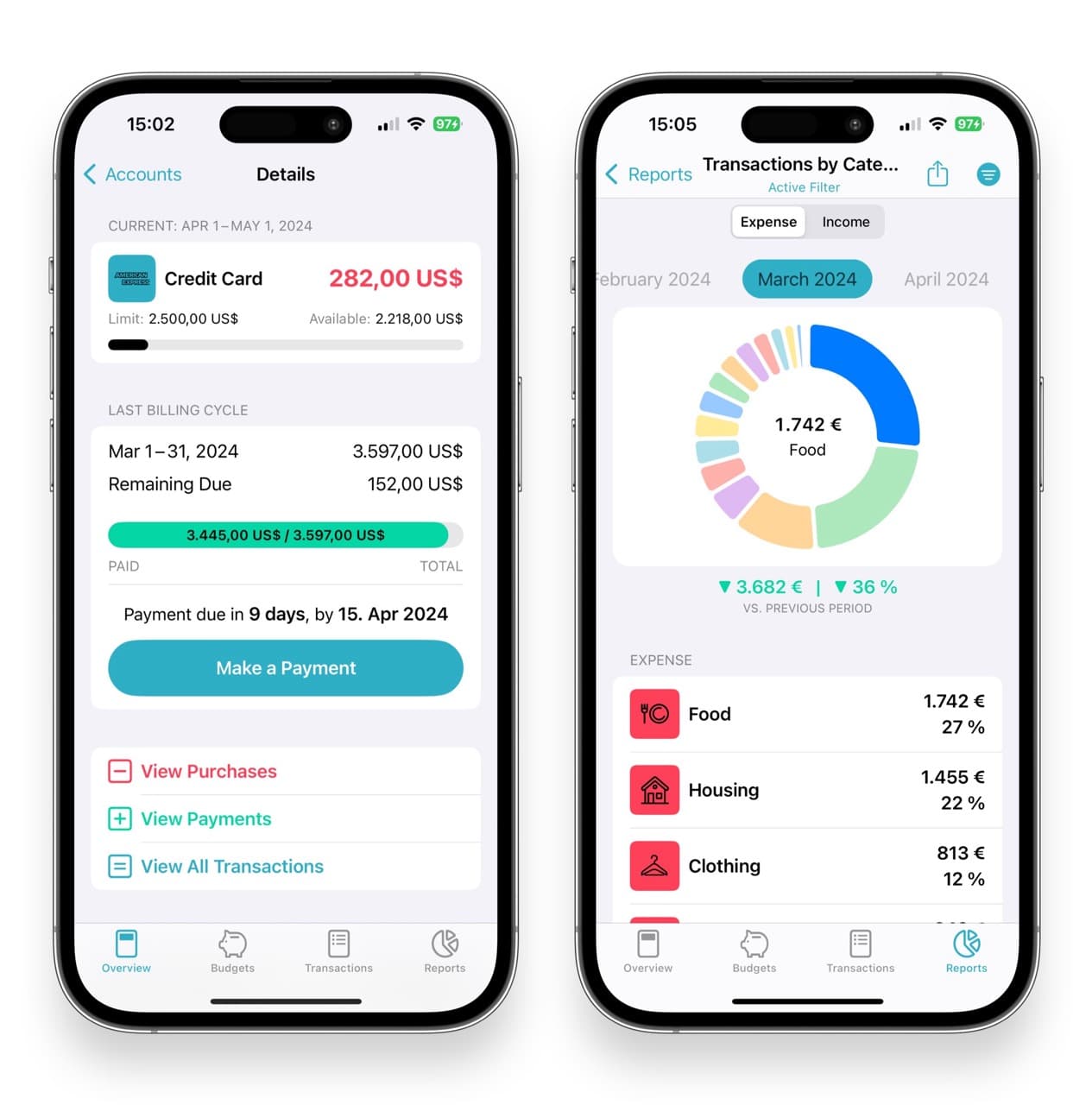
Credit card management
-
Smart notifications
-
Calendar for better financial planning
-
Multi-currency support
-
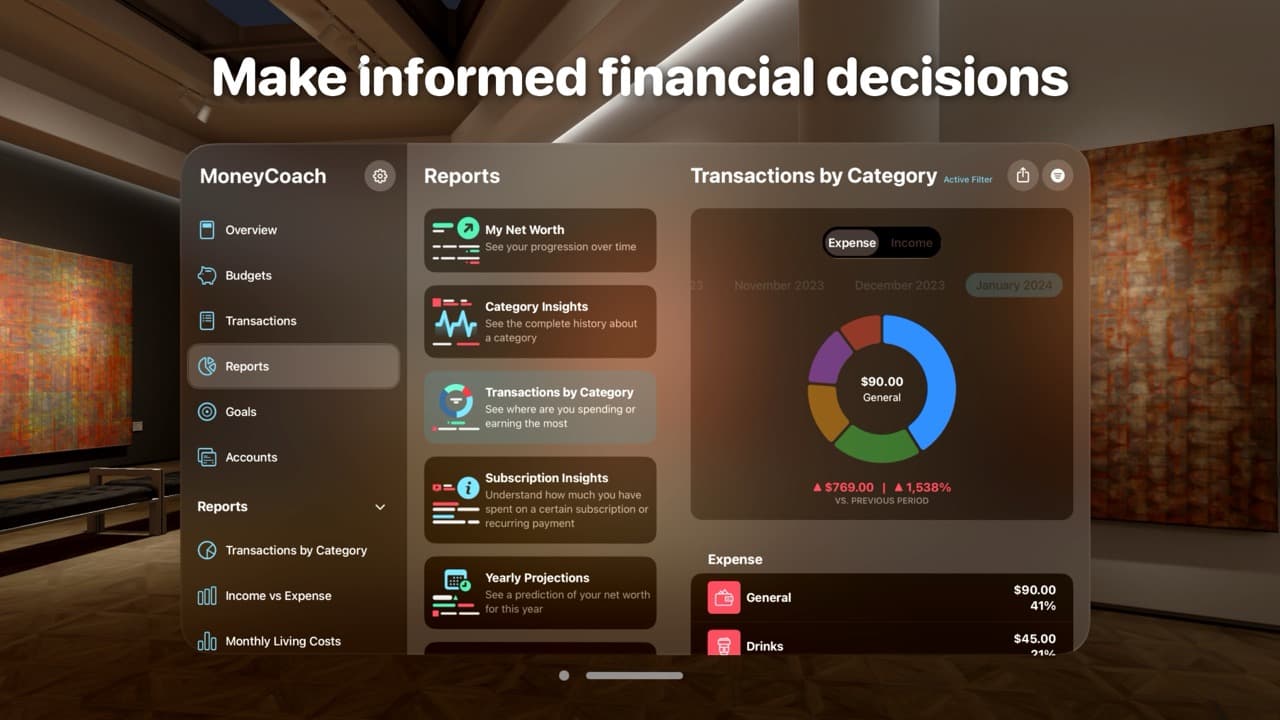
Detailed reports
-
Attachments, bulk edit, persons and companies
-
Import and export CSV, export PDF
-
Backup and restore
-
PIN, Face ID, Touch ID and Incognito Mode
-
MoneyCoach MCP: read-only AI assistant access through local MCP on Mac or optional MoneyCoach Cloud sharing (Premium Max, opt-in)
-
MoneyCoach Academy
-
And a lot more!
FAQ
How much does MoneyCoach cost?
MoneyCoach is free to download and starts with a free trial. After the trial, you choose MoneyCoach Premium or Premium Max. Prices depend on the country and are shown in the App Store. Eligible users get a free trial.
Is MoneyCoach on Apple Watch?
Yes. MoneyCoach was available on Apple Watch from day one: 24 April 2015.
What are the system requirements for MoneyCoach?
MoneyCoach runs on iPhone, iPad, Mac, Apple Watch and Apple Vision Pro, and it supports each new Apple operating system on day one. Since MoneyCoach 11, devices with iOS 16 or older are no longer supported. The App Store shows the exact requirements for each device.
MoneyCoach AI needs a device with Apple Intelligence: iPhone 15 Pro or newer, or a Mac or iPad with an M1 chip or later.
Can I use MoneyCoach on multiple devices?
Yes. MoneyCoach works on iPhone, iPad, Mac, Apple Watch and Apple Vision Pro, with optional iCloud sync. When you subscribe to Premium on one device, all your devices with the same Apple ID get Premium.
Can I share MoneyCoach with my partner?
Totally. With Family Sync, you share your data with your partner or a family member, also when they use a different Apple ID. You both need MoneyCoach Premium. With a Family Plan subscription, everyone in your Apple Family gets Premium.
How secure is MoneyCoach?
Manual tracking needs no MoneyCoach sign-in. Bank sync and optional cloud sharing with AI assistants require one. You protect the app with Face ID, Touch ID or a PIN, and Incognito Mode protects sensitive views when you are around other people.
Where is my data stored?
Data that you enter is stored on your device. iCloud sync is optional and always encrypted. You can also make a manual backup. We never sell your data.
Can I connect my bank?
Yes. Supported US banks connect through Plaid, starting on iPhone, and about 2,800 European banks connect through GoCardless. Canadian bank linking is coming soon. Connections are read-only. It is optional: MoneyCoach also works without a bank connection. Premium includes up to 4 bank logins, Premium Max up to 8. Manual entry, Apple Pay import and CSV import remain available without a bank connection.
Can I export my data?
Yes. You can export your transactions as CSV and PDF, and use them with all major accounting software.
Can I import data from other apps?
Yes. You can import your financial data from any other app or bank statement. All you need is a CSV file :). Apple Card CSV files work too.
The MoneyCoach Story
MoneyCoach was created by Perjan Duro to solve his own problems with personal finance management. Perjan was losing money, because he did not know where the money was going and where to put his energy to earn more and spend less.
On top of that, keeping track of so many accounts was a total waste of time.
Millions of freelancers, small startups and normal people with more than 3 accounts (credit card, savings account, debit accounts, etc.) face this issue every day. They need a fast and easy way to track their accounts and new techniques to make more money.
We tried several apps over one year, but the solutions were either oversimplified or cluttered and buggy. The apps that were above the crowd always asked for extra payments to unlock even a simple chart.
Motivated by this, we crafted MoneyCoach — the easiest personal finance tracker & trainer app.
Since then, MoneyCoach has improved with every release, thanks to the community around it and to the users who suggest features that make their lives easier. It always stays true to its mission: Helping people achieve financial freedom!
Want to see some images?